Turn Slack into a Partner Referral Machine with Threadly
Expert advice from Zev Zoldan.
Snapshot
Slack: It’s not just a chat app — it’s where partners live, collaborate, and make decisions in real time — which means it’s also where small nudges, timely asks, and quick follow-ups can turn into predictable leads.
The risk is simple but costly: when partner conversations are scattered across dozens of fragmented channels and threads with no system to capture responses, context vanishes, relationships cool off, and referrals quietly disappear.
Relying on manual DMs, copy‑pasted posts, or one‑off announcements wastes hours, creates duplicate work (hello, spreadsheets and CSV hacks), and leaves you blind to who clicked, who replied, and who actually converted.
Conversely, if you ignore the channel where partners spend their day, you’re missing repeatable, recurring opportunities to generate revenue — opportunities you could surface with a handful of disciplined tactics.
Solution: Treat Slack as an owned engagement channel. Group and target partner channels logically, automate personal‑feeling welcome workflows, embed tiny inline forms instead of long link lists, and track delivery and click signals so you know what’s working.
When you start small — audit channels, ensure the right bots are present, sending short human message with a single CTA — and you can turn chaotic slack into a reliable, measurable source of partner referrals and sustained revenue growth. Keep reading to learn how!
People respond to people. Keep messages simple, plain, and human, and you’ll get responses. -Justin Zimmerman
Table of Contents
- The problem: Why Slack engagement breaks down
- How Threadly meets partners where they work
- Core features that change the game
- Live demo highlights and interface walkthrough
- How to build dynamic groups and send targeted blasts
- Welcome workflows that feel personal, not robotic
- Designing interactive messages and forms
- Tracking clicks, delivery, and partner activity
- Templates, custom profiles, and scaling consistency
- Pricing, implementation, and quick wins
- Best practices to avoid being spammy
- Integrations and next steps
- FAQs
- Conclusion
The problem: Why Slack engagement breaks down
You probably already know how this plays out. A partner slack channel gets created. You post product updates, partnership offers, or requests for referrals. Time passes. Reactions trickle in. Somebody posts a question in a thread and it disappears. You never circle back. People forget. Opportunities are lost.
Manual messaging drains time and attention. You ask yourself who clicked which link, which channel reacted, which partner expressed interest—and the answers are buried. You do one-off DMs, copy-paste similar messages into multiple channels, or hack together CSV exports and spreadsheets. The result is fragmented partner experiences, low visibility into impact, and fewer referrals.
This isn’t just a logistics problem. It’s a product-market mismatch. Partners live in Slack, but your partner program often lives across portals, PRMs, CRMs, and email. That friction kills momentum. You need a way to meet partners where they already are and make interactions trackable, helpful, and repeatable.
How Threadly meets partners where they work
Zev frames the opportunity succinctly: a partner program should meet partners where they are. For most B2B relationships, that’s Slack. Threadly turns Slack from a noisy place into an engagement layer that can be automated, personalized, and measurable.
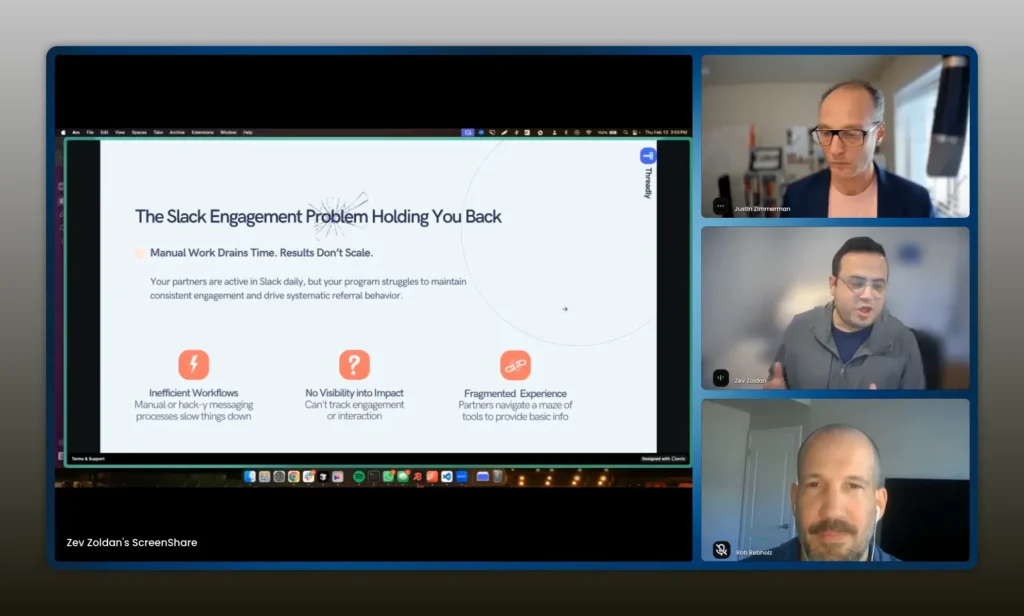
Threadly meets partners where they live: Slack. Use automation to make Slack interactions meaningful, not louder. -Zev Zoldan
The promise is straightforward. Instead of manually posting the same message across 20 partner channels and then guessing who responded, you write one message and broadcast it into targeted channel groups. Threadly does the heavy lifting: it blasts messages, captures engagement, stores profile data, and triggers follow-ups.
Core features that change the game
Threadly focuses on four practical capabilities that directly solve the problems you care about:
- Groups: Query and target dynamic sets of channels or DMs so you send the right message to the right partners.
- Workflows: Automate timely, one-to-one-feeling messages when people join a channel or trigger an event.
- Analytics: Track message delivery, clicks, and who engaged—without snooping on private conversations.
- Forms: Embed interactive forms directly in Slack messages so partners can respond without leaving the channel.
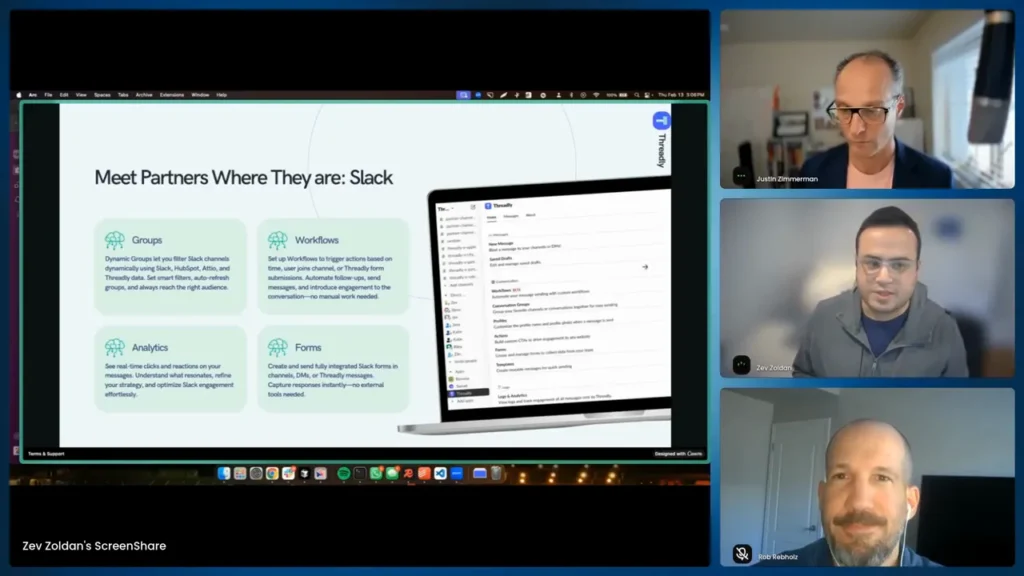
Query channels by name, topic, or metadata. The right group gives you reach without the guesswork. -Zev Zoldan
Groups explained
When channels multiply, manual targeting collapses. Create dynamic groups based on channel name patterns, topics, or even data from other sources. For example, if every partner channel contains your company name followed by the partner name (like partner-x), you can build a rule that collects all of them. That group becomes your audience for targeted blasts.
Use cases for groups:
- Gold partners: target channels containing “gold” in the name.
- Region-specific partners: query channels that reference a location tag.
- New partners: detect channels created in the last 30 days for onboarding nudges.
Workflows that scale a human approach
Automation should never feel like an automation to the partner. Workflows let you send a message that appears to come from you when a user joins a channel. That first impression matters. Imagine sending a warm welcome, asking for a short profile, and offering a small token—without manually DMing each new member.
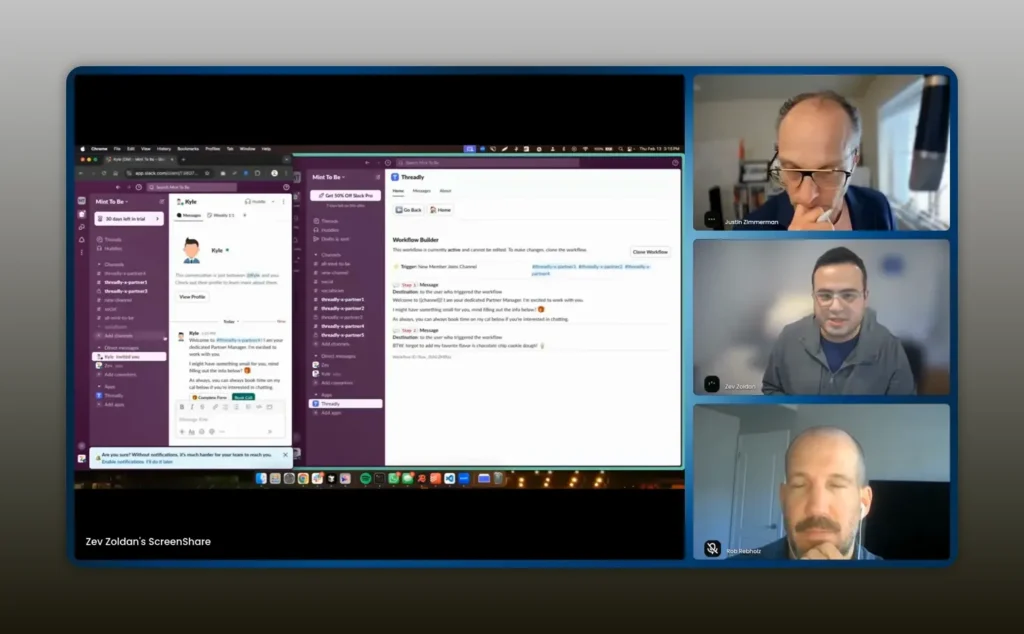
A welcome workflow turns a boring join into a conversation. Make it personal and ask one simple question. -Zev Zoldan
Typical workflow steps:
- User joins channel.
- Trigger: send a DM from the assigned partner manager.
- Include a button or embedded form asking for essential info: email, preferred contact, or leads.
- Trigger follow-up: if the form is completed and a lead is submitted, send an internal notification or a second thank-you message.
Analytics without the big brother feeling
Tracking engagement matters, but partners value privacy. Threadly only watches reactions and clicks for messages it sends. You get the meaningful signals—who clicked a CTA, which channel had the highest engagement, delivery rate—without reading every conversation in the workspace.
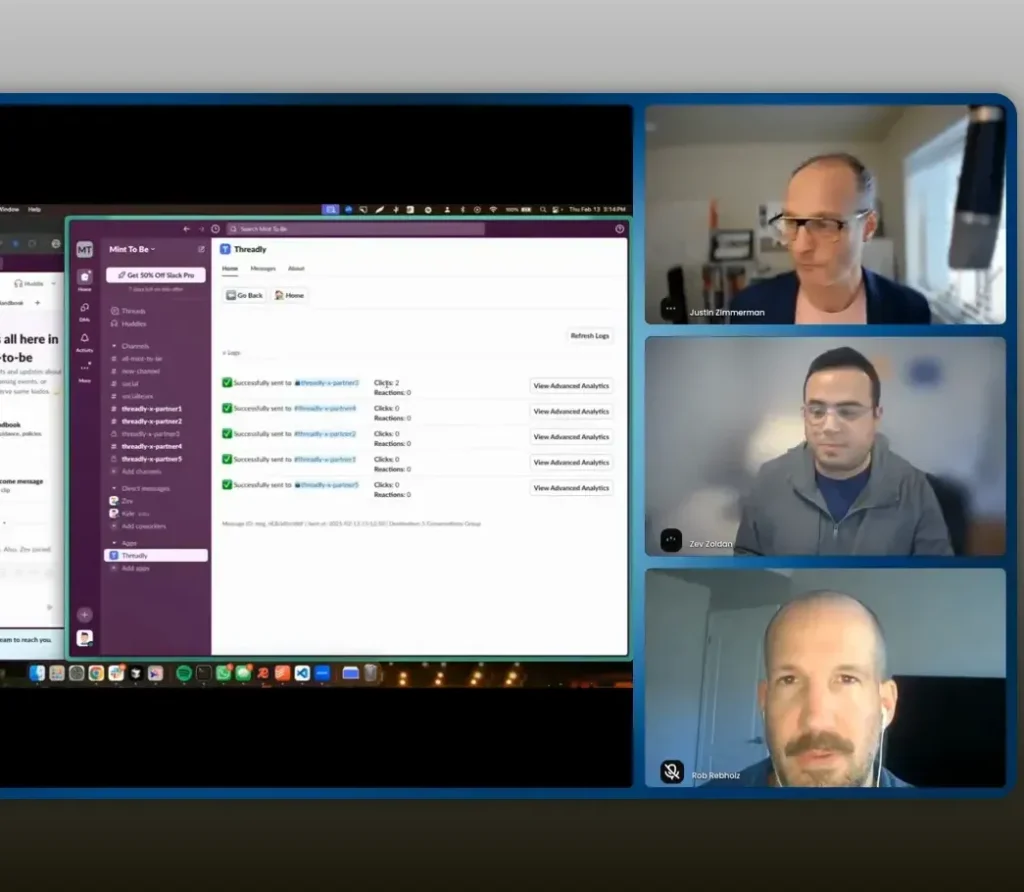
Track delivery and clicks, not private conversations. Focus on signals that tell you whether a message landed. -Zev Zoldan
Key metrics to monitor:
- Delivery rate across targeted channels.
- Click-throughs per button or link.
- Which channels and which partners took action.
- Time-to-click to identify best-performing message timing.
Forms that keep partners inside Slack
Links are dead. A message with 14 links shows only the first few previews and then creates friction. Instead of sending partners to external pages to collect small bits of information, embed forms inside the message. Capture dietary preferences for an event, sample requests, or referral lead info instantly.
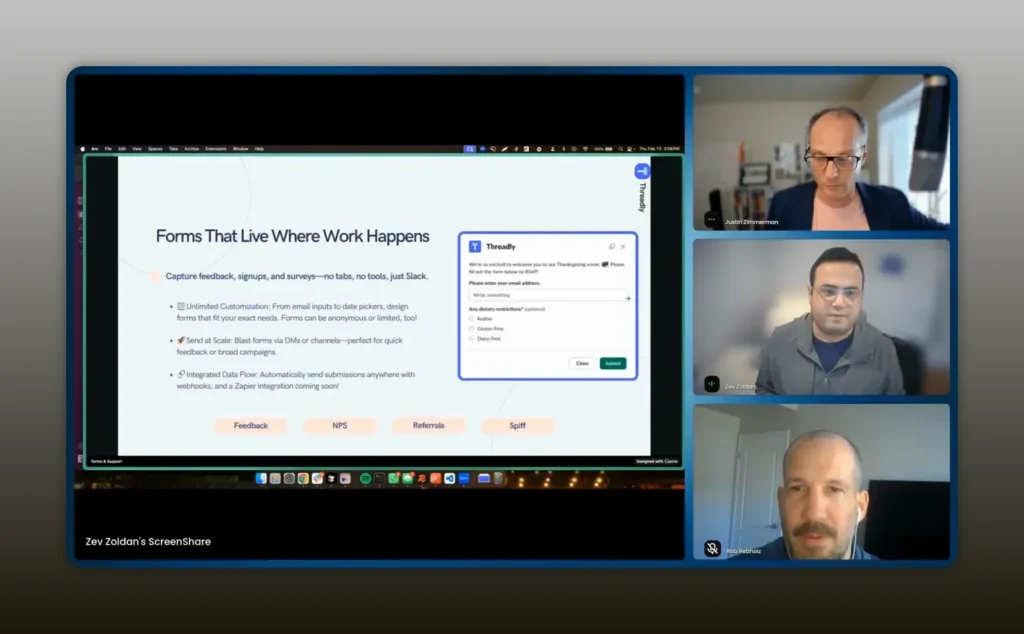
Embed the form in Slack. Ask for one or two pieces of information and act on them immediately. -Zev Zoldan
Forms can be simple inputs:
- Email input for contact syncing.
- Drop-down to choose a demo time or product sample.
- Text field for lead details.
Once a partner completes a form, Threadly can save the data to the partner’s profile and push it to CRMs, Google Sheets, Zapier, or webhooks. That makes the form an operational trigger, not just a data collection tool.
Live demo highlights and interface walkthrough
The interface intentionally mirrors your workflow. You pick a group, compose a message, attach actions, and send. You can save the message as a template for teammates, preview the post, and then deliver it to dozens or hundreds of partner channels within seconds.
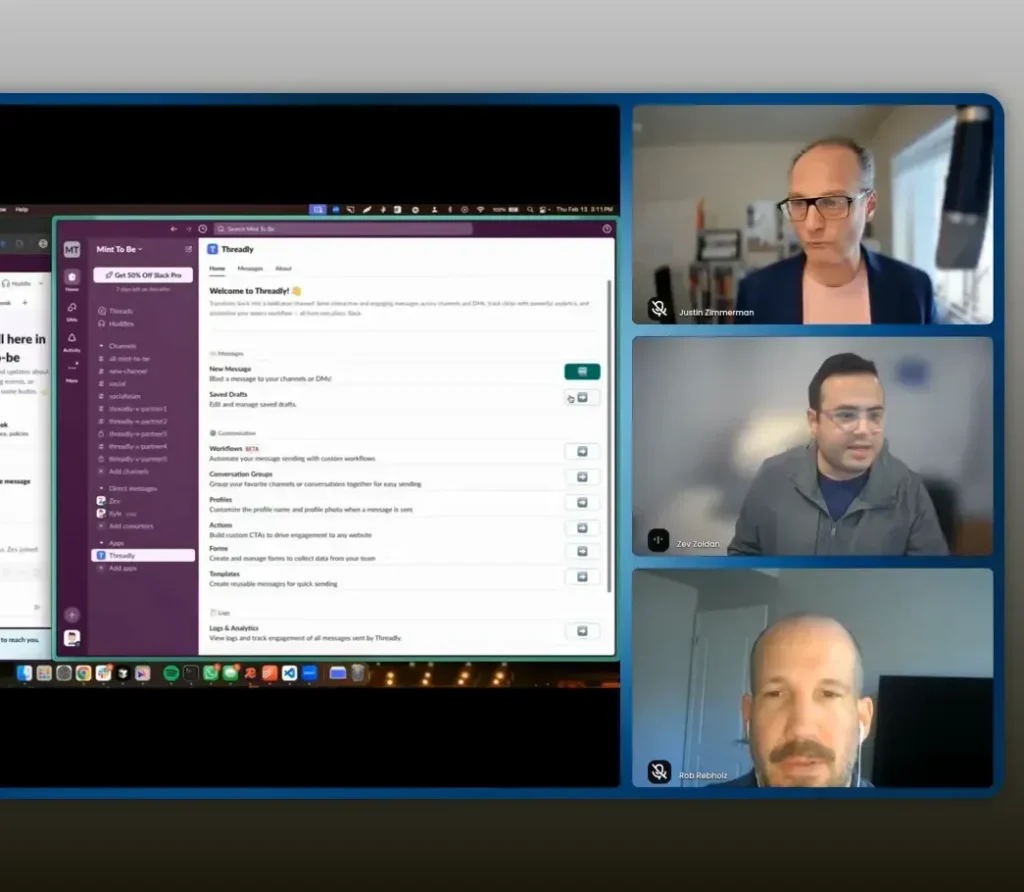
One well-crafted message can reach all the channels where your partners live. Use templates to maintain voice and consistency. -Zev Zoldan
Example workflow from the demo:
- Build a partnerships group that includes all channels matching a naming convention.
- Compose a DM or channel message with a short, human tone: introduce a new product flavor, invite to a tasting, or ask for a referral.
- Attach action buttons: schedule a call or request a sample via an embedded form.
- Send and monitor. Click alerts and analytics tell you who engaged and in which channels.
In practice, this is how you keep partner managers small and effective. You might manage ten partner channels and rely on automated messages plus personalization to maintain a one-to-one feel at scale.
How to build dynamic groups and send targeted blasts
Start by auditing how partner channels are named and organized. There are three simple rules that will get you 80 percent of the way there:
- Consistent naming convention. If possible, standardize partner channel names to include the company name and a partnership tag.
- Channel topics and descriptions. Use topics to store metadata like partner tier or region that you can query.
- Permission and bot membership. Ensure the Threadly bot is a member of partner channels you want to target.
Build a group query that matches the pattern. For example: channel name contains “partner-” OR channel topic contains “gold”. Save that group and reuse it for recurring campaigns.
When composing your blast:
- Write short, human copy. Avoid marketing-speak. Address the partner by name if the message will appear as a DM.
- Pick one clear ask. Whether it’s “request a sample” or “book a quick 15-minute chat,” make the CTA obvious and actionable.
- Attach an embedded form or scheduling link. Reduce the number of clicks required.
- Save the message as a template if you’ll use it repeatedly.
Welcome workflows that feel personal, not robotic
A powerful, underused play is the trigger-based welcome. When someone new joins a partner channel, send an immediate, short message asking one meaningful question. That one question accomplishes several goals: you collect contact info, establish a dedicated partner manager, and open the door for referrals.
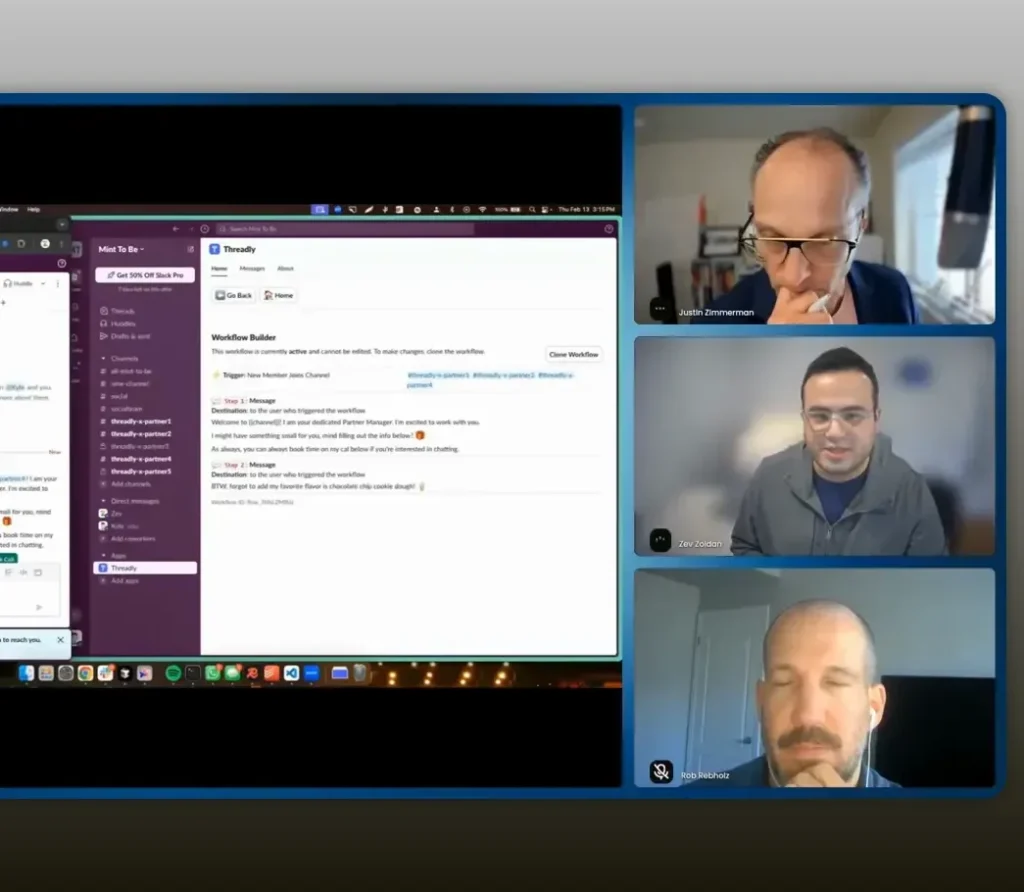
Welcome messages are more about the relationship than the transaction. Start with something small and helpful. -Zev Zoldan
Design tips for welcome workflows:
- Keep the message in first person and signed by the partner manager.
- Include a single form button: ask for email or whether they have any leads.
- Offer a small incentive for completing the form, like a sample or early access.
- Chain follow-ups. If a lead is submitted, trigger an internal workflow to notify sales or the partnerships owner.
Designing interactive messages and forms
Think like a product designer for every message. Each message is an interface: text, one or two buttons, and an optional inline form. Avoid long lists of links. Instead, give partners exactly one or two actions they can take in the moment.
Examples of interactive CTAs:
- Book a call — opens a scheduler in one click.
- Request a sample — inline form captures shipment address and flavor choice.
- Share a lead — short form captures lead name, email, and any notes.
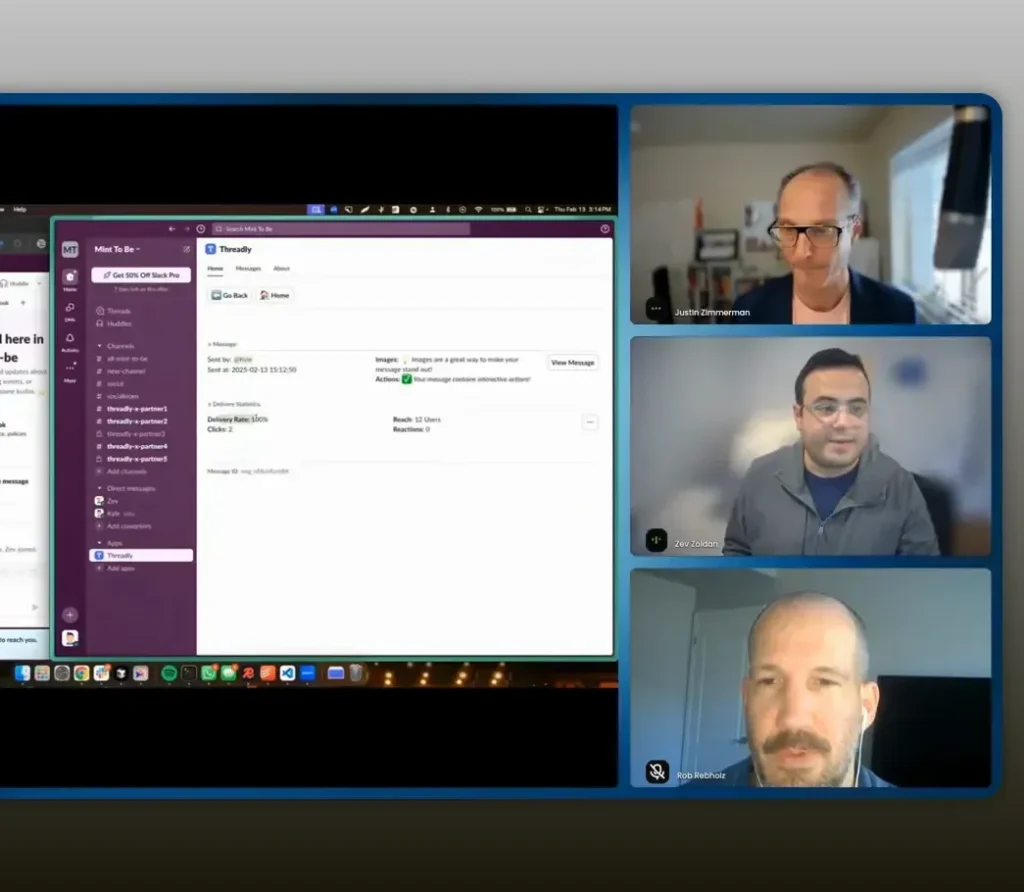
Make the action obvious. Buttons should be bold, clear, and limited in number. -Zev Zoldan
When building forms, include only the fields you actually need. The fewer the fields, the higher the completion rate. Use drop-downs for choices when possible to speed selection. Save responses to a partner profile so that the next interaction can feel more informed.
Tracking clicks, delivery, and partner activity
Data gives you leverage. Threadly provides the essentials: delivery rate, clicks per CTA, number of users reached, and channel-level engagement. Use those signals to iterate on messaging and cadence.
How to act on the data:
- Low delivery rate: check bot membership or group query accuracy.
- High delivery but low clicks: refine your CTA, shorten copy, or change timing.
- High clicks from a specific channel: add that partner to a VIP nurture path or book a call.
- Form completions with leads: trigger internal notifications to capture intent quickly.
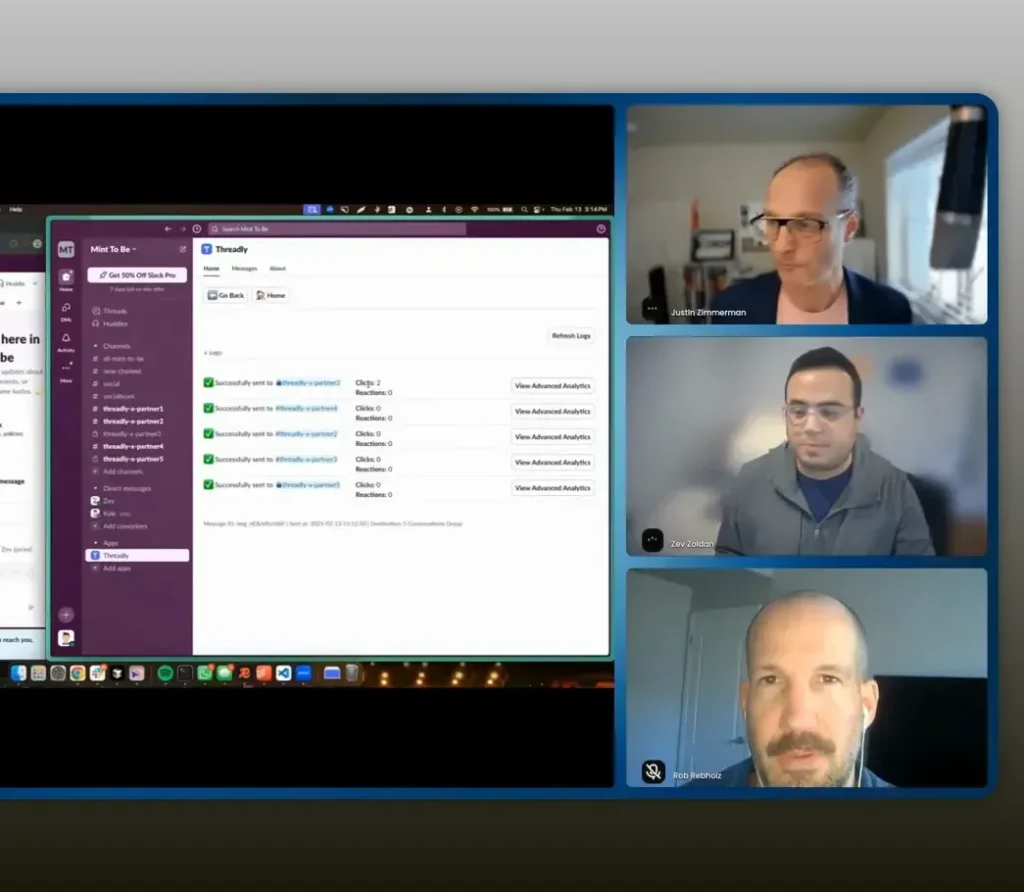
Data should be simple and prescriptive. Track delivery and clicks first, then decide where to double down. -Zev Zoldan
Templates, custom profiles, and scaling consistency
As you scale, consistency becomes the challenge. Templates let you keep voice and messaging consistent across multiple partner managers. Custom profiles allow each channel to present a friendly name and photo so messages don’t look like they are “from a bot.”
Operational checklist:
- Create templates for common use cases: product launch, sample requests, referral asks, event invites.
- Standardize welcome messages and forms for new partner onboarding.
- Use custom profiles so the message appears to come from a real person representing your partner team.
- Share templates among team members so everyone uses approved messaging.
Pricing, implementation, and quick wins
For small partnership teams, cost and time to value matter. Threadly offers a free forever plan so you can experiment without risk. Premium features are modestly priced and unlock advanced workflows and integrations.
Quick wins you can implement in a day:
- Audit partner channel names and ensure the bot is a member.
- Create one dynamic group that matches your naming convention.
- Draft a 1-sentence announcement plus one CTA. Send it as a test to three channels.
- Build a simple welcome workflow that triggers on channel join with a one-question form.
- Review analytics after 24-48 hours and iterate copy or timing.
Best practices to avoid being spammy
It is easy to over-communicate. Here are rules to keep your program human and effective:
- Limit blasts to relevant updates. Ask yourself whether each message provides value to the partner.
- Stick to plain language. As Justin reminds us, people respond to people; simple messages win.
- Use segmentation. Don’t broadcast to everyone if the news only matters to a subset.
- Monitor frequency. Keep a cadence calendar and avoid repeating the same CTA within short time windows.
- Respect privacy. Only capture or track what partners consent to, and be transparent about how information is used.
Integrations and next steps
Embedded forms are powerful because they can route data anywhere. The common integration paths you should plan for:
- CRM sync: push partner contact or lead data directly to Salesforce, HubSpot, or your CRM of choice.
- Webhooks and Zapier: for piping data into sheets, notifications, or custom workflows.
- Scheduling tools: integrate your calendar for seamless “book a call” flows.
- Reporting tools: export engagement data for quarterly partner reviews.
Start with a single integration that unlocks a clear outcome: leads into the CRM or sample requests into an operations spreadsheet. Expand gradually as the program demonstrates value.
Start small and integrate where you’ll capture the most value first. Then add complexity. -Zev Zoldan
FAQs
How does Threadly respect partner privacy while tracking engagement?
Threadly only tracks reactions and clicks on messages it sends. It does not read or index the broader Slack workspace. You get actionable signals like delivery rates and who clicked each CTA without accessing private conversations.
Can I target channels dynamically based on naming conventions or topics?
Yes. Build dynamic groups by querying channel names, topics, and metadata. This lets you target “gold” partners or region-specific channels without manual selection.
How do embedded forms work and where does the data go?
Forms live inside the Slack message and capture inputs like email, drop-downs, or text fields. Responses can be saved to Threadly profiles and routed to CRMs, Google Sheets, webhooks, or automation tools like Zapier.
What happens when someone joins a partner channel?
Workflows can trigger automatic DMs that appear to come from the assigned partner manager. You can ask for basic information, offer a small welcome incentive, and trigger internal notifications if a lead is submitted.
Will this make Slack feel like another noisy channel for partners?
No, if you design messages with discipline. Keep messages short, human, and relevant. Use segmentation and limit frequency. Templates and personalization ensure messages feel like a conversation, not noise.
How much does it cost to get started?
There is a free plan available to get started. Premium features are available for a per-user fee, which unlocks advanced workflows and deeper integrations. Start with the free tier and upgrade only when you need automation at scale.
Conclusion
You can turn Slack from a chaotic inbox into a reliable engine for partner referrals. Meeting partners where they work, automating human-feeling touches, using inline forms to remove friction, and tracking engagement with privacy-respecting analytics together create a predictable, scalable playbook.
Start small: audit channel names, add the bot to partner channels, build a single dynamic group, and send a simple, human message with one clear CTA. Use workflows to make onboarding personal and forms to capture leads in-context. Measure delivery and clicks, iterate on copy and timing, and expand templates for consistent scale.
When you approach Slack as an owned engagement channel rather than a messy side effect, you unlock repeatable referrals, happier partners, and a leaner partnerships operation.