How to Build and Scale a High-Performing App Marketplace
Expert advice from Cody Sunkel (Head of Growth, PartnerFleet) and Cameron Schuette (Product Manager, Salesloft).
Snapshot
If you run a SaaS product, a partner program, or a platform team, then you’ll agree your ecosystem is an untapped growth engine or an operational sinkhole. At center of it all is your the marketplace. It is a public statement about your product’s extensibility, your partner strategy, and the future you want to enable for customers.
Get it right and you create exponential scale—partners are discoverable, integrations get adopted, and your product becomes stickier. Get it wrong and you end up with outdated pages, frustrated partners, and missed revenue.
This article is designed to help you turn your integrations and service ecosystem into a high-performing, sustainable marketplace. Over the following sections we’ll unpack practical, partner-led strategies and operational patterns: how to design a storefront that builds trust, how to structure taxonomy and navigation so users find the right partners quickly, what belongs on a high-converting listing page, and how to embed marketplace experiences inside the product to increase adoption. We’ll also cover partner onboarding pipelines, automation and governance, and the analytics you need to measure impact and iterate.
The marketplace is a source of truth. – Cameron Schuette
Table of Contents
- Why a marketplace is a strategic brand asset
- Build versus buy: the hard truth on scale
- Designing a marketplace your customers will trust
- Taxonomy and navigation that reduce friction
- Listing pages that convert and drive adoption
- In-app marketplaces and product-led motions
- Partner onboarding pipelines and automations
- Operational workflows and analytics
- Real-world examples to borrow from
- Measuring success and iterating
- Common pitfalls and how to avoid them
- How to get started this quarter
- FAQs
- Conclusion
Why a marketplace is a strategic brand asset
Your marketplace is more than a directory. It is a brand asset that answers the prospect’s most important questions: Can this product solve my needs? Will it fit into my tech stack? Can I scale with it for years? Treat it like a storefront and a customer onboarding tool at once.
Make the marketplace easy to find from your main site and ensure it visually communicates the breadth of your ecosystem. Prospects land there to validate your platform. Existing customers land there to activate integrations and discover services that expand their use cases. Your marketplace has to do both—convert new prospects and accelerate adoption for current customers.
Everything between the header and footer of the page is powered by Partner Fleet. – Cody Sunkel
Build versus buy: the hard truth on scale
When teams start exploring marketplaces, the lean instinct is to have the web team build a handful of listing pages. That approach hides a painful long-term problem: maintenance. Every partner update, new feature, or minor copy change becomes a request to engineering or content. If you have 200 partners or plan to scale to that size, that approach collapses under its own weight.
Cameron put it bluntly: you can create an initial page yourself, but you cannot sustainably maintain the pages as the ecosystem grows. Giving partners control to edit and submit their listings while keeping a review gate for quality is how you win both accuracy and scale.
Designing a marketplace your customers will trust
People judge software ecosystems the moment they land in your marketplace. Design, information density, and the way you surface value matter.
- Hero messaging: Use the hero area to call out high-impact integrations or new product capabilities.
- Highlighted partners: Rotate featured partners to give visibility to strategic relationships while signaling a healthy ecosystem.
- Rich media and diagrams: Screenshots, data flow diagrams, and short videos demystify integrations and reduce friction to adoption.
- Searchable, scannable listings: Users should be able to find and compare integrations in a few clicks.
Design for trust: show customer logos, snippet testimonials, and measurable outcomes. Show the ways integrations reduce manual work or accelerate revenue related tasks. The more tangible the benefit, the higher the conversion to install or contact.
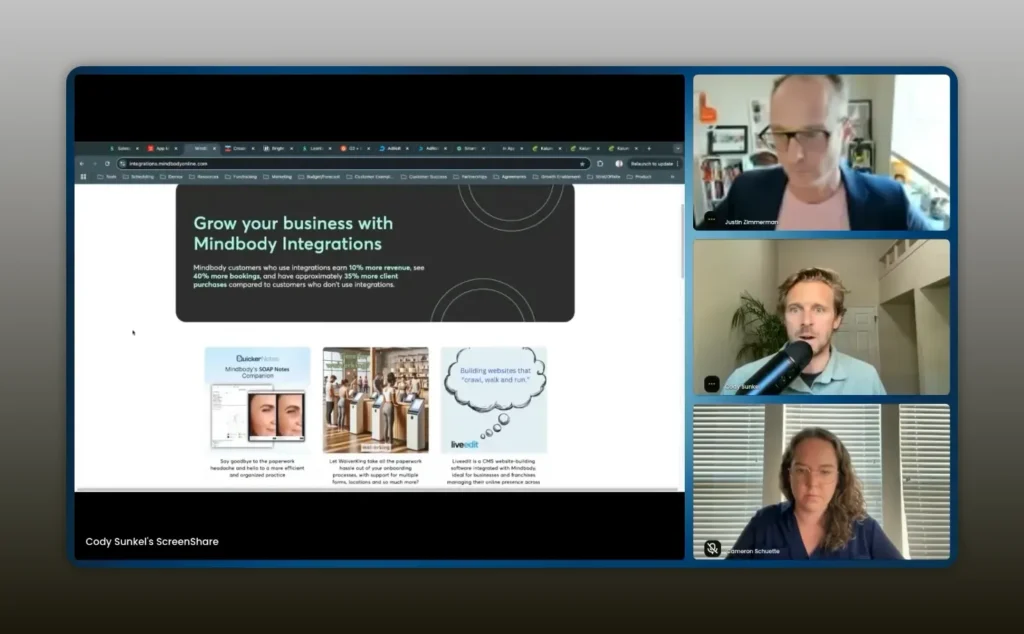
They have this great hero banner with some call outs about how effective their integrations are for their customers. – Cody Sunkel
Taxonomy and navigation that reduce friction
If prospects and customers can’t find the right partner, the rest of your marketplace is wasted. A thoughtful taxonomy and dynamic navigation are essential.
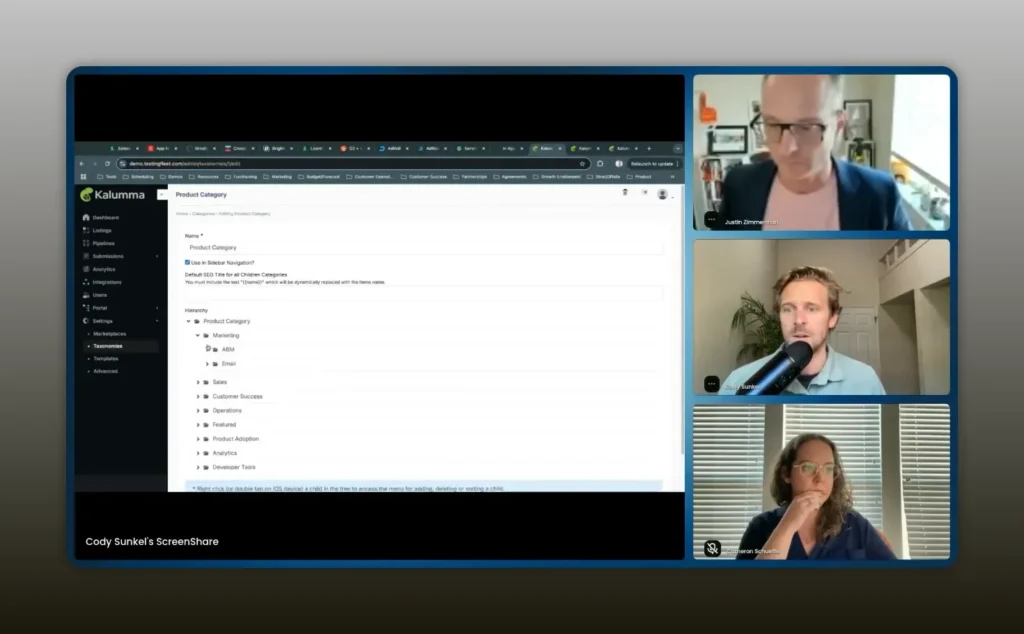
You can have parent-child, grandchild relationships in this hierarchy. – Cody Sunkel
Key principles for taxonomy:
- Start with top-level splits: Separate tech integrations, service partners, and specialized categories like AI or data providers.
- Dynamic navigation: Allow high-level buttons that change the left-hand filters and categories based on context. This keeps the UI light while supporting dozens or hundreds of filters.
- Parent-child hierarchies: Model categories as trees to let users drill down naturally—e.g., Marketing > ABM > Email Advertising.
- Make categories actionable: Each category should lead to a manageable list and clear CTAs that map to adoption (install, request demo, contact partner).
Keep taxonomy maintenance simple. Ideally, non-technical admins should be able to add, remove, or rename categories in the backend without raising tickets.
Listing pages that convert and drive adoption
Listing pages are where intent turns into action. A well-structured listing provides the context needed to make a decision and an easy path to take the next step.
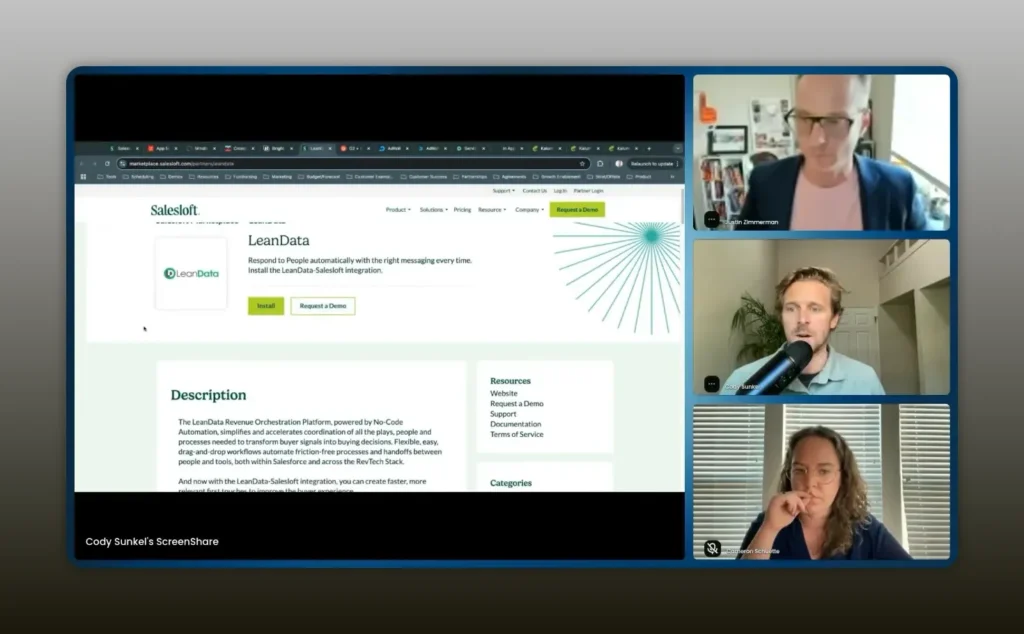
Now, of course, you have your call to action, install the integration, request a demo. – Cody Sunkel
Essential elements of a high-converting listing:
- Clear headline and one-line value: Tell the customer exactly what the integration does and why it matters.
- Key benefits and use cases: Bullet points that map to common workflows and measurable outcomes.
- How it works: A succinct explanation plus a data flow diagram or short video that shows the integration in practice.
- Resources: Link to partner documentation, setup guides, and certification badges.
- FAQs and support paths: Reduce friction by answering the top 5 adoption questions right on the page.
- Lead capture: Include a short, contextual form for demo requests or installation steps.
Give partners control over their listing content but keep a review process to ensure consistency and brand alignment. That balance of partner ownership and platform governance is what scales cleanly.
In-app marketplaces and product-led motions
Driving adoption through the product experience is often more powerful than driving traffic to a website marketplace. Embed the marketplace within your app to make integrations discoverable at the moment of need.
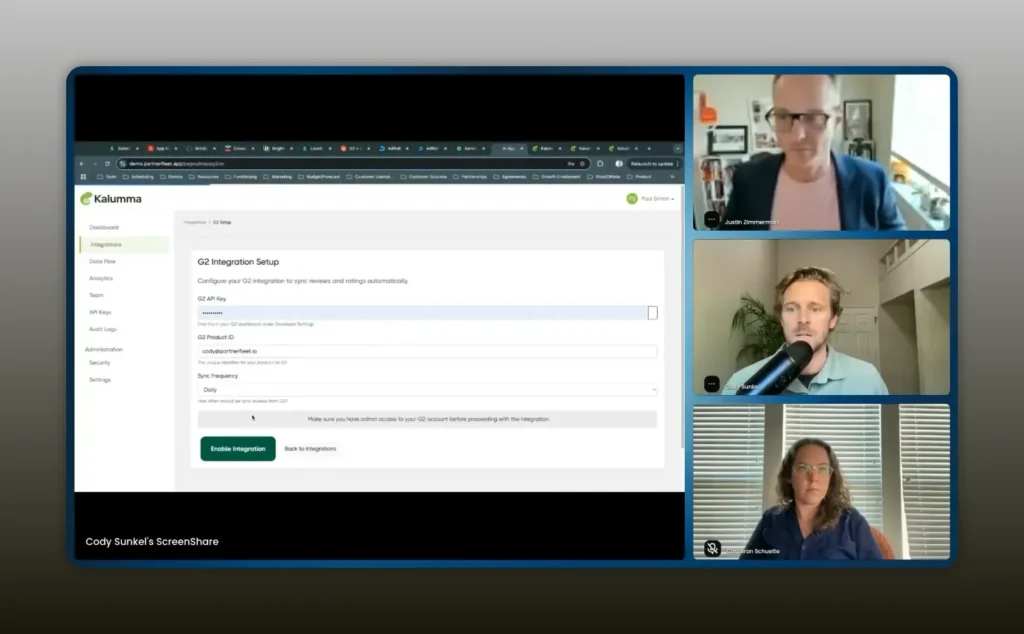
If I wanted to install the G2 review integration, I can come here, install it. I go through a configuration flow. – Cody Sunkel
Why in-app marketplaces matter:
- Contextual discovery: Users see relevant integrations based on where they are in the app and what they are trying to do.
- Single content source: Sync content between your website and your in-app listing so updates only happen once in the backend.
- Install & configure flow: Provide a frictionless, in-product configuration path; avoid forcing users to jump to a partner site unless necessary.
- Personalization: Use user attributes and account attributes to show appropriate CTAs. If a feature is gated by subscription, present an upgrade CTA rather than an install button.
- Permissions-aware UI: Only present install actions to admins. Show “request access” flows for non-admins to prevent failed installs.
When you make installation and configuration part of the product experience, you greatly increase the chances of adoption. It’s where the rubber meets the road.
Partner onboarding pipelines and automations
Crowdsourcing innovation is powerful, but it requires a structured process. Without one, onboarding third-party developers or agencies becomes the wild west.
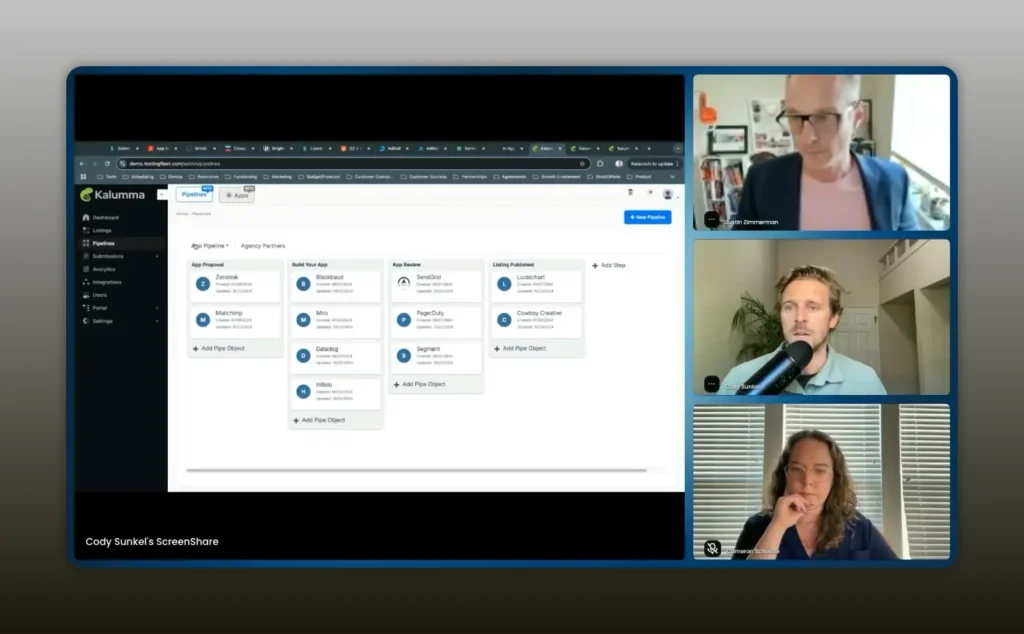
Pipelines are how you can stagegate the process to become an official partner and get listed in the marketplace. – Cody Sunkel
Design an onboarding pipeline that reflects your program maturity and risk tolerance:
- Application form: Capture essential metadata and link to any required admin contacts or legal info.
- Review gate: Manually review initial submissions and approve to kick off the pipeline.
- Development stage: Provide developer resources, SDKs, and a dev sandbox. Track progress and offer a review checklist.
- Security and legal checks: Ensure contracts and compliance steps are completed before publication.
- Certification and listing: Publish the listing once all stages pass and automate the creation of the store entry.
Wrap each stage with automations that do the heavy lifting:
- Send templated emails to partners at stage changes.
- Create tickets or Slack alerts for internal reviewers.
- Auto-publish or queue content once certification checklist items are complete.
Make the pipeline visible to partners so they can see progress and access dev resources. Transparency reduces back-and-forth and increases velocity.
Operational workflows and analytics
Operational hygiene matters. If you can’t monitor partner changes, listing updates, or adoption trends, you’ll miss signals that should influence product and partnership strategy.
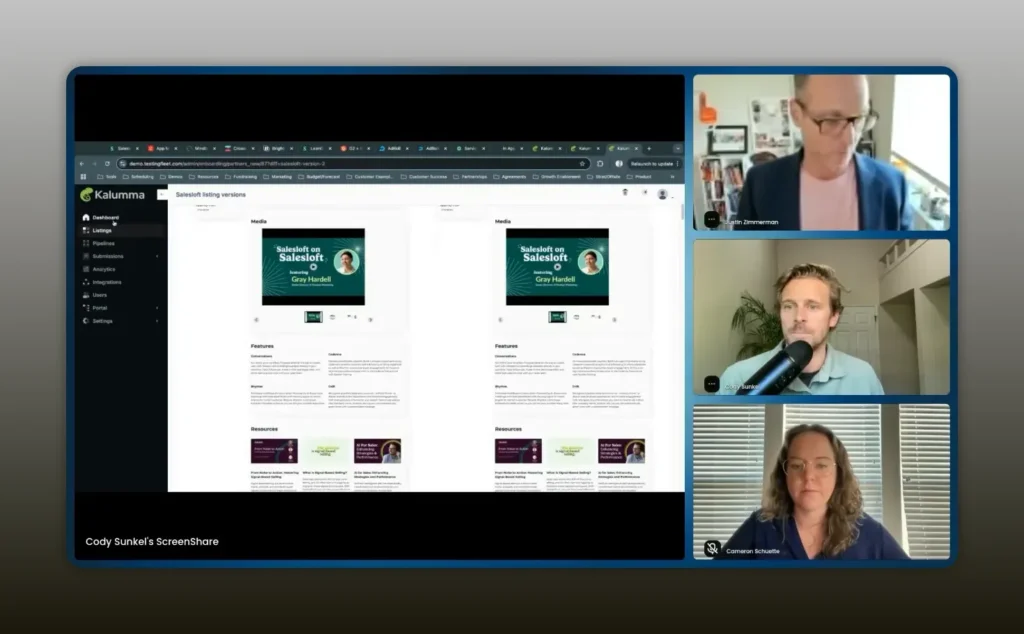
It makes it very easy to go through and review any changes that have been made. – Cody Sunkel
Operational capabilities to prioritize:
- Notification center: Get alerted when partners submit listing updates, new apps apply, or leads arrive.
- Change diffing: See exactly what changed on a listing to speed approvals and maintain quality.
- Templates: Use listing templates to enforce consistent content and required fields across partner types.
- Analytics: Track page views, interactions, installs, leads, and trends over time. Segment by partner, category, and channel.
- Exportable metrics: Feed marketplace analytics into your partner program dashboards and OKRs.
Make analytics actionable. Don’t just report totals—identify which listings are underperforming, which categories convert best, and which partners drive pipeline. Use those signals to inform partner enablement, co-marketing, and product priorities.
Real-world examples to borrow from
Study marketplaces that get it right and borrow patterns that match your context.
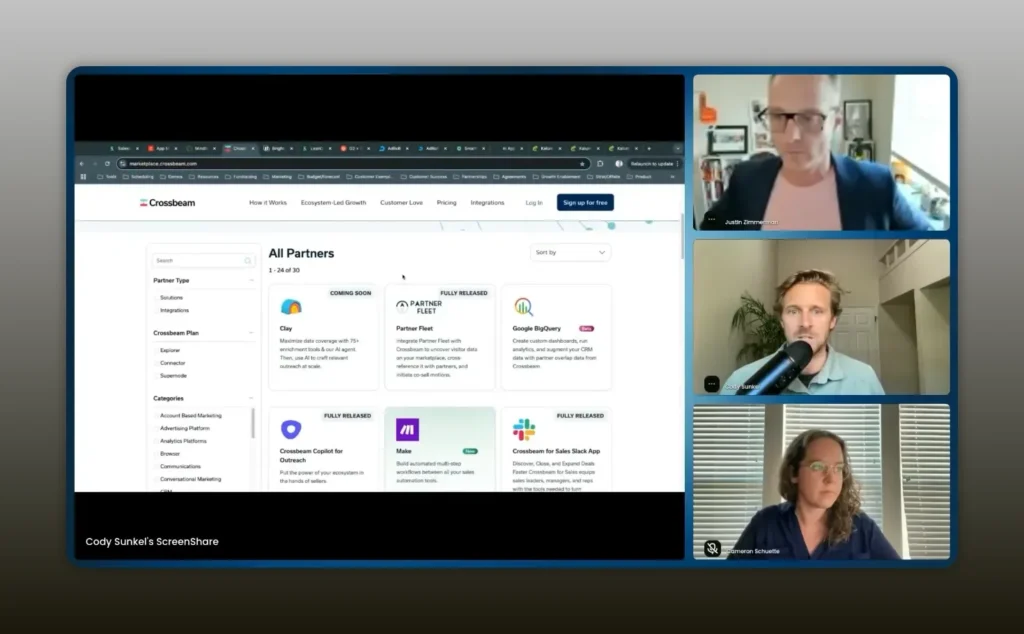
We just launched our integration with Crossbeam, which allows our customers to generate buyer intent with partner data overlaid into it. – Cody Sunkel
Examples and takeaways:
- SalesLoft: Treats the marketplace as the home base and source of truth. All partner documentation links and activation flows point there. That centralization reduces confusion for customers and internal teams.
- MindBody: Uses hero banners and featured product promotions to highlight new offerings and draw attention to strategic integrations.
- CrossBeam: Integrates partner intent signals into its own platform, showcasing how marketplaces can both list partners and become data integrations themselves.
- AdRoll: Maintains separate marketplaces when program types differ—tech partners versus agency partners—so traffic is routed intelligently.
- SmartRecruiters: Implements dynamic navigation to pack hundreds of categories without overwhelming the user.
Copy patterns that match your buyer journey. If your customers are more technical, emphasize API docs, webhooks, and data flow diagrams. If they’re enterprise buyers, show security, compliance, and integration SLAs.
Measuring success and iterating
Measure both top-of-funnel and adoption metrics. See your marketplace as a funnel that delivers value at multiple stages.
- Visibility metrics: Page views per listing, category growth, and new partner signups.
- Engagement metrics: Click-through rates on CTAs, time spent on listing pages, and media views.
- Conversion metrics: Installs, demo requests, service engagements, and upgrade prompts triggered by in-app CTAs.
- Revenue impact: Pipeline influenced, deals closed with partner integrations, and increased retention due to seamless integrations.
Run regular content refresh cycles and A/B tests on hero banners, CTAs, and lead forms. Use the analytics to identify listings that need better collateral or partner enablement. For underperforming categories, ask if the taxonomy is wrong, the market demand is low, or the partners need better activation materials.
Common pitfalls and how to avoid them
Many teams stumble at the same points when launching and running marketplaces. Watch for these pitfalls:
- Static listings: Partners add content once and it becomes stale. Solution: enable partners to edit listings and require periodic reviews.
- Too many manual gates: Overly manual publish processes slow growth. Solution: automate approvals where possible and use quality templates.
- Disjointed experiences: Website listings differ from in-product listings. Solution: power both from a single content source.
- No visibility: Teams don’t know which listings changed or what drives installs. Solution: implement a notification center and analytics.
- Poor taxonomy: Categories confuse users. Solution: invest time upfront on a simple hierarchical taxonomy and iterate.
How to get started this quarter
Take four practical steps to make measurable progress in 90 days:
- Map entry points: Identify all the places prospects and customers need to see partner information—website header, product onboarding, support docs, and sales playbooks.
- Choose a content model: Decide whether partners will edit their listings directly, submit updates through a form, or some combination. Balance partner autonomy with review controls.
- Stand up taxonomy and templates: Create 6 to 10 strategic categories and a partner listing template that enforces required fields.
- Enable pipelines for third-party submissions: Create an application form and a 4-stage pipeline (apply, develop, certify, publish) to onboard developer-built integrations.
FAQs
How do I decide whether to build a marketplace in-house or use a third-party platform?
If you expect to manage more than a handful of partners, a third-party platform is typically the better choice. The costs of ongoing maintenance, partner updates, and the need for partner self-service grow quickly. Platforms let partners update their listings, reduce engineering overhead, and provide governance controls. If your ecosystem will remain tiny and static, an in-house approach can work short-term, but it usually becomes a bottleneck as you grow.
What content should be required on every partner listing?
At minimum require a one-line value proposition, key benefits/use cases, installation or activation steps, links to partner documentation, and a clear CTA. For integrations, a data flow diagram and supported features matrix are highly recommended. Use templates to enforce required fields for different partner types.
How do I encourage partners to keep their listings up to date?
Give partners access to their listings and a simple approval workflow. Send periodic reminders or require annual confirmation. Offer co-marketing benefits or featured placement for partners who maintain up-to-date listings. Make the edit and submit process user-friendly with templates and inline guidance.
What role should the marketplace play in a product-led growth strategy?
The marketplace should be embedded in the product so users can discover, install, and configure integrations without leaving the app. Use user and account attributes to present context-aware CTAs—install, upgrade, or request access—so the marketplace moves users down a product-led funnel. Tracking installs and conversions in-app enables clear measurement of marketplace impact on PLG.
What analytics should I prioritize in the first 90 days?
Track page views per category and listing, CTA click-through rates, installs or demo requests, and lead sources (marketing vs product). Also monitor partner application volume and pipeline progress if you accept third-party apps. These metrics help you prioritize content updates and partner enablement efforts.
Conclusion
The marketplace is a strategic lever that multiplies the value of your platform when it is treated as a living, governed product. Prioritize discoverability, partner-owned content with review controls, in-app activation flows, and structured pipelines for third-party contributions. Measure what matters—visibility, engagement, and adoption—and iterate based on real usage signals.
Start by mapping entry points, setting up a simple taxonomy and listing template, and standing up an onboarding pipeline for partners. With the right balance of partner autonomy and platform governance, you’ll transform your ecosystem into a growth engine that drives adoption, retention, and revenue.