Partner Webinar Playbook: Turn Events into Pipeline with Hubilo Data
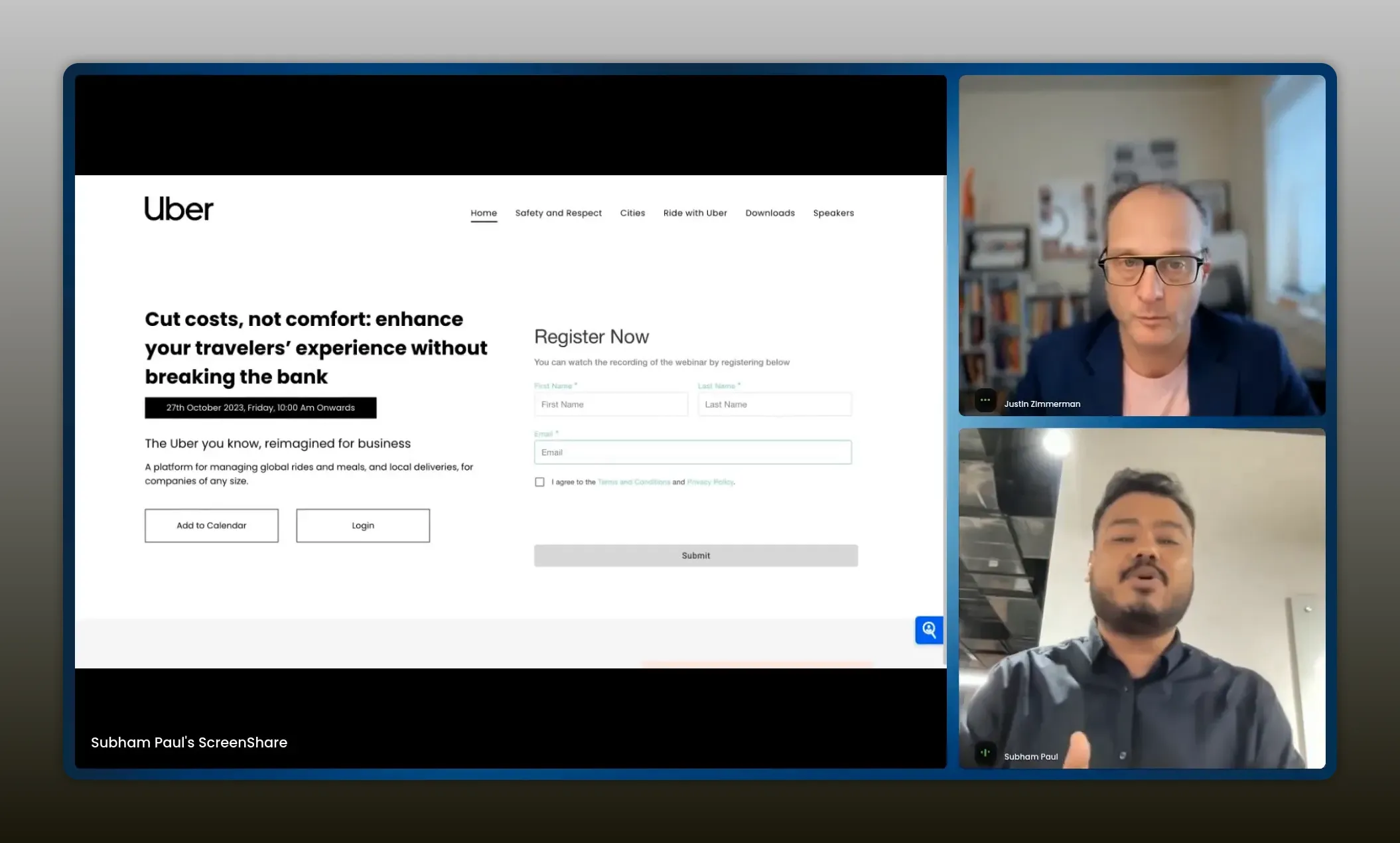
Expert advice from Justin Zimmerman and Subham Paul.
Table of Contents
- Why Zoom only gets you so far
- What to look for in an event platform
- Registration and data capture best practices
- Engagement features that actually convert
- Conversion prompts and in-stream CTAs
- Lead scoring: contact level and account intent
- Post-webinar production and content reuse
- CRM and marketing tech integrations
- Practical pre-live-live-post checklist
- FAQs
- Conclusion
Snapshot
Do you know the #1 co-marketing motion? If you guessed webinar, you’d be correct! Partner webinars are one of the best channels for demand generation, but without the right data and tooling they quickly degrade into expensive broadcasts with little targeted follow-up and unclear ROI.
The real opportunity is to treat events as a system of record: capture granular signals (poll responses, chat and Q&A activity, conversion-prompt clicks, time-in-session and registration-field intent), map those signals to contact and account records, and combine contact-level activity into account-level intent so you can prioritize outreach where it actually matters.
When you score attendees and aggregate scores by company, you not only increase conversion by routing only the hottest prospects to sales, you also shorten follow-up windows, reduce wasted cold outreach, and enable true ABM plays backed by event behavior.
This article will walk through the practical pieces you need—what to look for in an event platform, registration and data-capture best practices, engagement features and in-stream CTAs, lead-scoring and account intent strategies, post-webinar production and content reuse, plus CRM and martech integrations—so you can turn every webinar into predictable pipeline rather than just a vanity view count.
Read on to learn how to instrument events for measurable pipeline impact and repeatable partner-led growth.
if you’re not collecting the data, you don’t know who to talk to about what and where. -Justin Zimmerman
Why Zoom only gets you so far
Zoom is a great starting point. It is inexpensive, ubiquitous, and simple to run. But when your goals shift from hosting events to driving measurable pipeline, the limitations become obvious.
- Limited data capture: Basic attendee logs and chat histories do not translate into actionable leads.
- Weak integrations: Hand-exporting registrant lists or relying on basic recordings forces manual work and slow follow-up.
- No account-level intent: You need aggregated signals across events to identify accounts that are heating up, not just individual attendees.
What to look for in an event platform
Choose a platform like Hubilo that sits in the Goldilocks zone between simple and enterprise: more than Zoom, but not an overly complex implementation.
- Native CRM and martech integrations so data flows into HubSpot, Marketo, or your CRM automatically.
- Granular event-level signals such as poll responses, chat activity, conversion prompt clicks, and time in session.
- On-demand with live feel so recordings act like live events with interactive elements that still generate alerts.
- Easy branding and landing pages with no-code drag and drop so teams can iterate quickly.
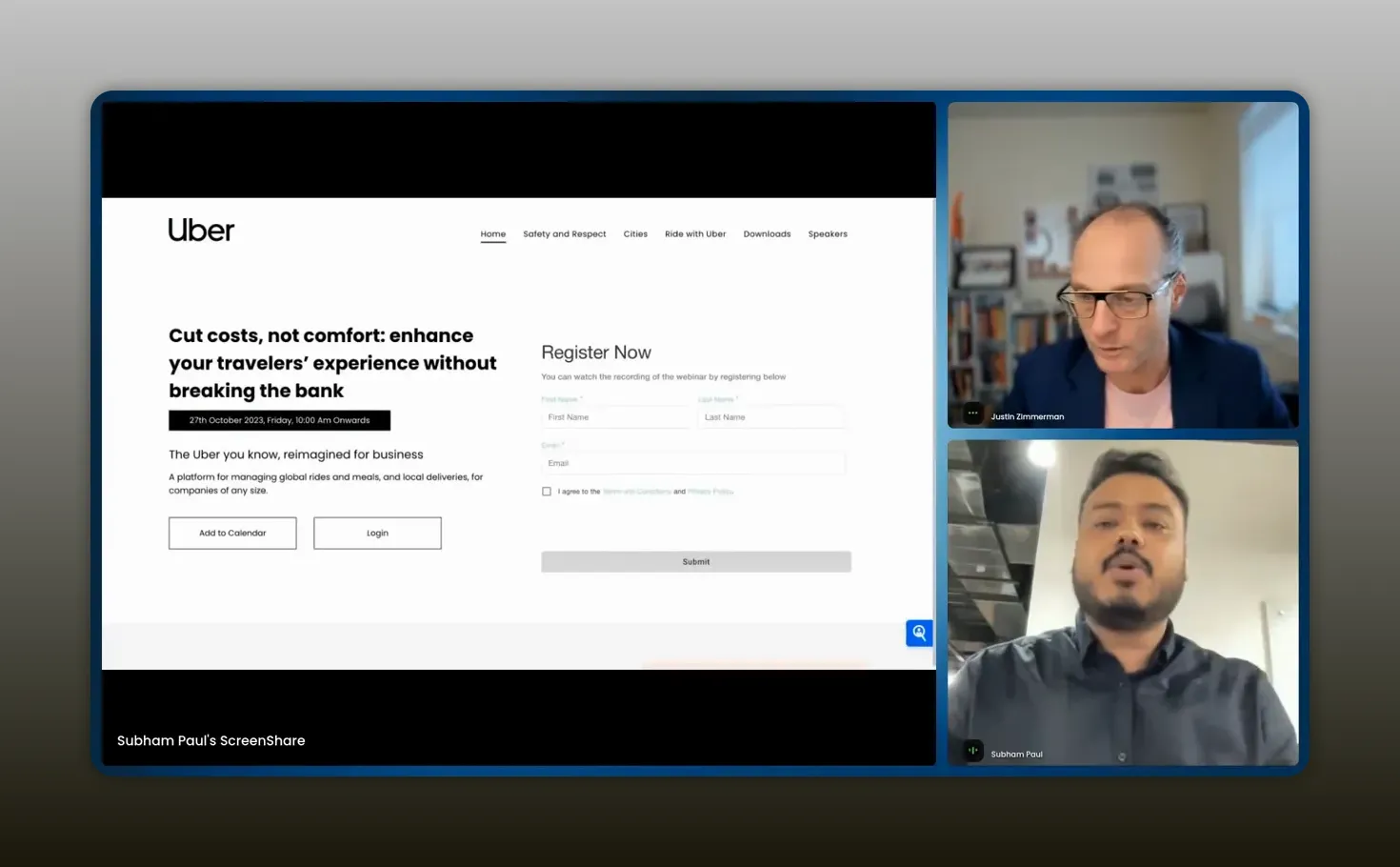
Custom landing pages should be effortless — drag‑and‑drop branding and no‑code forms get you live fast. -Subham Paul
Registration and data capture best practices
Registration is where the funnel begins. Treat the signup form as a data collection instrument, not merely a permission slip.
- Custom registration fields: Capture role, company, intent signals, and preferred follow-up methods.
- Calendar integration: Auto-populate attendee calendars to reduce no-shows and increase live attendance.
- Native martech mapping: Send data directly to your CRM and marketing automation with field-level mapping so behavior is attributed correctly.
Engagement features that actually convert
Engagement is the differentiator. Polls, live Q&A, chat, and embedded assets turn passive viewers into active prospects.
- Interactive polls and Q&A: Use polls to capture product interest and prioritization. Follow up with those who choose high-intent options.
- Embedded content and schedulers: Add meeting schedulers or website widgets inside the session so prospects can take action without leaving the event.
- Multi-source streaming: Bring in multiple apps or feeds so the session feels polished and you can include demos, calendars, or resource pages inline.
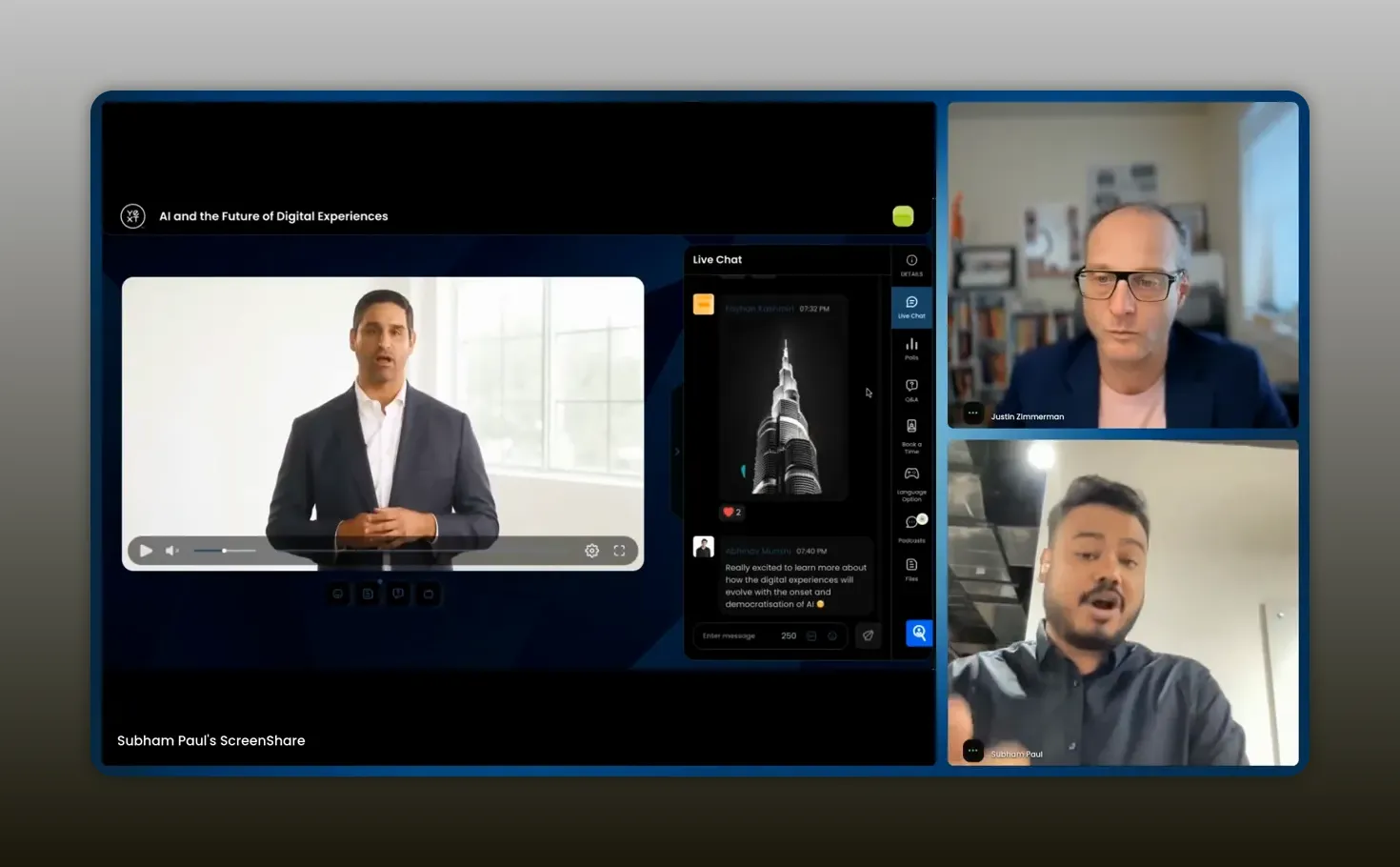
Leverage engagement features like polls, chat, and Q&A turn passive viewers into actionable leads. -Subham Paul
Conversion prompts and in-stream CTAs
Don’t wait until the end of the webinar to ask for action. Use conversion prompts mid-stream to capture intent when interest is highest.
- Timing matters: Trigger prompts during high-engagement moments such as demo highlights or answer checkpoints.
- Direct actions: Prompts should link to booking forms, asset downloads, or short qualification surveys.
- Track clicks: Map prompt interactions back to contacts so you can prioritize follow-up.
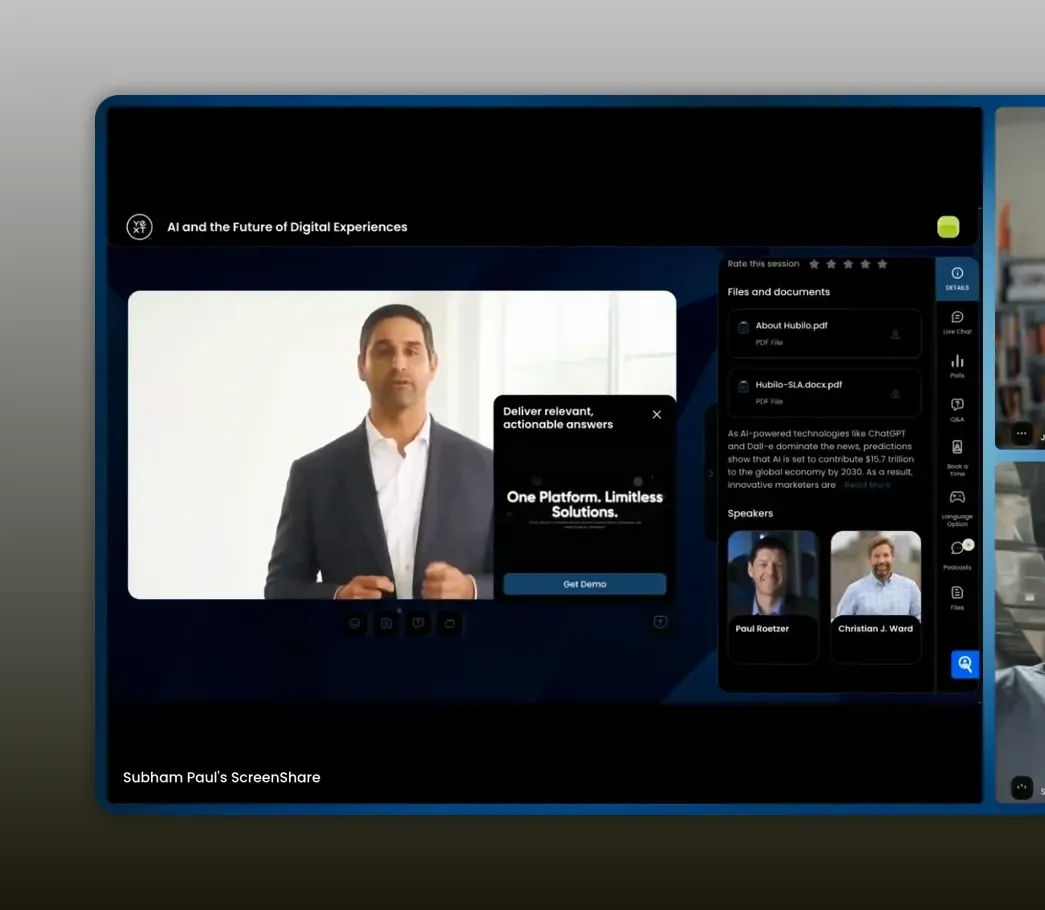
Deploy conversion prompts turn curiosity into action — let attendees book meetings or download assets without leaving the webinar. -Subham Paul
{{ INSERT_NEW_CONTENT_HERE }}
{{ INSERT_NEW_CONTENT_HERE }}
Lead scoring: contact level and account intent
Automate who sales should call next by combining contact-level activity with account-level intent.
- Customizable point models: Weight time in session, chat activity, poll responses, and CTA clicks differently depending on what matters most to your business.
- Account aggregation: Combine multiple attendees’ behaviors to create an account intent score that supports ABM targeting.
- Actionable routing: Send high-score leads to sales immediately via Slack, Teams, or your CRM so the follow-up window is short.
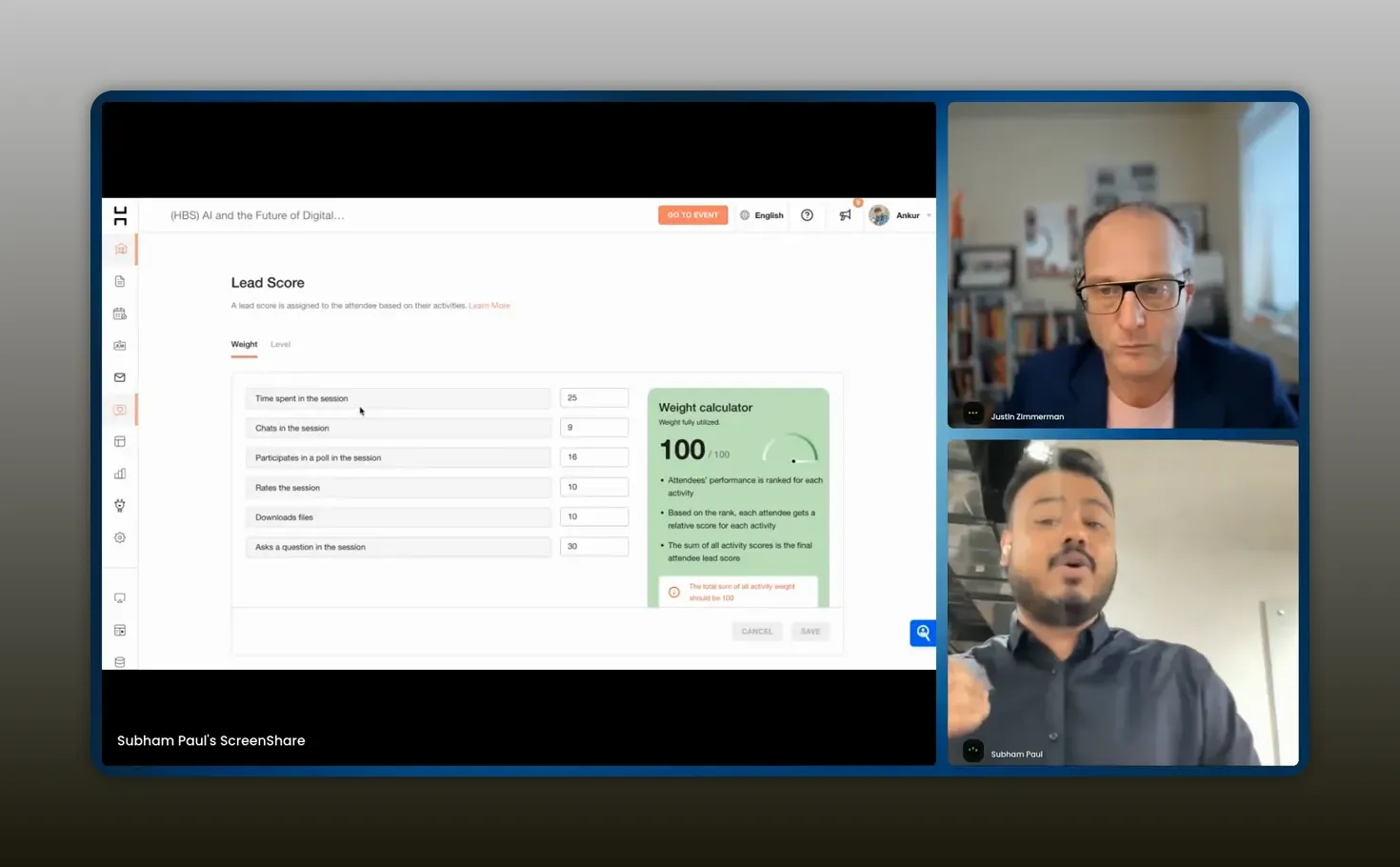
Score activities that each attendee is doing, you can go ahead and allocate them certain points. -Subham Paul
Post-webinar production and content reuse
One webinar can become weeks of marketing and sales motion if you prepare for post-production before you go live.
- AI-generated snippets: Auto-create short clips from the recording for email, social, and landing pages.
- Transcripts: Quickly convert sessions into blog posts, gated assets, or SEO content.
- Branded downloads: Trim, rebrand, and embed snippets without leaving the platform to speed time-to-share.
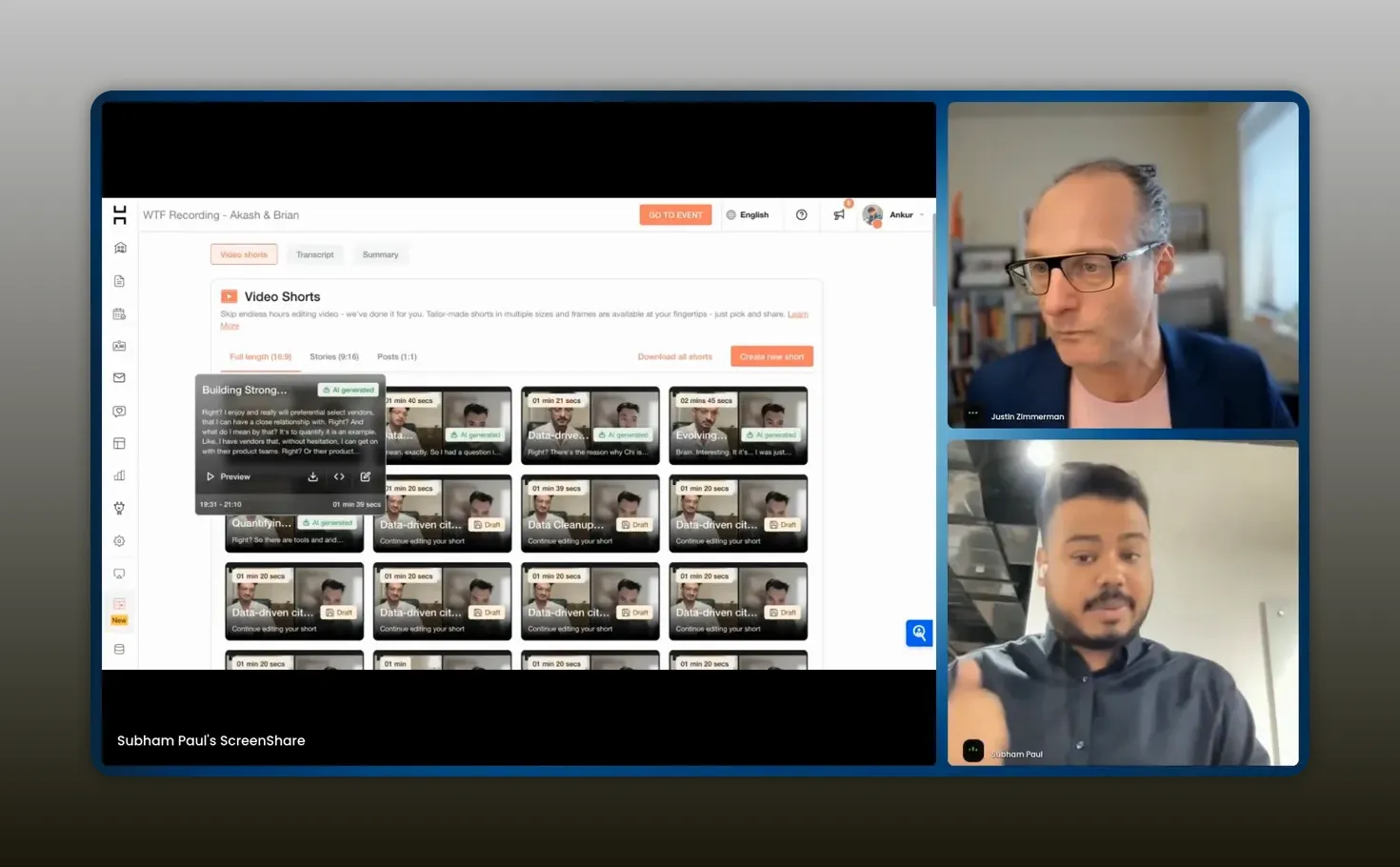
AI can automatically generates small video snippets of the webinar so you can drive post even traffic to your webinar. -Subham Paul
CRM and marketing tech integrations
Integrations keep the engine running. Native connections reduce mapping errors and ensure every signal is actionable.
- Field-level mapping: Ensure poll answers, CTA clicks, and time-in-session map to the right CRM fields.
- Bi-directional updates: Keep attendee records in sync so sales sees the latest engagement before outreach.
- Alerting: Push engagement alerts into Slack or Teams for immediate triage.
Practical pre-live-live-post checklist
Follow this mini-playbook to turn webinars into predictable pipeline engines.
- Pre: Define scoring model and registration fields, set up calendar sync, and create conversion prompts.
- Pre: Map fields to CRM and create nurturing sequences for registered but absent attendees.
- Live: Run polls and encourage chat, trigger conversion prompts during demo highlights, and monitor score thresholds in real time.
- Post: Auto-generate snippets and transcripts, email on-demand assets with links to book meetings, and route hot accounts to sales.
FAQs
How do on-demand webinars generate live signals?
On-demand webinars can be made interactive by keeping polls, chat, and conversion prompts active. When attendees engage with those elements the platform treats the interaction like a live event, triggering notifications and updating scores so you can follow up in real time.
What metrics should I prioritize for lead scoring?
Prioritize actions that show intent: conversion prompt clicks, poll answers indicating purchase interest, meeting scheduler clicks, and sustained time in session. Adjust weightings so behaviors that align with your purchase cycle score higher.
How do you turn webinar engagement into account-based signals?
Aggregate attendees by company and calculate an account intent score based on cumulative activity over multiple events. Use this signal to fuel ABM plays and decide which accounts deserve targeted sales outreach.
What integrations are essential for an events platform?
CRM integration (HubSpot, Salesforce), marketing automation (Marketo, Eloqua), calendar and scheduler tools (Calendly), and collaboration tools for alerts (Slack, Microsoft Teams) are the essentials.
Can I repurpose webinar transcripts for SEO and content?
Yes. Transcripts can be edited into blog posts, gated content, or long-form resources. Combine snippets, key quotes, and CTAs to create multiple pieces of content that extend the webinar’s reach.
Conclusion
Webinar are not just brand moments. When you own the data, apply a sensible scoring model, and integrate with your sales stack, webinars become a reliable source of qualified leads and account signals. Move beyond basic tools, focus on capturing granular behaviors, and design fast routes for sales to act on intent. Do that and your next webinar will feed pipeline, not just view counts.