How to Win Complex Deals with Relationship Mapping and Partner Account Planning
Expert advice from Nate Strong (CEO, StrongCRM) and Eddie Hanson (CEO, Prolifiq).
Snapshot
In a world where every big deal is a complex deal: multiple stakeholders, parallel partner motions, and buying committees the risks are obvious and immediate—lost pipeline, elongated sales cycles, missed renewal windows, and partners who create noise instead of delivering momentum. But the upside is equally powerful: by visualizing influence, coordinating partner activity, and turning repeatable account plans into daily, measurable actions, you can shorten cycles and increase win rates.
Enter relationship mapping and partner-aware account plans that turn a messy contact lists into a living org chart that highlights blockers, champions, and hidden decision-makers. Using tools like Crossbeam, Prolifiq, and Salesforce you can operationalize insights, so you don’t have to chase a dozen spreadsheets. Pair that with clear mutual objectives, owner-assigned tasks, and a weekly review cadence, and what was once complex, becomes a program of predictable steps that move the needle. This article will show you how to build that system—how to map relationships, align partners, create actionable plans inside your CRM, and measure the signals that tell you whether a deal is truly advancing.
Relationship mapping turns a messy list of contacts into a decision-making map you can act on. – Nate Strong
Table of Contents
- Why relationship mapping matters now
- Three partner-driven use cases for account planning
- What account plans should contain
- Demo walkthrough: what to expect inside Salesforce
- Playbook: step-by-step implementation
- Scoring and KPIs for partner account plans
- Org rituals: who to involve and when
- Integrations that unlock co-selling (Crossbeam and more)
- Common mistakes and how to avoid them
- Checklist for launching relationship mapping
- Roles and titles you should be introduced to
- FAQs
- Conclusion
Why relationship mapping matters now
When you sell into mid-market and enterprise customers, the days of a single champion and a handful of emails are over. Deals now involve marketing, sales, IT, procurement, legal, and multiple divisions. Add partners—implementation partners, ISVs, channel resellers—and the single-threaded sales play becomes a web. If you fail to understand that web, you lose visibility into where decisions are made and who can block or champion your solution.
Relationship mapping helps you transform raw CRM data into a visual map of influence. That map reveals who the blockers are, who the silent champions might be, and where you need to apply effort or bring in a partner. It also reduces duplication: you stop copying slides and spreadsheets and start working from a single, living source of truth inside Salesforce.
Three partner-driven use cases for account planning
There are several ways partners change the account planning game. These three use cases surface most often.
- Co-selling coordination. Two partner managers, working together across companies, need a single view into the buyer’s organization so they can tactically approach the same buying committee.
- Channel partner account plans. Partner teams need to hold partners accountable for pipeline creation and alignment on mutual objectives.
- Complex implementation deals. For high-security or multi-stakeholder deals, you need to identify hidden power centers like IT or procurement early and design acceptance steps to neutralize blockers.
Each of these use cases requires you to shift from periodic planning (PowerPoint slides and QBRs) to daily, actionable account management inside your CRM.
What account plans should contain
A useful account plan is not a PDF that collects dust. It is a living document, tied to your CRM data and integrated into your day-to-day workflow. At a minimum, a partner-focused account plan should include:
- Relationship map. Visual network of contacts, labeled as supporter, neutral, blocker, champion, with lines showing who reports to whom or who has informal ties.
- Cross-sell view. Parent accounts, subsidiaries, product areas, and current opportunities—so you can see where gaps exist.
- Objectives and mutual commitments. Outcome-driven objectives like “drive five new co-sell opportunities via Crossbeam this quarter” and mutual plans shared with partners.
- Execution tasks. Salesforce tasks mapped to objectives so day-to-day work rolls up into measurable progress.
- Project or mutual plan tracker. Milestones, dates, and owners, visible to both internal teams and partner teams as appropriate.
Demo walkthrough: what to expect inside Salesforce
When account planning lives inside Salesforce, you take a huge step toward adoption. The interface you use should pull from standard Salesforce objects and show you a cohesive, visual account plan embedded on the account page.
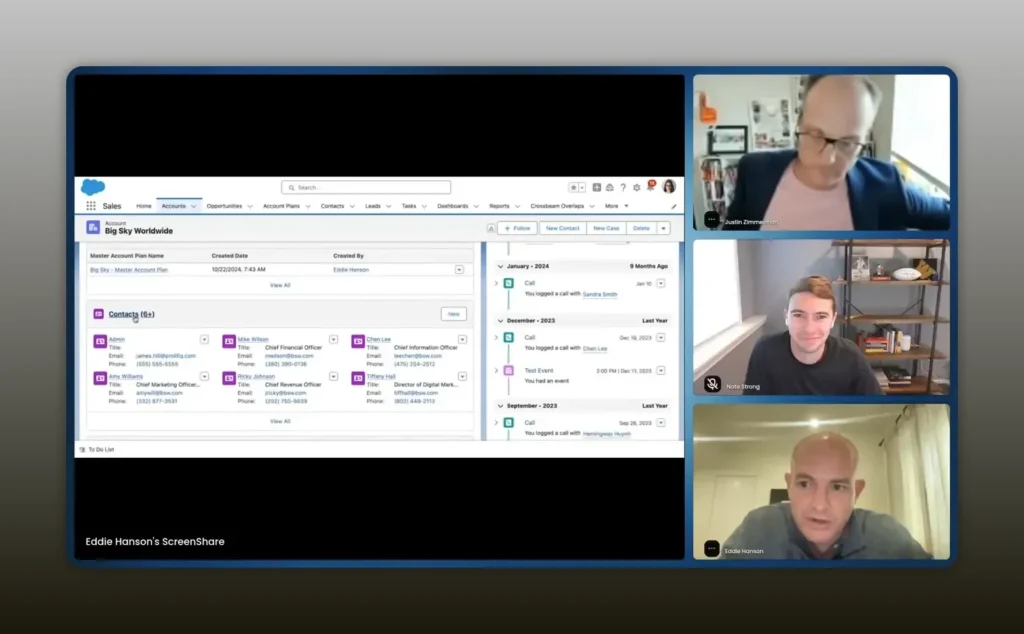
All of this data is 100% native to Salesforce. Company owned and user owned does not leave Salesforce. – Eddie Hanson
Expect the account plan page to show both a strategic view and an operational view. Strategy fields are things like your partner point of view, strategic priorities, and leadership summaries. Operational fields are objectives, tasks, and the cross-sell visual that populates automatically from your opportunities.
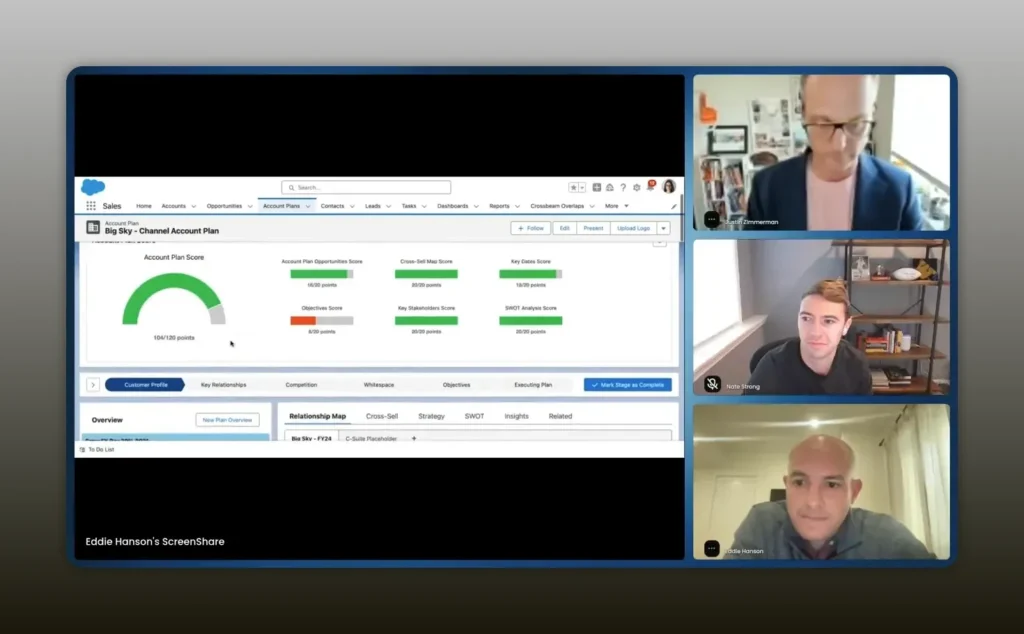
Start your account planning process with the cross-sell view. It shows your shared pipeline at a glance. – Eddie Hanson
The cross-sell visualization is especially powerful for partner motions. It lays out the parent account, subsidiaries, and product categories and overlays current opportunities as colored nodes. That visual quickly exposes gaps—product lines that have little traction or subsidiaries you haven’t penetrated.
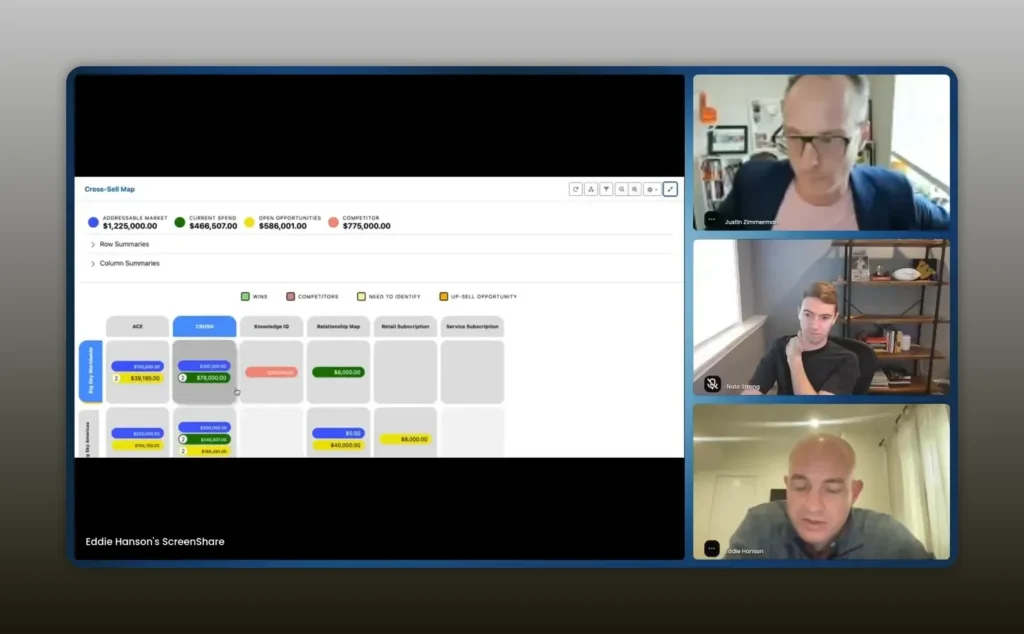
One click shows what you and your partner have worked on together—no manual entry required. – Eddie Hanson
Relationship mapping converts a long contact list into a visual org chart. You can pull every contact in the account list view onto the map and then draw relationship lines to indicate influence and reporting structure. You can tag contacts as blockers, supporters, executives, or partners and group them by function or region.
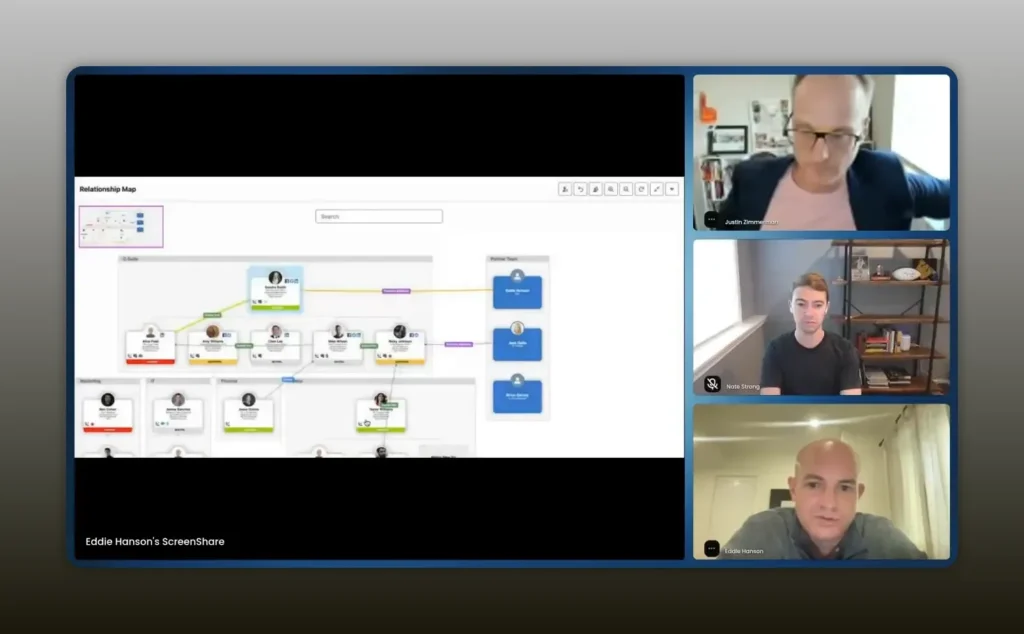
Use a working visual to understand who reports to who and where your leverage points are. – Eddie Hanson
Because it’s native, changes you make on the map can write back into Salesforce fields like the reportsTo field. That keeps the CRM clean and saves your ops team from tedious manual updates.
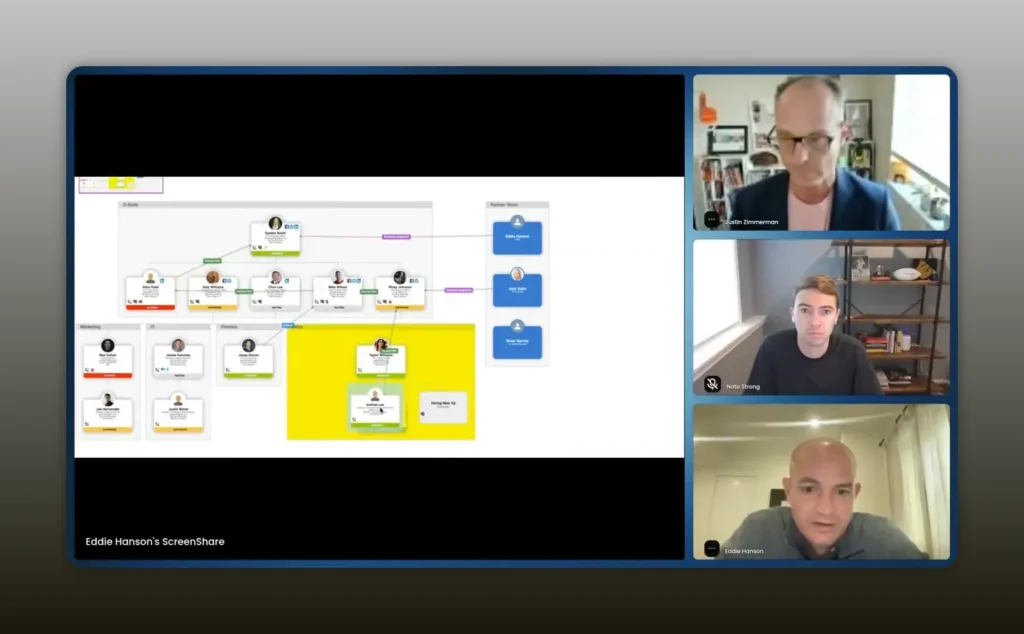
A relationship map that turns into a web is a good thing—you can see the buying path and tactical levers. – Eddie Hanson
Playbook: step-by-step implementation
Below is a practical mini-playbook you can use to move from scattered spreadsheets to partner-driven account planning inside Salesforce.
- Inventory partners and accounts. Identify the partners that touch each key account. Record relationship roles (implementation partner, ISV, strategic reseller) directly on the account or in a partner object.
- Build your master contact list. Export or filter contacts tied to the account and import them into a relationship map. Use the CRM to ensure these contacts are company owned and user owned.
- Run an internal account mapping workshop. Bring your internal team together—sales, product overlays, technical resources, revenue operations, and partner managers. Map roles, identify blockers, and assign owner(s).
- Invite the champion or coach. Present the map to the internal champion and ask them to validate. Ask questions like “Is Sally a supporter?” or “Who actually influences this decision?” This step often uncovers relationships nobody documented.
- Activate partner co-sell sessions. Run a Crossbeam or similar session to identify mutual target accounts and shared opportunities. Use the cross-sell visualization to pick five priorities for the quarter.
- Set objectives and tasks. Convert each objective into a measurable goal with Salesforce tasks assigned. Objectives might be “Drive five new opportunities via Crossbeam” or “Get IT security approval by June 15.”
- Score and review weekly. Don’t wait for quarterly reviews. Integrate a short account review ritual into your sales rhythm where objectives, relationship health, and pipeline velocity are discussed.
- Measure partner accountability. Track partner-influenced pipeline and wins. Hold partners to mutual plans and use scores to determine whether to expand, double down, or offboard.
Scoring and KPIs for partner account plans
Turning account plans into scores helps your organization decide where to focus resources. Good scoring blends activity, relationships, and pipeline.
- Relationship health score. Rate the number of champions versus blockers and the activity level of those champions.
- Pipeline influence score. Percentage of pipeline created or accelerated by partners (Crossbeam-sourced deals, co-sell originated opps).
- Execution velocity. Average time between milestones in the mutual plan (e.g., security sign-off, pilot start, contract stage).
- Objective completion rate. Percentage of quarterly objectives achieved.
One simple scoring approach: assign 40 percent weight to pipeline influence, 30 percent to relationship health, and 30 percent to objective completion. Calibrate these weights to match your business priorities.
Org rituals: who to involve and when
Success is as much about cadence and participation as it is about tooling. Make these rituals part of your operating rhythm.
- Weekly partner account review. A short 30-minute sync focused on the top partner accounts: which objectives moved, who’s blocked, and what partner asks are outstanding.
- Monthly strategic account meeting. Involve sales leadership, revenue operations, partner managers, and the implementation PM to ensure alignment on milestones.
- Quarterly business reviews. Bring in exec sponsorship and partners for QBRs that focus on joint objectives and expansion opportunities.
Key roles to invite: revenue operations, sales operations, sales leadership, CRM team, partner managers, and implementation leads. These are the people who will use or enable the account planning platform every day.
Integrations that unlock co-selling (Crossbeam and more)
Co-selling requires visibility into both sides of the partnership. Crossbeam excels at partner-to-partner opportunity discovery: it surfaces mutual accounts and potential overlaps. But discovery is only half the battle. Once you know the mutual accounts, you need to see inside the organization to understand the buying committee.
Integrate Crossbeam with your account planning platform so that opportunity discoveries populate the cross-sell visualization automatically. From there, relationship mapping shows you who to engage inside the buying committee and which partner contacts hold influence.
Common integration patterns include:
- Crossbeam to Salesforce. Push discovered mutual accounts and opportunities into Salesforce to be surfaced in the cross-sell view.
- Partner ISV data to account plans. Pull partner-sourced opportunities and product tags to show where each product line has traction.
- Security and compliance tools to mutual plans. For high-security customers, track security approval milestones and required artifacts in the mutual plan.
Common mistakes and how to avoid them
Implementations fail for predictable reasons. Avoid these traps.
- Keeping account plans in PowerPoint. That creates duplication and kills adoption. Keep plans native to the CRM and link objectives to tasks.
- Treating mapping as a one-time exercise. Relationship maps must be living. Revisit them weekly and validate with your coach or champion.
- Missing partner scorecards. If you don’t measure partner contribution, you can’t hold partners accountable or improve the motion.
- Not involving operations early. Revenue operations and CRM teams need to define fields and automation before you scale the solution.
Checklist for launching relationship mapping
Use this checklist to get started quickly.
- Define the initial list of target accounts that will pilot relationship maps.
- Identify the partner(s) attached to those accounts and capture partner roles in Salesforce.
- Pull the contact list and populate a relationship map with tentative labels (champion, blocker, neutral).
- Host a validation call with the internal champion to adjust labels and report structure.
- Create 2-3 quarterly objectives tied to partner activity and assign specific Salesforce tasks.
- Setup Crossbeam or partner discovery integration to populate cross-sell opportunities.
- Assign score weights and set a weekly review cadence.
- Track outcomes and iterate the playbook after the first two quarters.
Roles and titles you should be introduced to
When you ask partners for introductions, focus on the roles who will drive adoption or unblock approvals. Typical high-value introductions include:
- Revenue operations
- Sales operations
- Sales leadership (VP / Head of Sales)
- CRM administrator or Salesforce admin
- Partner manager and channel lead
- Technical program managers and implementation leads
- Security or IT approvers for high-compliance customers
When a partner manager brings you into a conversation, share a relationship map and ask if your assessment is accurate. That simple visual builds credibility quickly and often opens up relationships you didn’t know existed.
FAQs
What is relationship mapping and why is it better than a contact list?
Relationship mapping is a visual representation of the people connected to an account and how they influence one another. It turns a long, unstructured contact list into a decision-making map where you can label supporters, blockers, champions, and reporting lines. The visual context helps you prioritize outreach, identify missing influencers, and coordinate partner activity more effectively than a simple list.
How does Crossbeam work with relationship mapping?
Crossbeam discovers overlapping accounts and mutual opportunities between partners. Those discoveries feed into your cross-sell visualization. Once you know which accounts are mutual, relationship mapping lets you see the internal buying committee and chart the best ways for both partners to engage that committee.
Can relationship maps update Salesforce fields automatically?
Yes. When the mapping tool is native to Salesforce, changes on the map can write back into standard fields like reportsTo or into custom fields. That sync removes duplication and keeps your CRM accurate without extra manual work.
What metrics should I use to measure partner impact?
Track partner-influenced pipeline, win rate for partner-involved deals, objective completion rate for mutual plans, and relationship health. Consider weighting these into a composite score that drives prioritization.
How often should I update relationship maps?
Update them at least weekly for active deals. For accounts in maintenance mode or low-touch, revisit them quarterly. Frequent updates are critical when you are in a complex sales cycle or when partners are actively co-selling.
Who should own the account plan and the relationship map?
The account executive or partner manager should own the map, while revenue operations or CRM admins should own the configuration and data hygiene. Successful programs pair an accountable seller with an operations steward.
Conclusion
Complex deals aren’t going away. If anything, they will require more coordination across partners, internal teams, and buying committees. The difference between deals that stall and deals that close is visibility and action. Relationship mapping gives you that visibility. Partner-aware account planning converts visibility into consistent activity by making objectives measurable, tasks trackable, and partners accountable.
Start small: pick a handful of strategic accounts, map relationships, agree mutual objectives with a partner, and run weekly rhythm checks. You will quickly see how what used to be a static PowerPoint becomes a living engine for pipeline growth.