Partner Tech Talk: AI, MCP, and Operator Workflows That Scale
Expert advice from Sean Harris (Sr. Director of Product, PartnerStack).
Snapshot
We are at the point where AI will stop being a collection of tools you try and start becoming a layer inside how partnerships operate. You are either going to use AI to compress the boring parts of your workflow and push time toward strategy, or you are going to watch the operational overhead pile up as partner programs scale.
The stakes are simple: partner discovery, recruitment, activation, and reporting already consume too much time across teams, and the “all or nothing” integration approach is too slow for modern go-to-market cycles. AI-centered product thinking changes that by moving from search to recommendations, from message personalization to AI-driven outreach, and from manual lead logging to automated capture from the channels your partners already use.
Below, you will get a framework for thinking about AI maturity in partnerships, plus concrete examples of how product and partnerships teams are using agent-style workflows to reduce manual effort in partner discovery, recruitment outreach, and lead capture. You will also see where MCP and API-first designs fit, and how to avoid token-limits and “UI-only” AI that never reaches the outcome.
“AI is transforming the way that we work, and the people who apply it to existing workflows will separate from those who just dabble.” -Justin Zimmerman
Table of Contents
- The big shift: stop starting with tools
- Skills: people skills and AI skills
- How AI skills work (and why they feel like “operating guides”)
- MCP vs. APIs: how systems will connect in the near term
- Operator workflows: recruitment, referrals, and lead capture
- Real examples from PartnerStack-style workflows
- Recommended tech stack patterns
- FAQs
- Conclusion
The big shift: stop starting with tools
Stop collecting AI tool names. Start by identifying the problem you are trying to solve and the workflow you are trying to improve.
Justin Zimmerman puts it bluntly: AI is here to solve old problems faster. The risk is that you get pulled into the “new shiny tool” cycle, where everyone has opinions, but nobody has outcomes.
So your starting point should look like this:
- List your recurring workflows across partnerships and go-to-market (discovery, recruitment, partner messaging, lead capture, reporting).
- Pinpoint the manual work you wish you could remove (translating call insights, searching for partners, chasing forms, logging referrals, building status reports).
- Map inputs to outputs: What do you need to start the process, and what is the final artifact or decision?
- Choose the AI layer that can compress the bottleneck without breaking trust or accuracy.
Once you think this way, AI becomes an accelerator rather than a distraction.
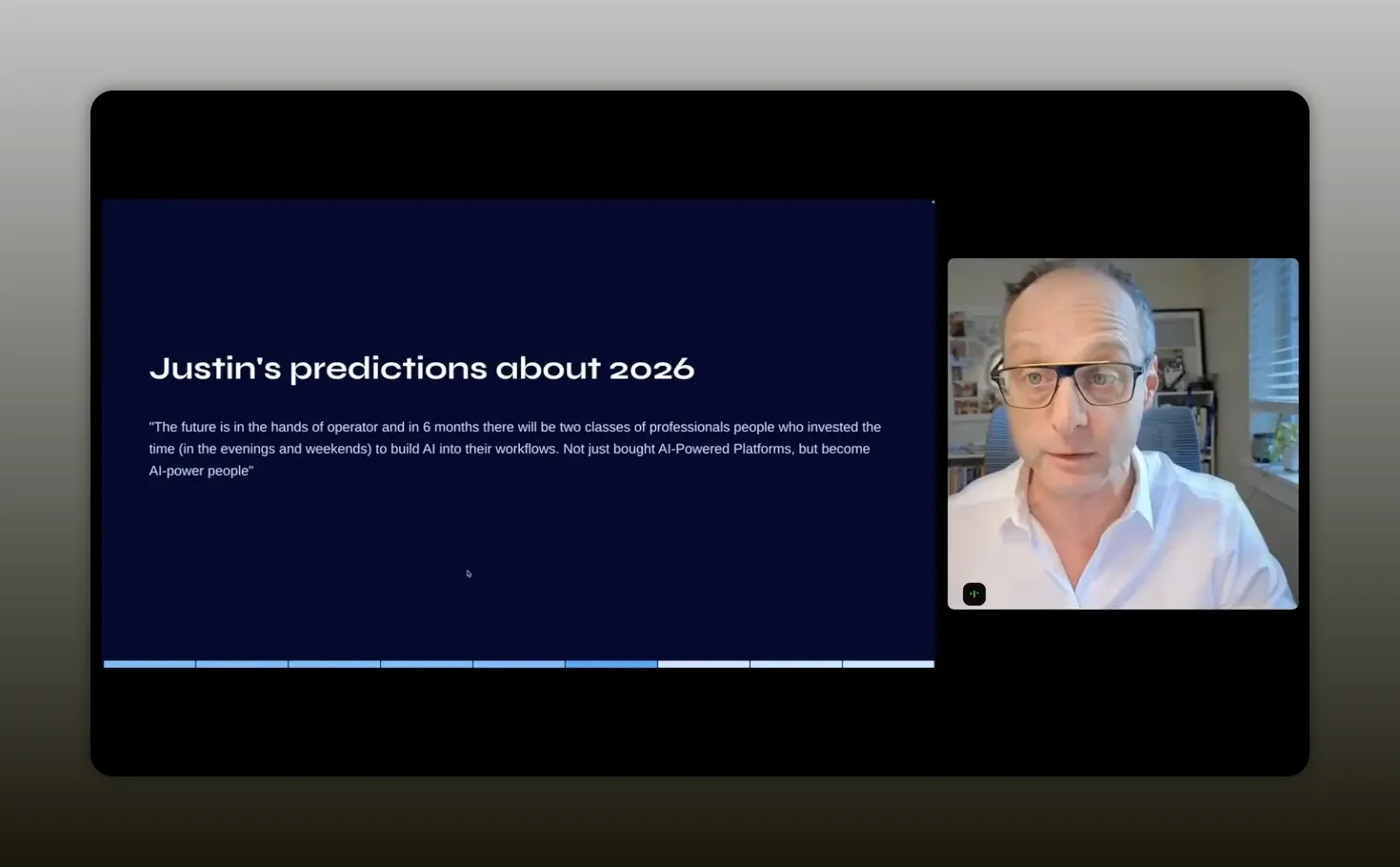
“Don’t start with the tools. Start with the problems and the workflows you already have, then choose what fits into them.” -Justin Zimmerman
Skills: people skills and AI skills
Sean Harris introduces a powerful distinction that helps you avoid confusion when people talk about “skills” in AI. He describes two kinds of skills you must build in parallel.
1) People skills (the operator layer)
This is your ability to operate with AI effectively. It includes knowing how to prompt, how to verify outputs, how to structure tasks, and how to iterate on workflows until the result is usable. In other words, your own professional fluency.
2) AI skills (the workflow layer)
This is the actual, reusable skill artifact you teach to AI systems. In Sean’s framing, AI skills are standardized “operating guides” made to repeat steps and access tools when needed. They reduce the “starting fresh” problem you face every time a new context window is opened.
The key insight: if you only build people skills, you keep doing everything manually with better prompts. If you only build AI skills, you may automate steps that still do not match how your org actually works. You need both.
“AI-specific skills are directives you give your AI access to, so it can repeat the same steps with more context.” -Sean Harris
How AI skills work (and why they feel like “operating guides”)
In practice, an AI skill is a repeatable procedure. Sean describes it as a standard format where you provide directives, and the system follows an established set of steps. That matters because it turns AI from “a chat you talk to” into “a process you can run.”
He offers a concrete internal example: a skill connected to Linear (their Jira-like system) and Slack updates on releases. Instead of someone spending a day collecting data and writing a report, the AI skill can pull data and generate a weekly report across product, design, and engineering.
This is where the concept becomes operational. You are not asking for one-off answers. You are building an automation loop that gets better through iteration.
Why the improvement loop matters
Sean also highlights that your skills can improve when you provide feedback. You can mark recommendations as bad fit or save for later, and the next iteration gets smarter because your actions become signal. That is how you move from “interesting demo” to “workflow you trust.”
A simple skills example: “Grill me”
Sean shares a skill example called “Grill me,” designed to stress test a plan or design. It asks about context in a structured way. Then, when you ask for a plan, the output is far more grounded because the skill forced the necessary questions upfront.
What you should take from that: the best skills do not just answer. They ask the questions that prevent bad assumptions.
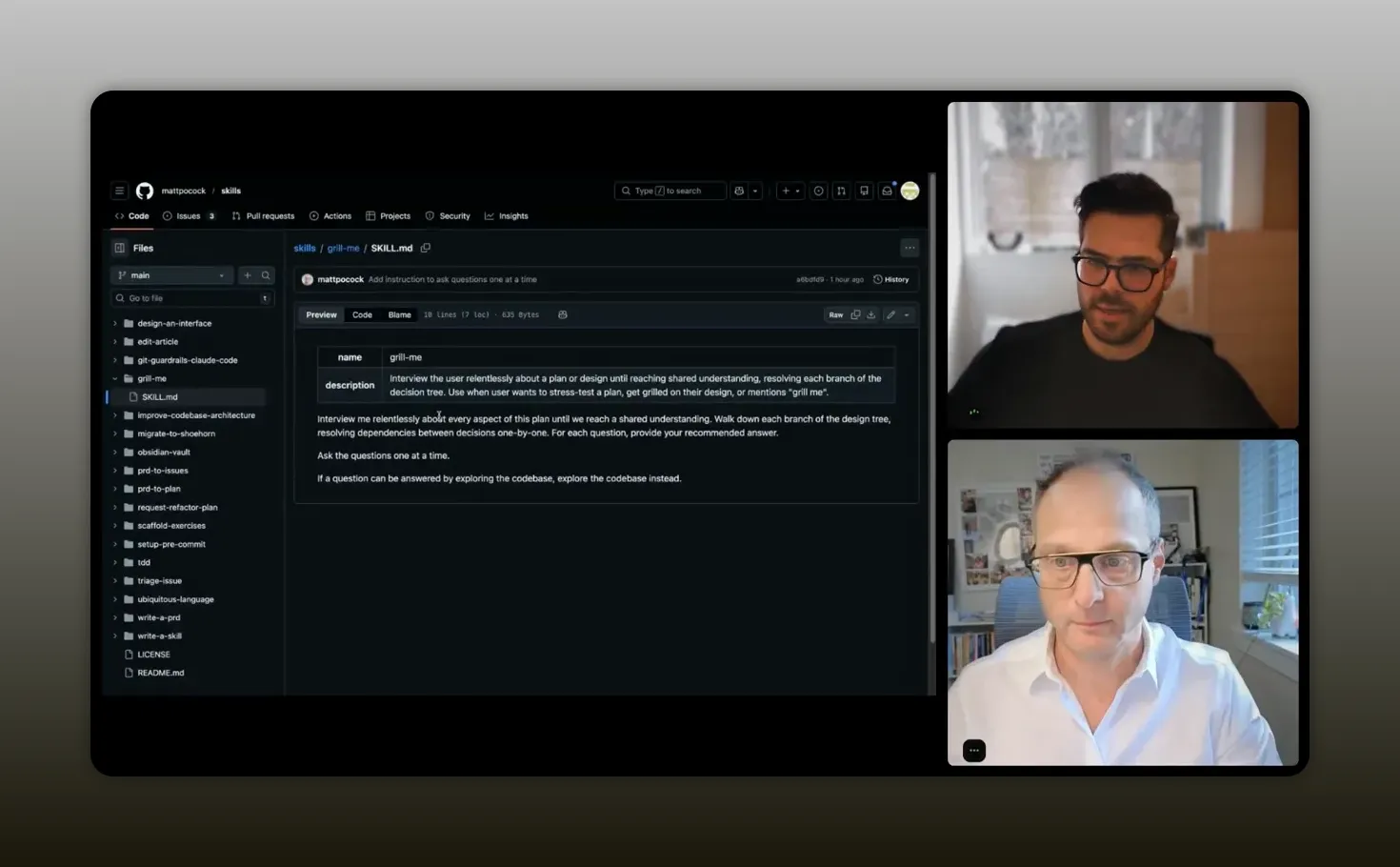
“Interview the user relentlessly about a plan or design until you reach a shared understanding.” -Sean Harris
MCP vs. APIs: how systems will connect in the near term
Partnership workflows are rarely inside a single system. They cross PRM platforms, CRMs, ticketing tools, communication channels, spreadsheets, reporting layers, and marketing stacks.
This is where MCP enters the conversation, along with a more grounded view that you should not over-rotate on any single approach.
What MCP is meant to do
MCP is positioned as a way for AI tools to connect to external systems through standardized servers. The promise is faster integration and easier tool-to-tool communication.
The hot take: MCP is likely to mix with APIs
Justin predicts demand for MCP-powered features, especially when you want to connect in-house AI workflows to your core systems. Sean agrees, but adds a key practical caution: MCP can be constrained by usage limits and token consumption. He describes a situation where you can run a few MCP server calls, then you are out of tokens and cannot run more for hours.
So his directionally strong advice is to evolve toward an API-centered approach for many use cases, while using MCP as the easiest path for connecting apps quickly.
Why reporting is the deciding factor
Sean points out that many complex workflows involve reporting and data processing. If an MCP server pulls all data without “reporting-specific apis,” you can waste time and resources. That pushes you toward designing APIs that support targeted reporting queries so the agent does not brute force everything.
Takeaway: if you are building or selecting partnership tooling, think in terms of architecture. You want the option to connect with AI, but you also need reliable, purpose-built API endpoints for high-frequency reporting and performance metrics.
Operator workflows: recruitment, referrals, and lead capture
It is easy to get lost in AI terminology. The fastest way to cut through is to look at how agent workflows show up inside the daily work of partner managers.
The conversation centers around three stages:
- Recruitment (discover and invite partners)
- Activation (help partners execute and engage)
- Reporting and analytics (answer questions quickly without UI friction)
Justin and Sean both emphasize that you should prioritize high-frequency, admin-heavy tasks. The goal is to reduce time spent being “an administrator” and increase time spent on strategy and partner relationships.
Recruitment as the first high-frequency use case
Sean describes recruitment as a universal pressure point. As you scale, it becomes harder to do consistently. So the AI layer should help you find good-fit partners and create personalized outreach without requiring weeks of manual research and drafting.
Activation as the next frontier
Recruitment is not enough. Once partners join, you need them to take meaningful actions. Sean says they plan to build full co-pilot and agent support for activation in Q2, so partner managers can guide partner actions without becoming gatekeepers.
Reporting as the “UI friction” problem
Even if AI can generate text, the real pain is navigating dashboards. Sean’s direction is: provide a co-pilot that answers questions about common partner metrics. Then, connect it to reporting APIs so you can get instant answers to “chart questions” rather than clicking through complex reporting views.
Real examples from PartnerStack-style workflows
Sean walks through a sequence of product capabilities that map directly to partnership work. Use these as a pattern library you can adapt to your own tools.
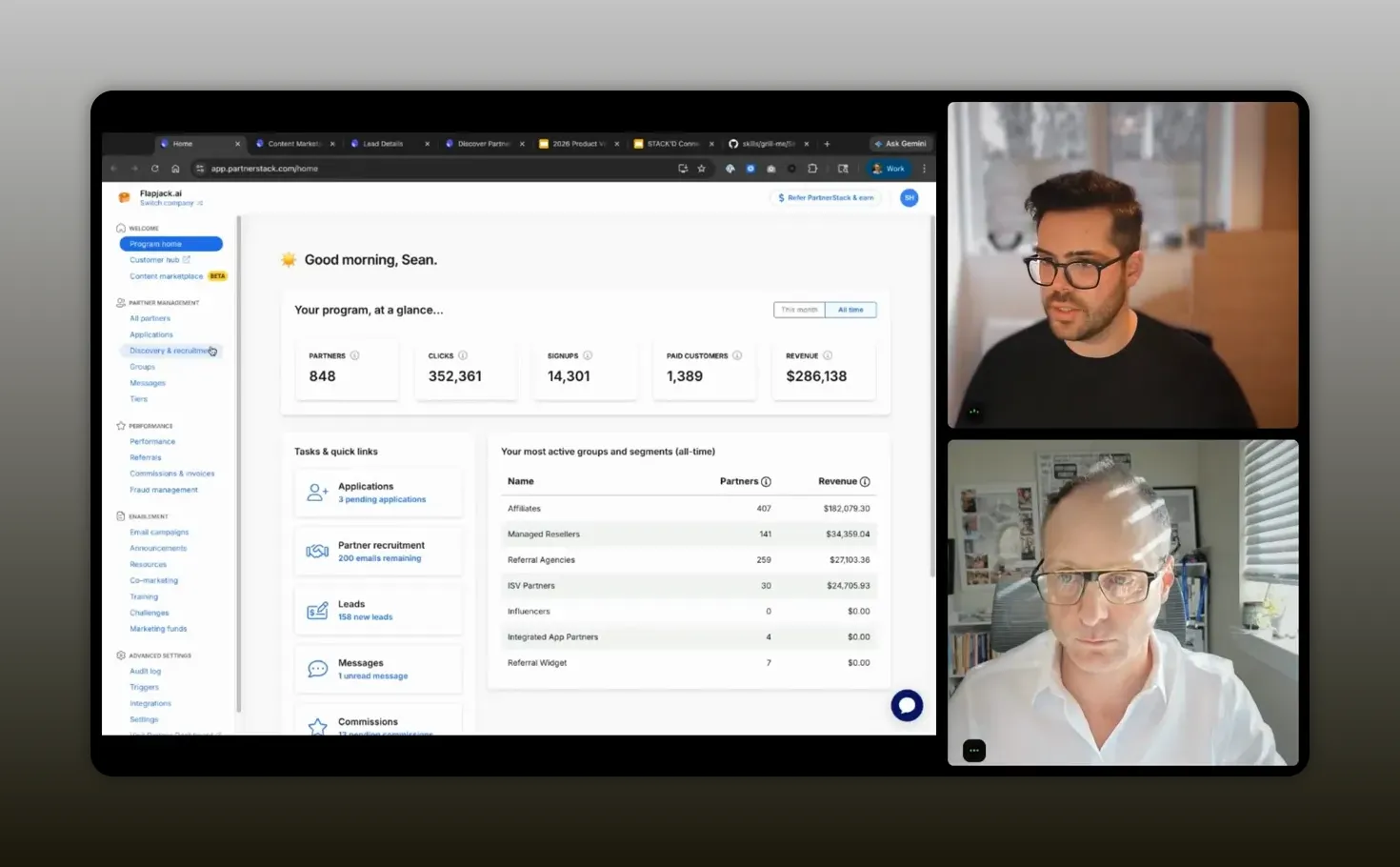
“Convert partner discovery from search into recommendations.” -Sean Harris
Example 1: Discover network partners with recommendation signals
Instead of showing a huge list of partners and hoping users can filter well, PartnerStack’s product processes partner data and builds a recommendation engine. Each week, it evaluates company attributes and suggests top partners. It even includes “AI out of match” style badges as signals for best-fit.
Then it incorporates human feedback: marking a partner as bad fit or saving for later improves the algorithm for future recommendations.
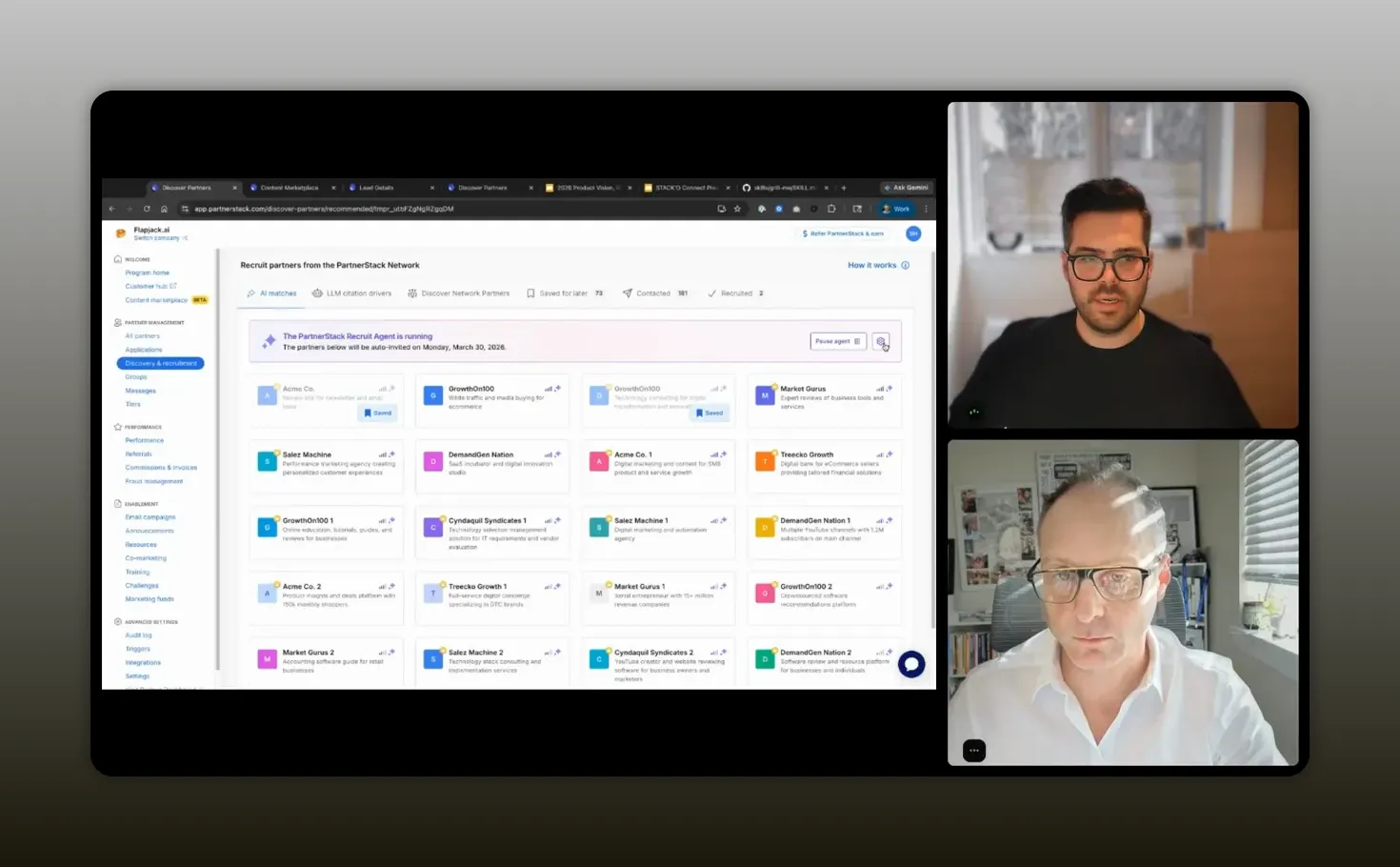
“Discovering the right partners stopped being a manual search for us—it became recommendations driven by partner-fit signals, and we learned fast that feedback like ‘bad fit’ and ‘save for later’ makes the network smarter every week.” – Sean Harris
Example 2: Recruit agent for automated outreach with pause control
They add an agent that automates outreach, selects AI templates, and adapts messaging for each partner. The key part is not full automation without oversight. It includes user control to pause the process at any time.
The workflow also starts with targeted inputs: partner type and locations. For example, if someone wants resellers in Japan, the agent can generate personalized outreach emails that explain why each partner fits.
That is the difference between “personalization as a promise” and “personalization as a system.”
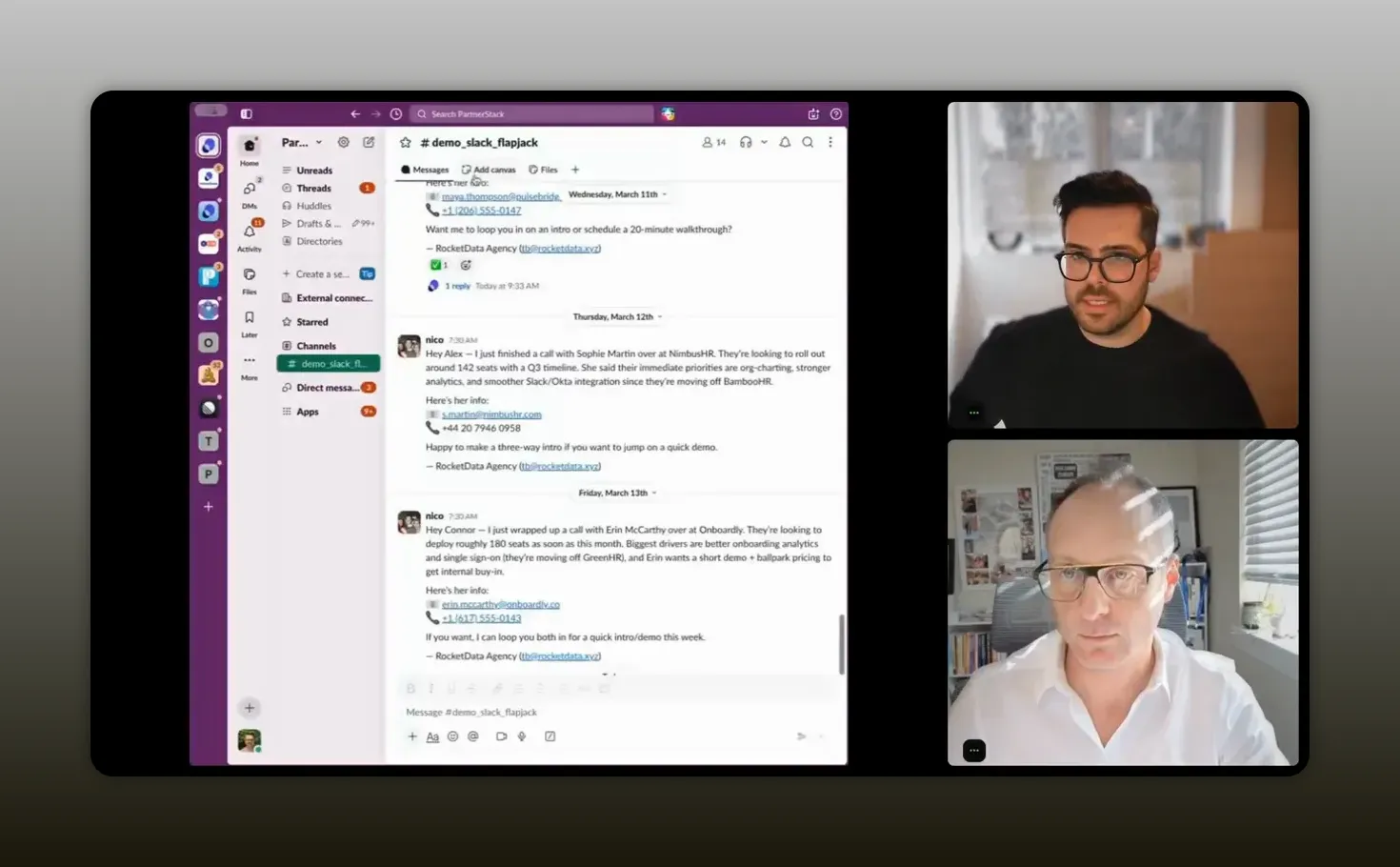
“Treat [automated outreach] like an operator workflow—templates plus partner-fit context, with pause and control—so the agent does the boring work, and your team stays in charge.” -Sean Harris
Example 3: Slack connector to submit referrals automatically
Many partner teams exchange lead and referral information inside Slack, email, and other channels before it ever reaches the PRM. Sean describes a real friction loop: partners send referrals in Slack, but partnership teams still have to ask partners to log everything in the PRM.
So they build a Slack connector plus an AI submit-lead flow. When a referral arrives in Slack, the connector can capture the content and submit the referral automatically to the PRM workflow. The user sees the referral appear in the vendor dashboard with details and activity logs, including that it was referred from Slack.
What this unlocks for you
- Less awkward chasing for form completion
- Higher data hygiene because capture happens earlier
- Faster pipeline motion because leads enter the system without manual transcription
Sean also mentions that there is a parallel email flow where referrals forwarded to a specific email address are processed similarly. The principle is consistent: meet partners in their existing communication patterns.
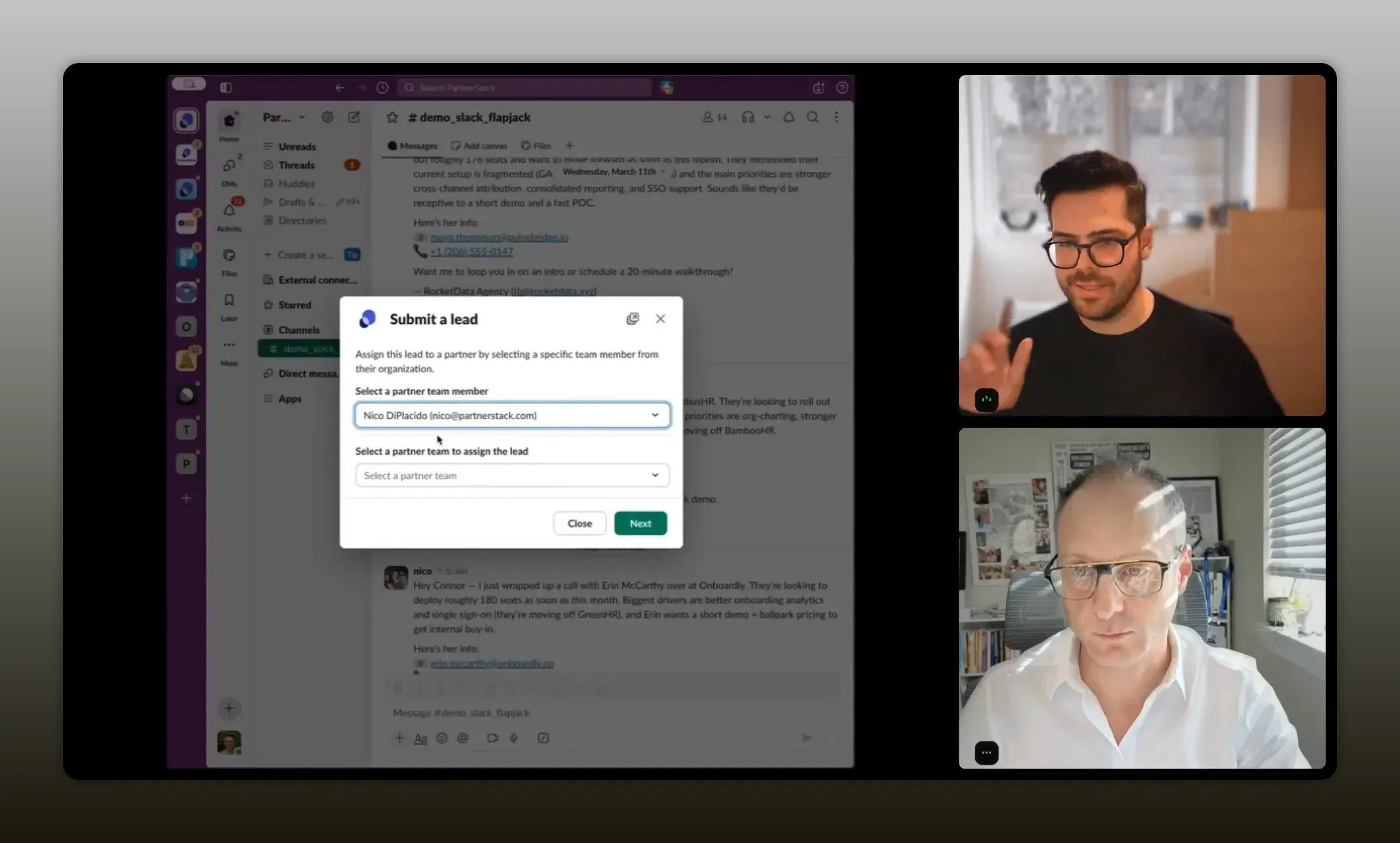
“Automated referral submission only works when you meet partners where they already are—like Slack—and then wire that signal straight into the PRM so your team isn’t chasing forms or doing manual transcription.” -Sean Harris
Example 4: Reporting co-pilot with MCP server alongside
Next, they shift to reporting and analytics. The co-pilot can answer questions about common partner metrics across the product experience. The idea is to avoid adding too many UI layers and instead tune reporting APIs, then launch an MCP server so the agent can access the data needed for answers.
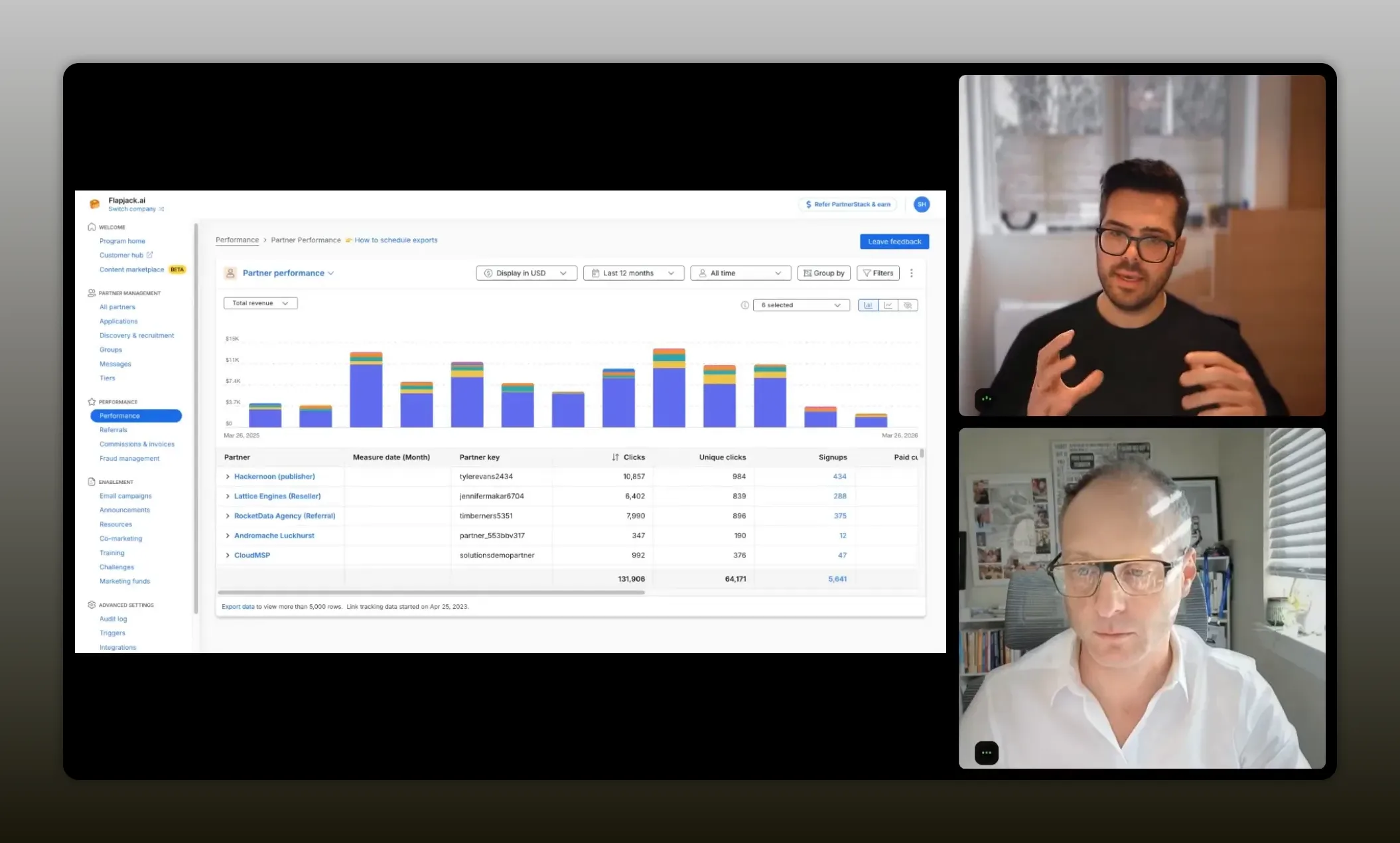
“Reporting is where teams feel the UI friction most—so the win is answering partner questions instantly by wiring agents to purpose-built reporting data, not by making people click through dashboards.” -Sean Harris
Why this matters for partner leaders
If you frequently ask questions like “Which partners performed best this month?” “How much recurring revenue did we drive?” or “What is our conversion rate from referrals to leads?” you should not need to click through complex dashboard paths every time.
You need an outcome-first system where you can ask and get an answer that is grounded in the same reporting truth your business uses.
Recommended tech stack patterns
If you want to apply these ideas without copying a vendor product exactly, use these stack patterns. They are designed to reduce admin load and create repeatable outcomes.
Pattern 1: Build skills around high-frequency artifacts
- Weekly partner performance reports
- Call-insight translation into structured notes
- Partner discovery recommendations
- Referral capture from Slack or email
Then connect skills to data sources: tickets, CRM, PRM, and comms.
Pattern 2: Pair AI skills with operator guardrails
Do not fully remove control. Use pause and review points, especially for outbound outreach. You want the agent to do the boring work, not to surprise you with risk.
Pattern 3: Design your reporting APIs for AI access
Instead of expecting AI to retrieve every row and then summarize, implement targeted reporting endpoints. Sean’s caution about MCP pulling too much data is a warning: your system should return just what the agent needs.
Pattern 4: Move from “marketplace integration” to “outcome connections”
Traditional integration work can be slow: build, align, execute, then ship. MCP-style connections plus AI skills can compress time for long-tail use cases by enabling micro-workflows. Over time, deeper integrations can follow once you validate demand.
FAQs
What does it mean that AI skills are “operating guides”?
It means the AI skill is a reusable set of directives and steps you give the AI so it can repeat the same workflow. Instead of starting from scratch in every context window, the skill provides structure and can also connect to tools to fetch the right information.
Should you start by learning AI tools or mapping workflows first?
Map workflows first. Identify recurring bottlenecks and manual work, then choose AI capabilities that fit those workflows. This prevents you from getting stuck in tool-chasing without measurable outcomes.
Is MCP the future, or will APIs replace it?
MCP is likely to remain useful because it is an easy way to connect systems. But many teams will transition toward APIs for efficiency, especially in reporting-heavy workflows. The practical outcome is a mix: MCP for quick connections, APIs for reliable data access at scale.
Where do AI agents actually help partner managers day to day?
They help with high-frequency tasks like partner discovery recommendations, drafting and personalizing outreach, capturing referrals from Slack or email, and generating reporting answers without navigating complex dashboards.
How do you keep AI from creating risk in outbound partner outreach?
Add human-in-the-loop checkpoints. Use pause controls, templates with guardrails, and review points before sending. The agent can draft and tailor, while you confirm final messaging for compliance and brand safety.
What is the quickest “first project” for implementing these ideas?
Start with one workflow that is repetitive and time-consuming: automated lead/referral capture from Slack or email, or a weekly report generation skill. Pick something measurable so you can prove time savings and data quality improvements.
Conclusion
Your AI advantage in partnerships will not come from owning the newest model or the flashiest app. It will come from turning AI into repeatable, outcome-focused workflows. Start with the old problems you already know: partner discovery, recruitment outreach, referral capture, activation support, and reporting. Then build or adopt AI skills that compress the boring work, pair them with operator guardrails, and connect them to systems through a practical mix of MCP-style connections and API-first reporting endpoints. If you do that, you will move from “dabbling” to becoming a 10X operator.