Product-Led vs Sales-Led Partner Revenue Capture Plays: For HubSpot Apps
Expert advice from Chris Brisson, Ryan Milligan, Jesse Cunningham.
Introduction
You are sitting on high-intent partner-sourced leads every time someone installs your integration. What’s at stake is simple: installs are only valuable when they become active users and paying customers. Left unchecked, that funnel leaks—often badly—because new users hit friction right after install, don’t get immediate value, and leave. The opportunity is massive for teams that nail the first hours and first week after install. This is the make-or-break moment that determines whether an integration becomes essential or forgettable.
Installs are high-intent buyers. Nail the first hours and the first week and you’ll turn installs into paying customers. — Jesse Cunningham
Table of Contents
- Why the post-install window matters
- OAuth: your gold mine for data
- Product-led playbook: the three-day sequence
- Sales-led playbook: the white-glove path
- Documentation and self-service onboarding
- Human onboarding, webinars, and activation at scale
- Designing quick time-to-value and the aha moment
- Common failure points and how to avoid them
- Iterate, announce, and measure: the integration growth loop
- Using reviews and marketplace signals to win trust
- Partnering with solutions partners and agencies
- Checklist: post-install playbook you can implement today
- Templates and examples
- FAQs
- Conclusion
Why the post-install window matters
When someone installs your integration they are signaling intent. They have a problem they want solved and they believe your product might fix it. But intent does not equal retention. Across many integrations, roughly 60% of installs never become active users. That’s a huge volume of potential revenue lost to friction and ambiguity.
The reason is simple: the value you promised at the point of discovery needs to be realized fast. If the set-up is confusing, if the first actions are unclear, or if the user doesn’t get an early win, they will churn or try a competitor.
Design your post-install experience intentionally. Treat every install as an inbound lead and apply sales and product thinking to convert interest into value quickly. This is the difference between a leaky bucket and sustained growth.
OAuth: your gold mine for data
Leverage OAuth as your signal that an install has happened. Inspect the OAuth tokens to pull the email address and timestamp. That small bit of telemetry lets you do three critical things:
- Trigger automated, contextual onboarding emails or texts within minutes.
- Personalize outreach using the installer’s identity and install time.
- Measure conversion windows and drop-off timing to iterate your playbook.
OAuth requires developer work, but it’s worth it. With these tokens you can automatically insert new installs into your CRM, segment them by product usage intent, and route them into the right nurture path. The best performing integrations use this information to deliver targeted, timely help that reduces setup time and increases activation.
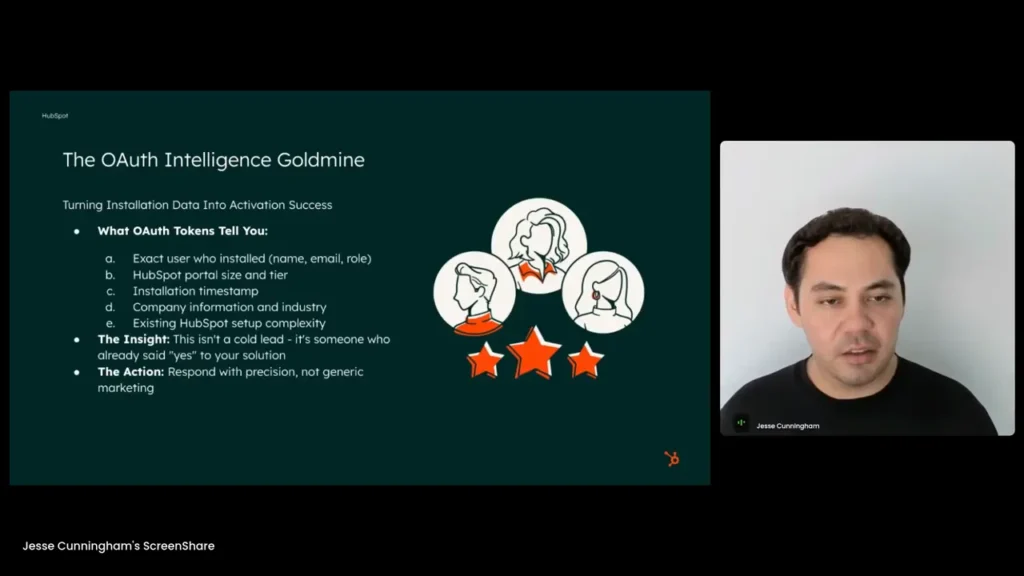
Use OAuth to get the email and timestamp so you can nurture people right away. — Jesse Cunningham
Product-led playbook: the three-day sequence
If you sell primarily through product-led growth, you have to design an automated yet personalized post-install flow that delivers quick time to value. The high-performing partners follow a simple three-day cadence that looks like this:
- Minutes 0–5: Trigger a contextual, setup-focused message that assumes the user is actively configuring the integration. Provide the exact next step required to finish setup and a link to the precise documentation screen or interactive guide.
- Day 2: Send short success stories or use cases from customers similar to the installer. Reinforce value and show realistic examples of how the integration solved specific problems.
- Day 3: Give achievable goals: “Complete these three workflows” or “Create these two lists.” Make these milestones measurable so the user senses progress and feels set up for success.
This approach limits overwhelm. Instead of dumping every feature at once, you guide the user to one aha moment. That moment—the point where they believe your product solves their problem—is what drives retention.
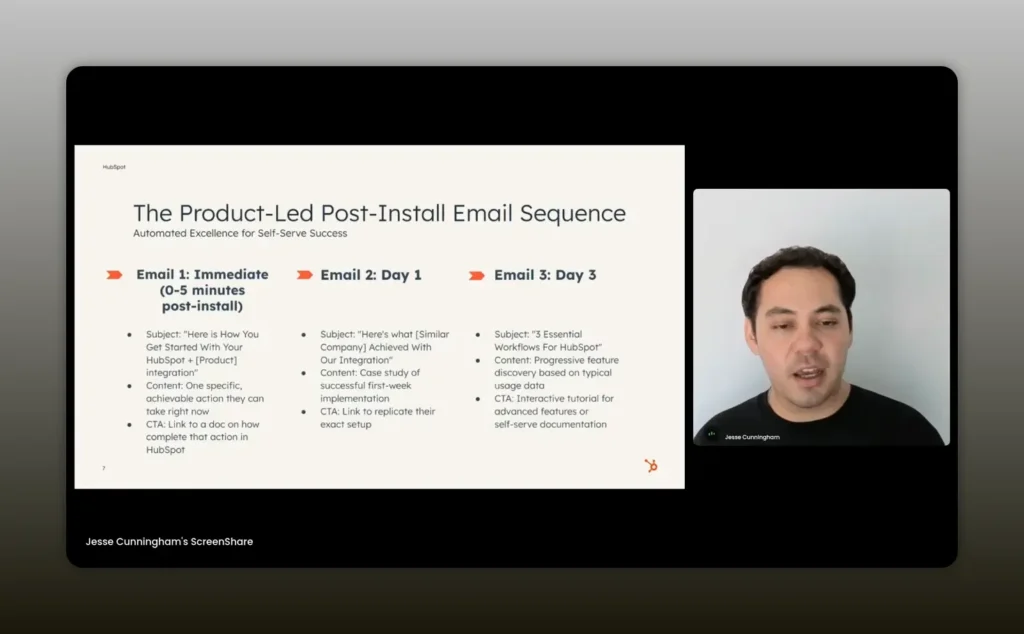
Give users three achievable goals in the first few days to secure that aha moment. — Jesse Cunningham
How to trigger the sequence
Use your CRM and the OAuth data to automatically create a contact record for the installer. From there you can run conditional workflows:
- If setup was completed within 30 minutes, shift them into an adoption series focused on advanced features.
- If setup was not completed, escalate to additional help content, or invite them to a live webinar.
- If usage is high but conversion isn’t happening, route to a sales rep with usage context and next steps for ROI proof.
Sales-led playbook: the white-glove path
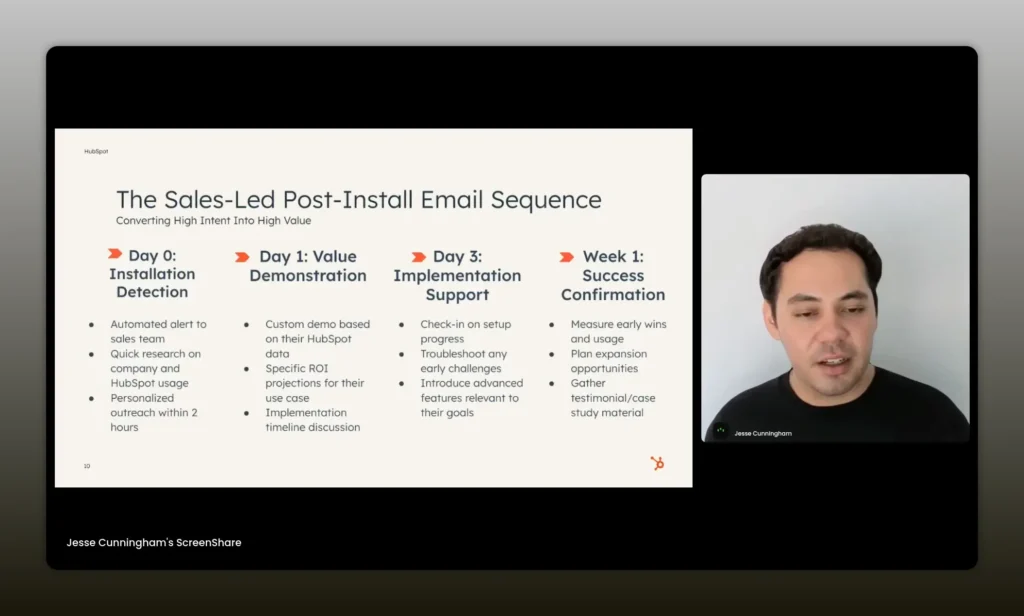
Start a sales‑led post‑install sequence with an automated thank‑you email, then follow within hours with personalized rep outreach — email primes, humans close. — Jesse Cunningham
When your product is more complex and the buyer expects a human touch, lean into a tighter, human-assisted flow. The typical sales-led cadence looks like this:
- Immediate: An automated thank-you message confirms the install and sets expectations.
- Same day or within a few hours: A human rep reaches out to confirm details, do quick research, and schedule an initial discovery call.
- Day 1–3: Deliver a value demonstration and then guide the user through implementation planning.
- Week 1: Execute a setup session and get the user to early wins with your help.
Human outreach should always use context. You know the installer came from HubSpot and what they’re trying to accomplish. Use that to propose a short, actionable agenda for your call. The goal is to reduce uncertainty and accelerate the time until the user sees revenue or saves meaningful time.
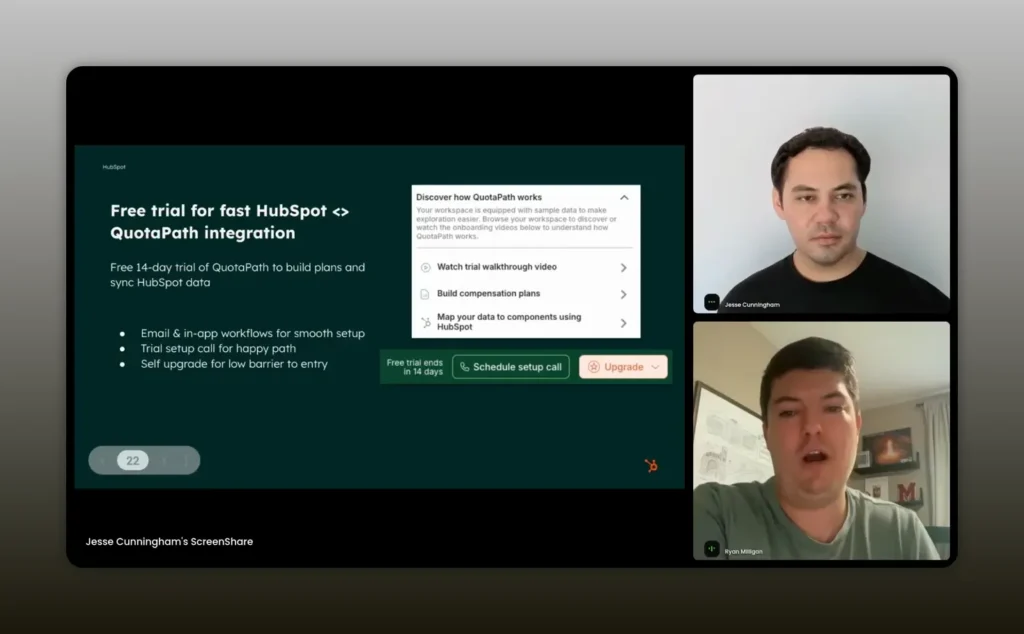
We guide new installs to watch a video, build comp plans, and map data to HubSpot. — Ryan Milligan
Hybrid approach
Many successful teams combine automation with targeted human intervention. Use automation to qualify and route accounts and keep humans focused on high-impact conversations. For example, trigger a rep to call users who match enterprise-level or ARR thresholds, and use webinars and self-serve materials for smaller customers.
Documentation and self-service onboarding
Documentation is your product’s north star when you can’t reach every installer with a person. Great docs are not blocks of text—they are interactive, visual, and task-focused. Build documentation that includes:
- Short setup checklists that map to your three-day milestones.
- Screenshots and screen recordings for each step of the integration workflow.
- Pre-built templates, sample workflows, and exportable config files where possible.
- Common troubleshooting steps with clear error messages and remedies.
When users can see precisely what to do and the expected outcome, they are far more likely to persevere through setup. If you want to win in the marketplace, documentation must be discoverable, linked from in-app prompts, emails, and the marketplace listing.
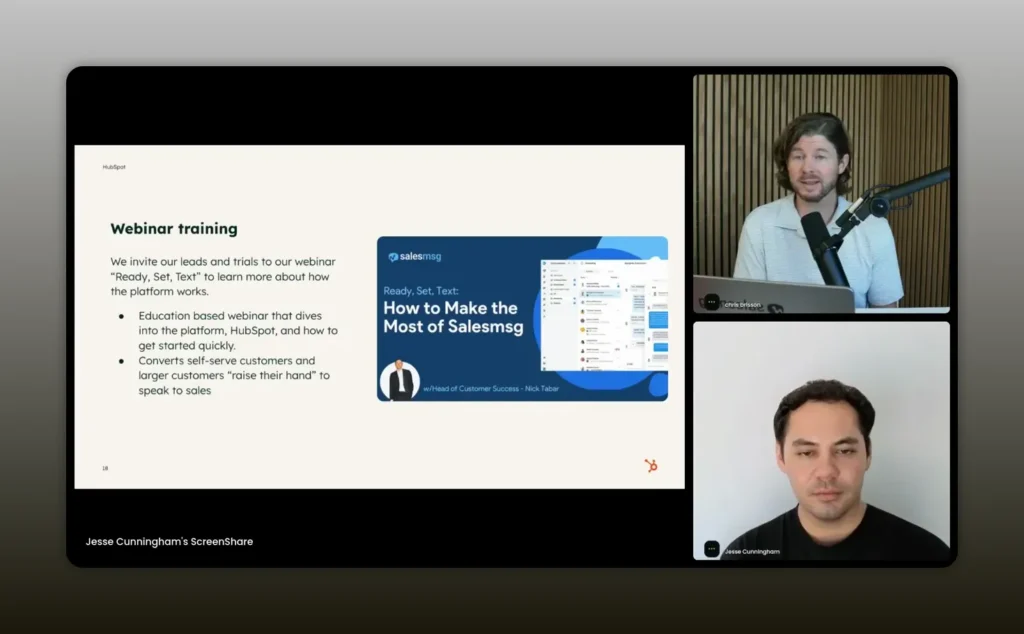
We run a weekly live webinar called Ready Set Text to help users set up and ask questions. — Chris Brisson
Human onboarding, webinars, and activation at scale
Human onboarding scales when it is targeted and instrumented. Sales Message demonstrates a practical model: they use their own product to engage trial users immediately through two-way texting and then route qualified trials to sales reps for demos. This combination produces higher trial-to-paid conversion rates because it meets users where they are and accelerates meaningful conversations.
Webinars are an excellent complement to one-to-one onboarding. Use webinars for:
- Walkthroughs that mirror your primary setup path.
- Q&A sessions that solve common customer questions in public, creating reusable content.
- On-demand recordings that live in a resource center and feed into nurture flows.
Sales Message runs a weekly evergreen webinar for new trialers. They push new installs to this webinar as an early activation step. The webinar serves as both education and qualification: attendees who need more help are routed to human onboarding, and those who don’t can self-activate with confidence.
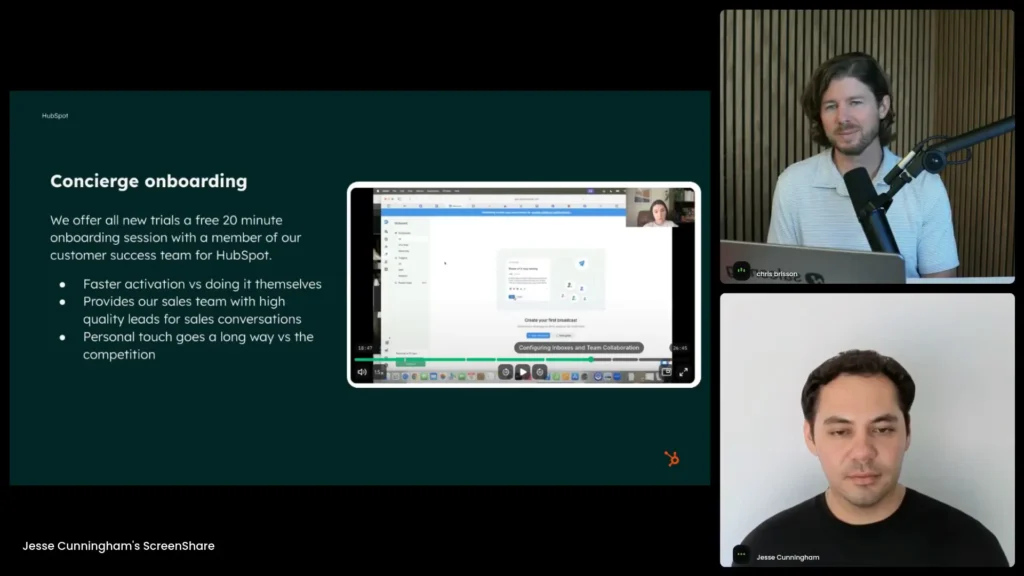
Concierge onboarding — real humans (and two‑way SMS) guiding setup — turns installs into activated, paying customers. — Chris Brisson
Designing quick time-to-value and the aha moment
Time-to-value is not a vanity metric; it is a retention lever. Your goal is to design an initial experience that clearly proves the product’s ability to solve the customer’s specific problem within the first week.
To craft that early win:
- Define the smallest useful set of actions that demonstrate value.
- Make those actions the default or the highlighted path during onboarding.
- Use app-in-app messaging or email to guide users step-by-step to those actions.
- Once the win is achieved, celebrate it—provide a visual confirmation and next logical steps.
For product-driven companies, this often means limiting feature exposure and accentuating a single flow. For sales-led companies, the first win may require a rep-driven setup session. Either way, tie the milestone to a perceptible outcome: saved lead time, revenue forecast accuracy, or measurable automation that reduces manual work.
Common failure points and how to avoid them
Many post-install failures are predictable. Avoid these traps:
- Setup confusion: If setup is not fast and intuitive, users will abandon. Provide clear friction-free setup paths and checklists.
- No immediate value: If users can’t experience value within hours or days, they will shop for alternatives.
- Overwhelming options: Avoid dumping your entire feature set at once. Guide users through the smallest meaningful path.
- Technical issues: Broken integrations destroy trust. Run routine tests, monitor errors, and give users transparent remediation steps.
- Generic marketing: Do not send broad, product-only marketing after install. Speak to the concrete ways the integration helps HubSpot users.
When you intentionally eliminate these friction points you increase the probability that an installer becomes a long-term user.
Iterate, announce, and measure: the integration growth loop
Top-performing partners iterate on their integrations frequently and publicly announce improvements. Treat your integration like a product with its own roadmap.
Practical steps:
- Release updates to deepen integration points (app cards, objects, reporting hooks).
- Publicly announce changes via email, in-app messages, and marketplace changelogs.
- Track adoption metrics tied to each release to understand what feature move retention.
- Use reviews and install feedback to prioritize improvements.
Regular iteration not only improves the product but gives partner-facing teams and HubSpot customer-facing reps reason to recommend your app. If your integration actively reduces friction for a sales rep or a customer success manager, they will advocate for it across accounts.
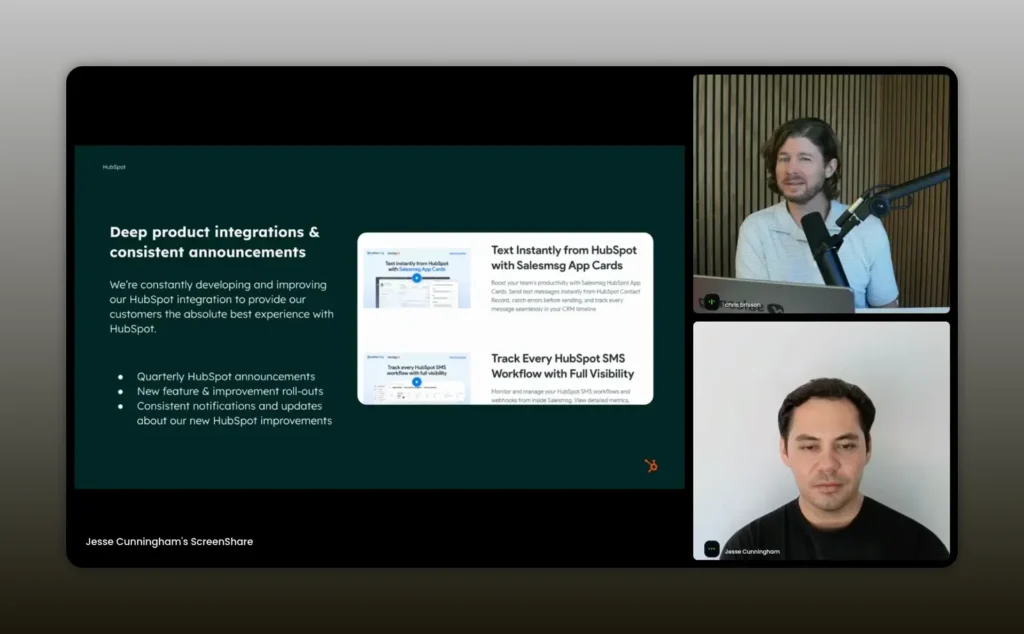
We roll up HubSpot updates every quarter and announce improvements consistently. — Chris Brisson
Using reviews and marketplace signals to win trust
Marketplace listings are more than discovery—they are trust signals that affect conversion in sales conversations. High ratings and strong reviews improve the likelihood that a HubSpot rep will recommend your app and that a buyer will choose your product.
Move reviews into a system:
- Encourage reviews from users who achieve early wins and have reached a meaningful milestone with your product.
- Respond to both positive and negative reviews with empathy and fast remediation.
- Surface strong reviews in sales conversations, email sequences, and onboarding emails.
Think of reviews like social proof in real-time for buyers who have limited time and many choices. A polished marketplace presence makes it easier for reps and buyers to trust your app.
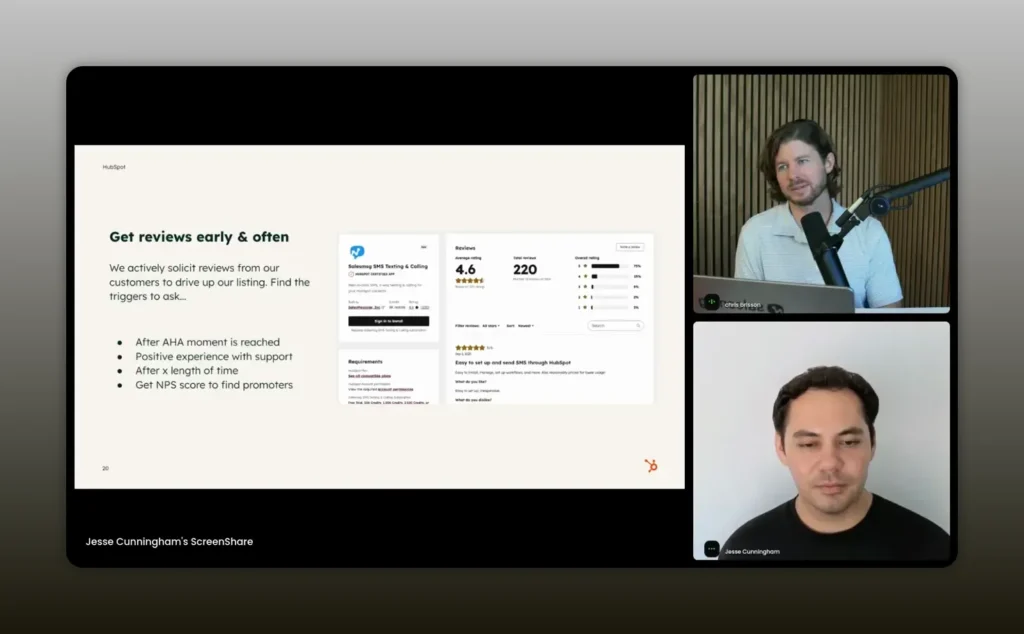
People make decisions on reviews; invest in product quality and driving reviews. — Chris Brisson
Partnering with solutions partners and agencies
Solutions partners are a force multiplier. They add implementation expertise, fix data issues, and extend your product’s reach into accounts that need technical support. For complex products like compensation platforms, these partners are essential.
How to build and benefit from partner relationships:
- Identify the core technical problems customers hit during setup and recruit partners who solve those exact problems.
- Create a referral playbook and co-marketing materials for partners so they understand how to position your integration with HubSpot.
- Keep a short list of trusted partners you can call on for different tasks and verticals.
- Involve partners early when an account signals data complexity so the customer enjoys a smooth setup experience.
Ryan Milligan highlighted how Quotapath uses solutions partners to fill gaps when a customer’s data requires engineering work. This is a win-win: partners get new business; your product gains a better customer experience and higher retention.
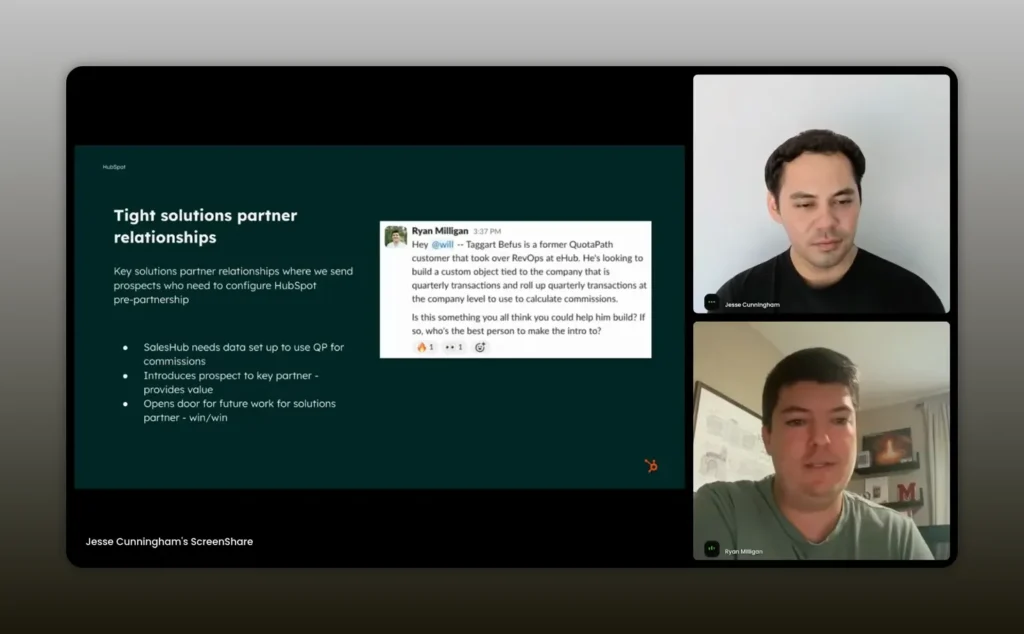
I bring in solutions partners to help customers build when data formats get tricky. — Ryan Milligan
Checklist: post-install playbook you can implement today
Use this checklist as a working playbook to reduce friction and convert more installs to customers.
- Implement OAuth token inspection to create CRM records for every install.
- Build a three-day email/text sequence for product-led installs: setup, social proof, and three achievable goals.
- Design a same-day rep outreach flow for sales-led installs, with a short agenda and setup call scheduling.
- Create evergreen onboarding webinars and record them for a content library.
- Develop task-based documentation with screenshots, videos, and templates.
- Instrument first-week milestones and set success events in your analytics.
- Regularly test the install flow and monitor errors.
- Iterate on integration depth and announce updates quarterly.
- Proactively solicit and respond to reviews from newly activated users.
- Recruit solutions partners to handle technical onboarding for complex customers.
Templates and examples
Below are compact templates you can adapt immediately.
Product-led Day 0 email (minutes after install)
Subject: Quick steps to finish setup and get your first win
Body: Thank you for installing. Click this link to complete setup in under 5 minutes. Follow steps 1–3 to create your first workflow and see X result. If you need help, reply to this email or join our next live setup webinar.
Product-led Day 2 email
Subject: See how Company X uses this integration to save 10 hours/week
Body: Here are two short case studies and a 60-second video showing the exact configuration. If you don’t see results, schedule a 15-minute help call.
Speed-call script for sales-led installs
Hi, this is [Rep]. I noticed you installed our app in HubSpot today. I want to confirm one thing so we can get you to your first win in 30 minutes. Are you available for a 15-minute setup overview?
FAQs
How do I know when someone installs my integration?
Use OAuth tokens to capture the install event. Inspect the tokens to extract the installer’s email and timestamp, then write that into your CRM to trigger follow-up sequences.
What should the first message after install focus on?
Focus on immediate setup steps that lead to an early win. Provide a clear checklist or interactive guide for the single most valuable action the user can take right now.
Should I use human onboarding for all accounts?
Not for all. Use automation for low-touch accounts and reserve human onboarding for higher-touch or complex setups. Route accounts to human help based on criteria like ARR, company size, or complexity flags from your install data.
How often should I update and announce integration improvements?
Aim for a predictable cadence. Many successful partners do a quarterly roadmap rollup and bi-weekly or monthly rollouts of smaller improvements. Announce updates publicly so customer-facing teams can resurface your integration to accounts.
What content formats work best for onboarding?
Short videos, annotated screenshots, interactive walkthroughs, templated configurations, and live Q&A webinars. Prioritize formats that reduce time-to-value and are easy to consume in the flow of work.
Conclusion
Every install is an opportunity to earn a customer’s trust. The difference between a forgotten app and a core part of a customer’s workflow is how quickly you prove value after install. Use OAuth to capture installs, design a targeted three-day product-led sequence, implement a white-glove path for complex customers, and scale using webinars and partners. Iterate publicly and measure the right events: setup completion, first-win milestone, and first-week retention. Finally, remember that reviews and marketplace presence create trust signals for both buyers and recommending reps. Focus on the first hours and the first week, and you will convert more installs into loyal, paying customers.