How Claude Turns Weeks of Partner Enablement Work Into Minutes
Expert advice from Fabian Eckstrom-French (Alliances, Guru).
Table of Contents
- Snapshot
- Why partner enablement gets stuck
- Focus AI on the work that moves partner revenue
- A lightweight tech stack is enough
- The old process versus the AI workflow
- A real example: an AWS seller one pager
- How to write a better partner enablement prompt
- Build skills around partner types, not individual requests
- Keep the human review where it matters
- Recommended tools
- FAQs
- Start with good and make it repeatable
Snapshot
You do not need a massive AI transformation program to make a meaningful difference in partnerships. The big opportunity is much more practical: remove the repetitive work that keeps partner launches, seller enablement, and joint go to market campaigns stuck in cycles of drafting, design requests, reviews, and revisions.
When you are responsible for partner sourced revenue, partner influenced revenue, and strategic partner activation, speed matters. A great partnership can lose momentum if your sellers do not have a crisp one pager, battle card, or joint value story when they need it. AI can help you produce a strong first draft in minutes, keep materials aligned to your brand, and create repeatable assets without waiting weeks for every request to move through a queue.
The point is not to eliminate thoughtful review or real design. It is to stop treating every new partner asset as if you are starting from zero.
Keep reading to see how Fabian and Justin Zimmerman can help you create scalable enablement assets, reusable partner workflows, and faster joint go to market launches.
“Get it to good. Great will come.” – Justin Zimmerman
Why partner enablement gets stuck
If you have spent time building a partner ecosystem, you know the pattern. A promising new partner is ready to engage. Their sellers need an overview of your value proposition. Your internal sales team needs to know when to bring the partner in. Marketing needs to approve the message. Design needs to make it look polished. Legal may need to review customer claims, logos, or confidentiality language.
None of those steps are unreasonable. The issue is that the same motion gets rebuilt again and again.
You draft a one pager from scratch. You work with content. You pass it to design. You collect edits from your partner contact, sales leadership, marketing, and perhaps legal. Several weeks and multiple review cycles later, you finally have an asset you can share. Then a second partner asks for something similar, and the process starts all over again.
That is a serious constraint for a lean partnerships team. It can be especially painful when you are building a partner program from the ground up, managing dozens of partners, or trying to activate different partner types at once.
Fabian’s approach is deliberately simple: use a frontier AI model, in this case Claude, to create a polished first draft from real inputs. You still apply judgment. You still validate the output. But you remove the blank page, the repetitive production work, and a large part of the back and forth.
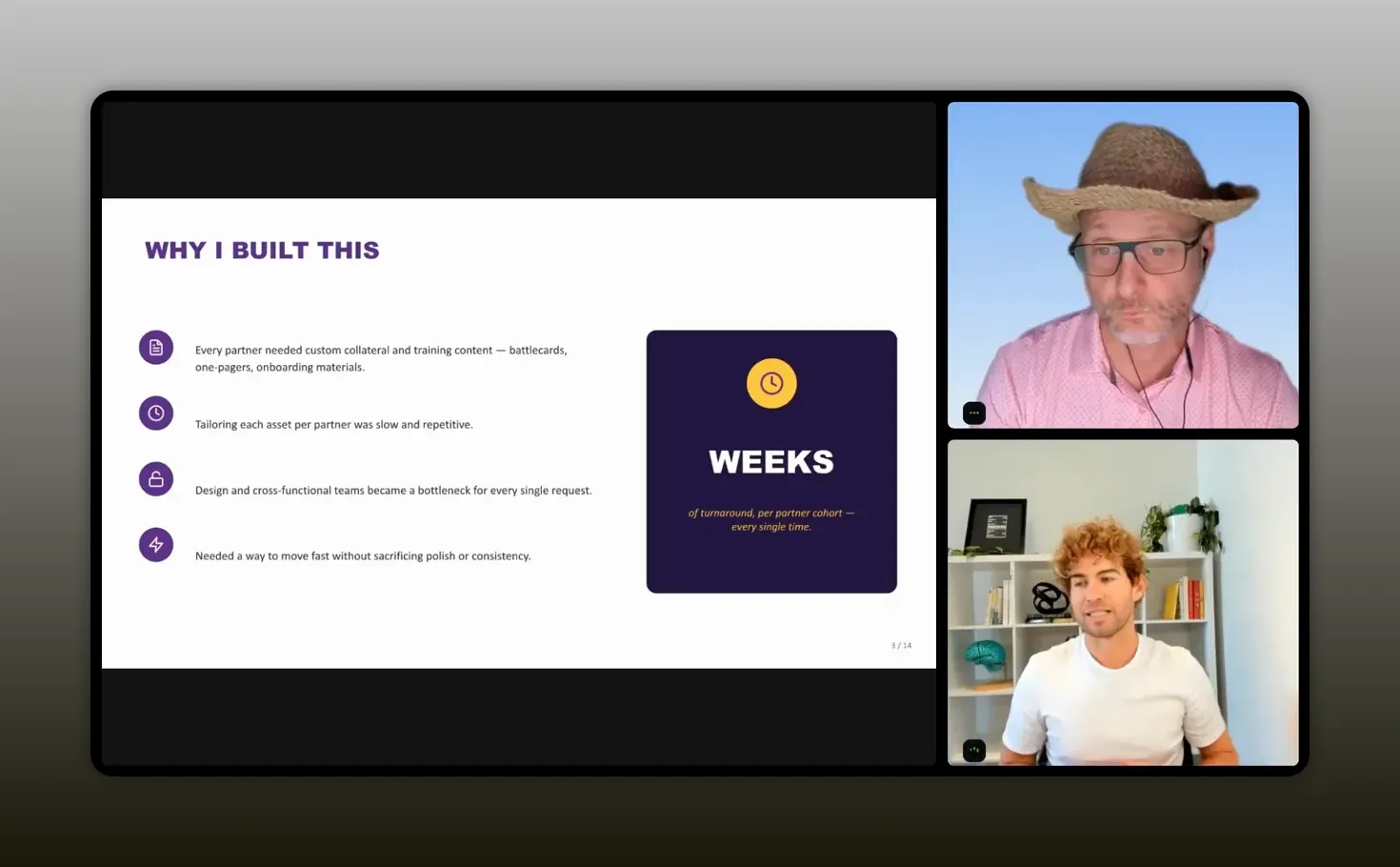
“The first draft comes back in minutes, which is wild.” – Fabian Eckstrom-French
Focus AI on the work that moves partner revenue
Partnerships are not measured by the number of documents created. You care about outcomes: partner sourced revenue, partner influenced revenue, strategic activations, product integrations, customer value, and stronger market reach.
Enablement content matters because it gives people the ability to act on a partnership. A seller cannot confidently position a joint solution if the story is unclear. A partner cannot create demand if they do not understand the customer problem, your product, and what is in it for them.
That makes partner collateral more than a marketing deliverable. It is operating infrastructure for the ecosystem.
The useful question is not, “Can AI make a document?” It obviously can. The more valuable question is, “Which repeatable partnership task is slowing down activation and can be turned into a reusable workflow?”
For Fabian, the candidates included:
- Better together stories that explain the joint customer value.
- Battle cards for internal sellers and partner sellers.
- Quick reference guides that answer common positioning questions.
- Pitch decks for co-selling conversations.
- One pagers that provide a concise partner value proposition.
- Internal onboarding flows for new partnerships team members or cross-functional teams.
- Partner onboarding materials that explain key actions, qualification, deal registration, and joint motions.
These are highly repeatable assets. Their details vary by partner, but their structure usually does not. That is exactly where AI can help you compound your work.
A lightweight tech stack is enough
You do not need a complicated stack to begin. Fabian used Claude Co-Work as the primary workspace, alongside a standard Google-based company environment. Claude was able to draw on existing design capabilities and business knowledge sources to create the output.
That matters because many partnership teams delay adoption while they wait for the perfect system, extensive integrations, or a large budget. You can start with the tools already approved by your organization, provided that you follow your company’s security, legal, and data-handling requirements.
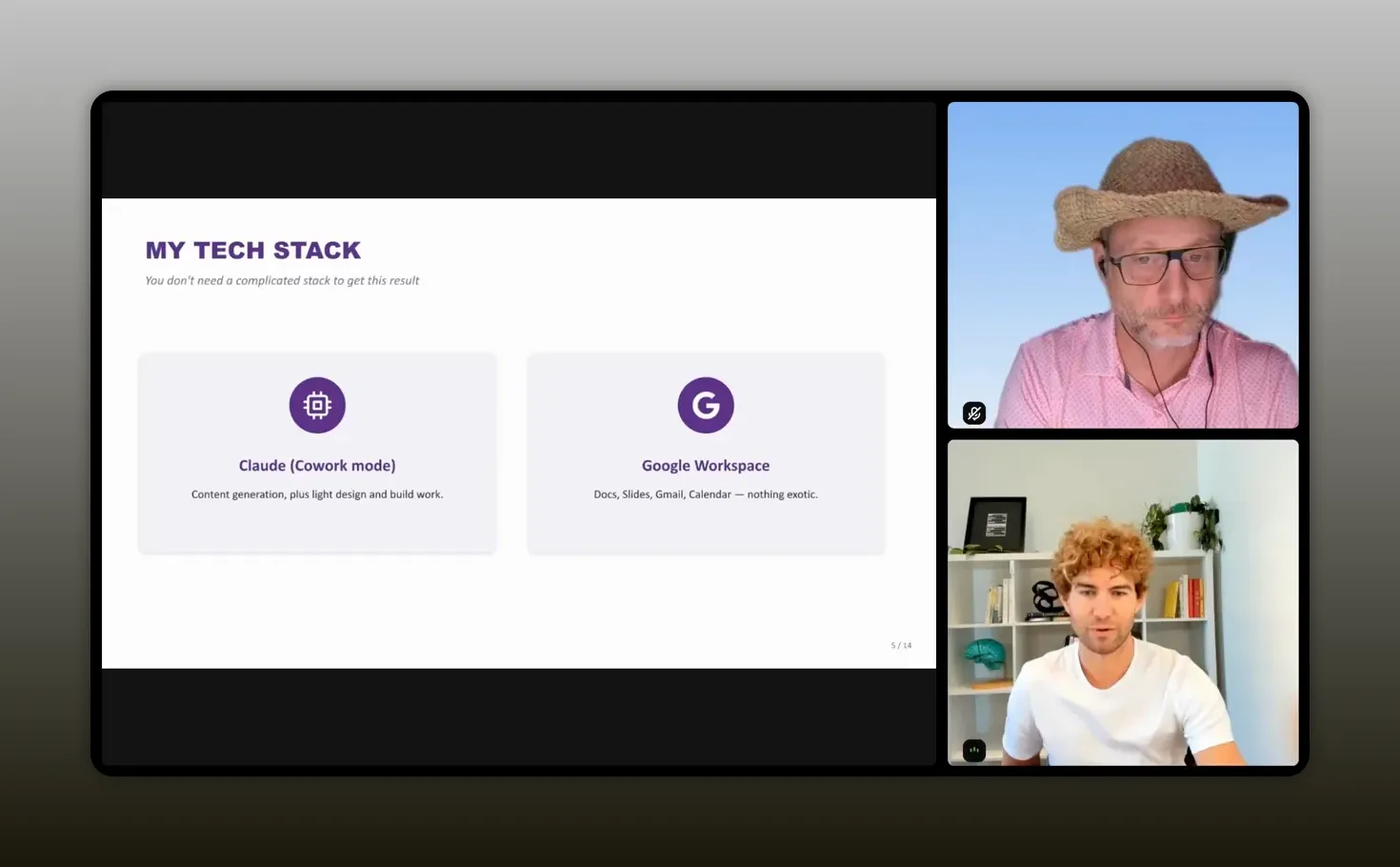
“There is nothing insane about it.” – Fabian Eckstrom-French
The core components are straightforward:
- A business-approved AI workspace, such as Claude.
- Reliable company knowledge sources for product messaging, proof points, approved customer stories, and logos.
- Brand guidelines or a design skill that applies correct colors, fonts, layouts, and styles.
- A review process that catches inaccurate, unapproved, or sensitive material before distribution.
For a practical starting point, use the same philosophy outlined in this Claude for partnerships guide: begin with a defined workflow, provide useful context, validate the result, and improve the process through repetition.
The old process versus the AI workflow
The old process was manual by default. You created the asset, coordinated with content and design, incorporated partner feedback, and cycled through reviews. It could take days or weeks, even when everyone involved had completed a nearly identical project before.
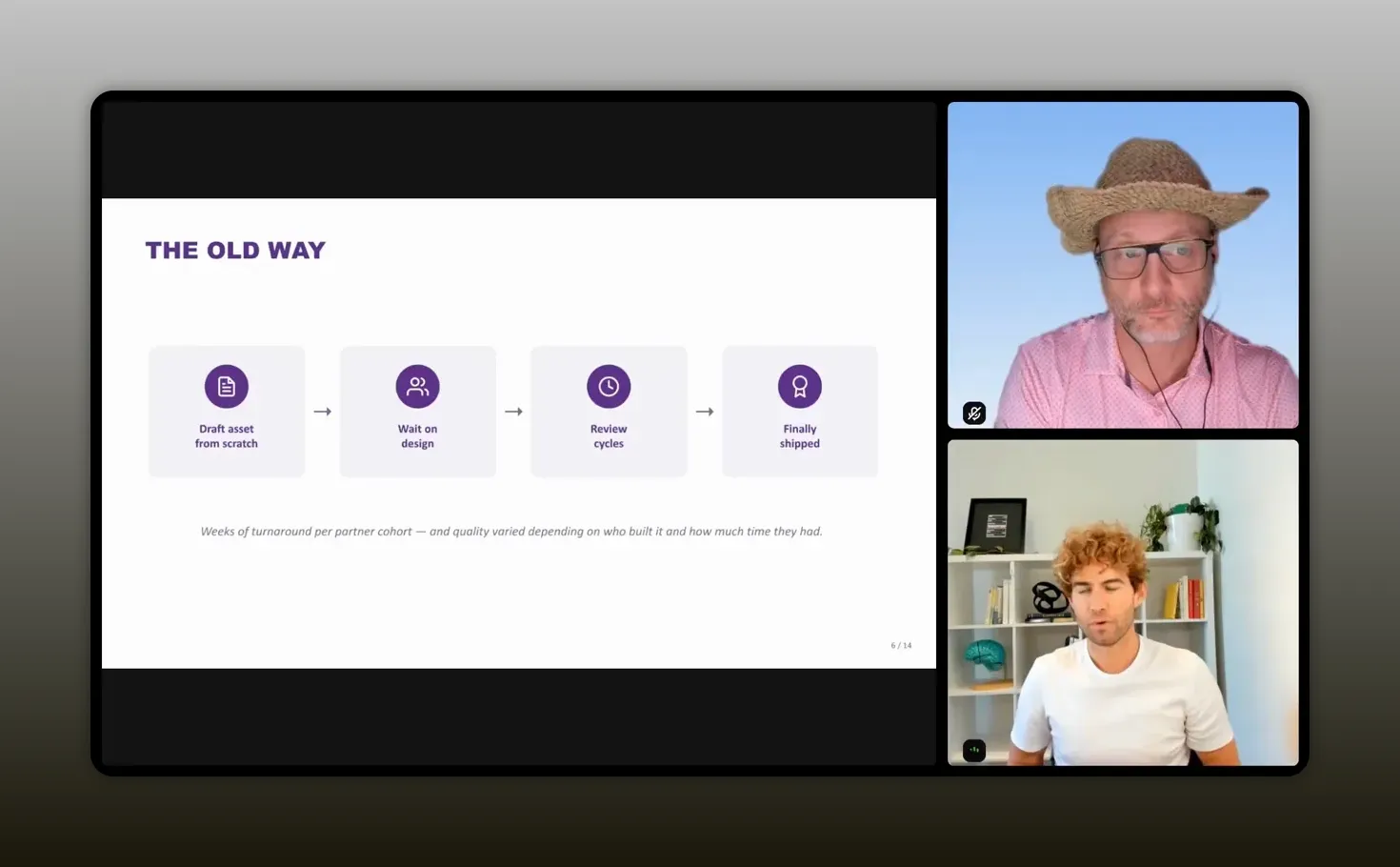
“Every time it was like a brand new process.” – Fabian Eckstrom-French
The Claude-powered workflow is not magic, but it gives you a much better starting position. Instead of beginning with an empty document, you provide the model with your objective, audience, context, requirements, and trusted sources. It researches the available information, applies your design guidance, and produces a usable draft.
You then review the content, make a few focused changes, and send a more complete asset into any required approval process. That last point is important. AI does not necessarily eliminate approvals, but it can make them far faster because reviewers receive a polished draft rather than a loose concept.
The four-step workflow
- Feed Claude real inputs. Describe the audience, goal, partner, required claims, source material, logos, and constraints.
- Generate a first draft. Ask for a complete asset with structure, copy, design treatment, and any required disclaimer language.
- Review and iterate. Check factual accuracy, positioning, customer proof points, logo use, confidentiality, and partner-specific requirements.
- Turn the winner into a reusable skill. Once the asset works, capture the format so you can adapt it for the next partner in minutes.
This is not about bypassing thoughtful collaboration. It is about removing the work that adds little strategic value. You should spend your time deciding what story will activate a partner, not manually rebuilding the same layout for the tenth time.
A real example: an AWS seller one pager
A recent request from AWS was simple and familiar: create a one pager that their sellers could use to understand why Guru matters, how to position it with customers, what value it creates, and why it could lead to meaningful enterprise opportunities.
The asset needed to answer the seller’s immediate questions:
- What does Guru do?
- Why should an AWS seller care?
- What customer problem does the joint story address?
- What makes the opportunity worth pursuing?
- Which customer logos or case studies establish credibility?
- How does a seller register or progress an opportunity?
Fabian gave Claude a specific assignment: build an AWS seller enablement one pager, position Guru as the knowledge layer, include current messaging, explain the value for sellers, reference high-value enterprise opportunities and selected customer proof points, and co-brand it with the appropriate Guru and AWS logos.
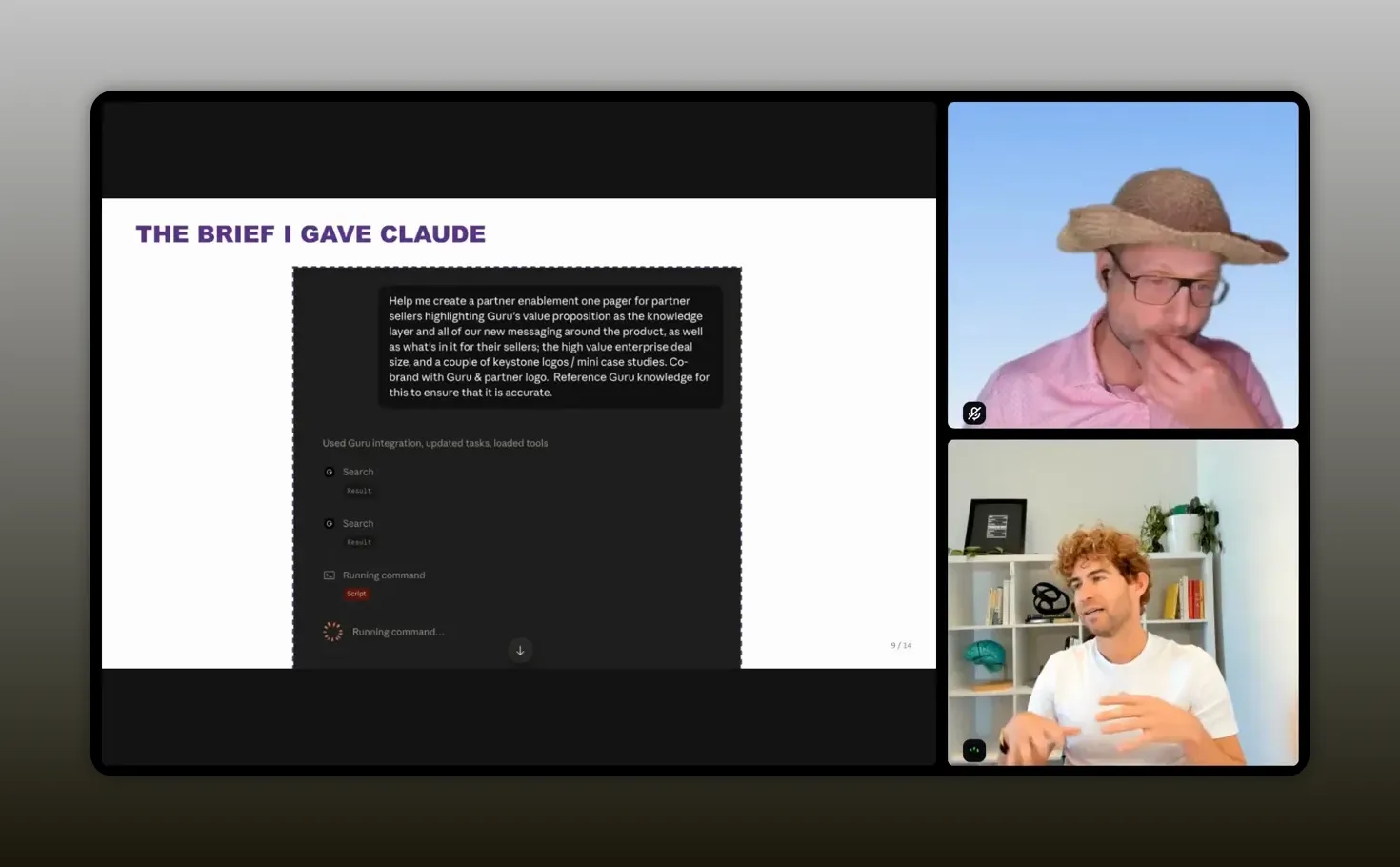
“Be descriptive. Tell Claude exactly what you’re wanting.” – Fabian Eckstrom-French
The output drew on Guru’s knowledge layer to keep product claims validated. The resulting document was styled with brand colors, fonts, and visual conventions, included both companies’ logos, contained internal-use language, explained the product value, and pointed sellers toward deal registration and the right contacts.
That is the key difference. The output was not the final product forever. It was a polished, relevant, on-brand first draft that arrived in minutes rather than after a long production cycle.
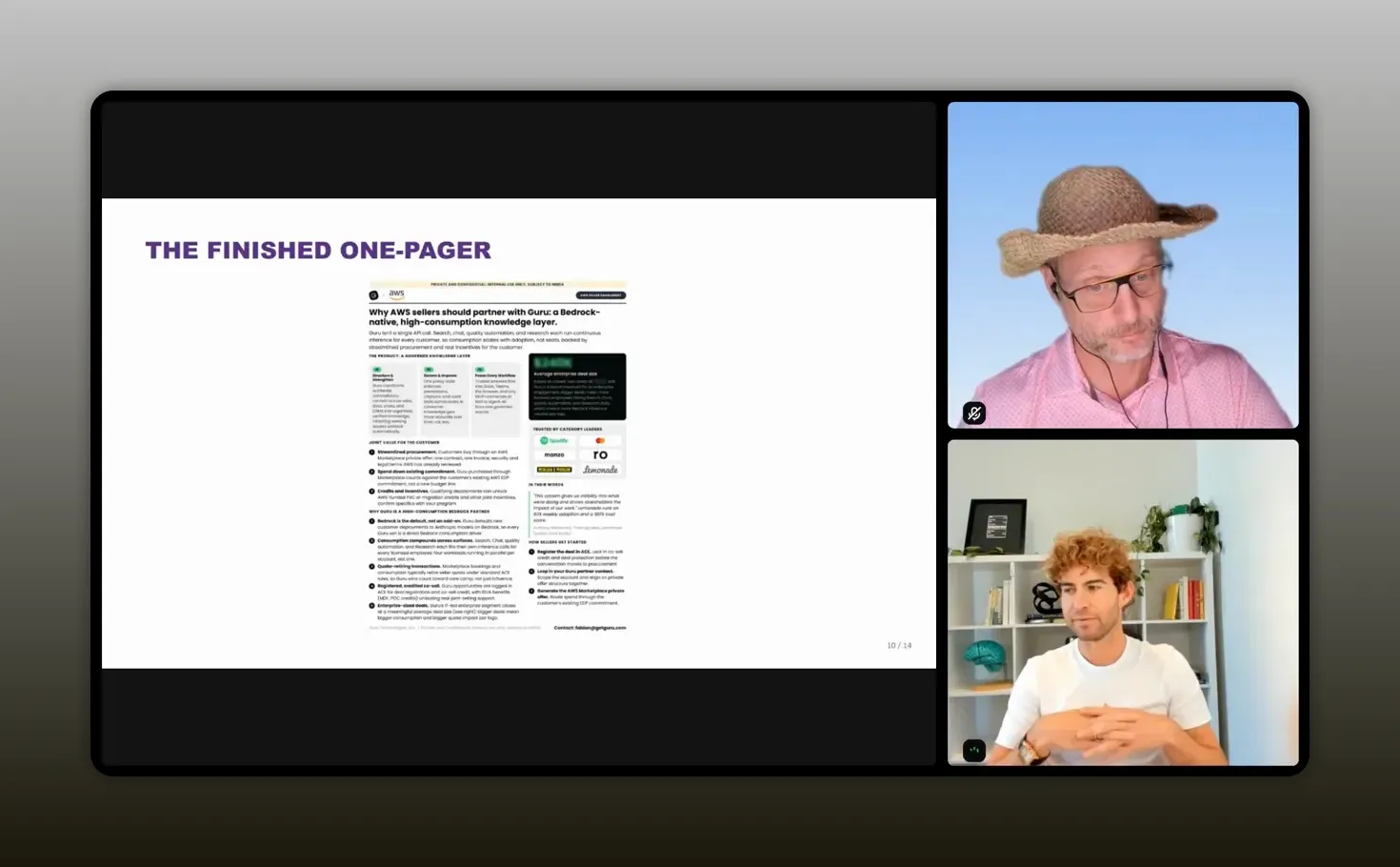
“Will I probably change this? Sure. Will it take me much time? No.” – Fabian Eckstrom-French
How to write a better partner enablement prompt
The quality of your output depends heavily on the quality of your context. Treat Claude like a capable junior teammate: do not assume it knows the details that exist in your head or scattered across your company systems.
Be explicit about the desired result. If the document must be subject to NDA, say that. If it must include specific logos, name them. If it must reference certain metrics, customer proof points, or sales motions, specify them. If you want a particular call to action, include it.
Inputs to include every time
- Audience: partner sellers, internal account executives, services partners, executives, or customers.
- Objective: enable co-selling, launch an integration, introduce a referral program, or prepare a joint campaign.
- Partner context: the partner’s positioning, solution category, target customers, and role in the motion.
- Your positioning: approved product language, differentiators, and customer outcomes.
- Joint value: the problem solved together and why the combined offer is better.
- Required elements: sections, proof points, logos, links, deal registration details, and calls to action.
- Restrictions: confidentiality labels, NDA requirements, claims to avoid, and approved sources only.
- Design instruction: the brand skill, co-branding rules, preferred layout, and output format.
You can also point the model to relevant websites, product documentation, existing partnership materials, and approved knowledge sources. Early on, Fabian used partner websites, his company website, and available product documents as context. A validated knowledge layer is even better because it helps the model distinguish approved information from unsupported material.
Do not treat web research as a replacement for internal validation. Public pages may be outdated, incomplete, or unsuitable for a confidential partner asset. Use trusted company sources whenever possible, and closely read the result before you share it.
Build skills around partner types, not individual requests
The major unlock comes after you create your first successful asset. Do not just save the file. Turn the approach into a reusable skill or template.
Think in categories. Partners can have different needs, but groups of partners often need similar enablement. An OEM partner is different from a services partner. A reseller is different from a distributor. An affiliate is different from a cloud marketplace partner. But within each category, the essential structure is often consistent.
For example, a hardware or OEM partner template might require two device examples that demonstrate how your software works with the partner’s hardware. A services partner template might emphasize implementation services, customer outcomes, and joint delivery. A reseller template may focus more directly on qualification, seller incentives, deal registration, and attach opportunity.
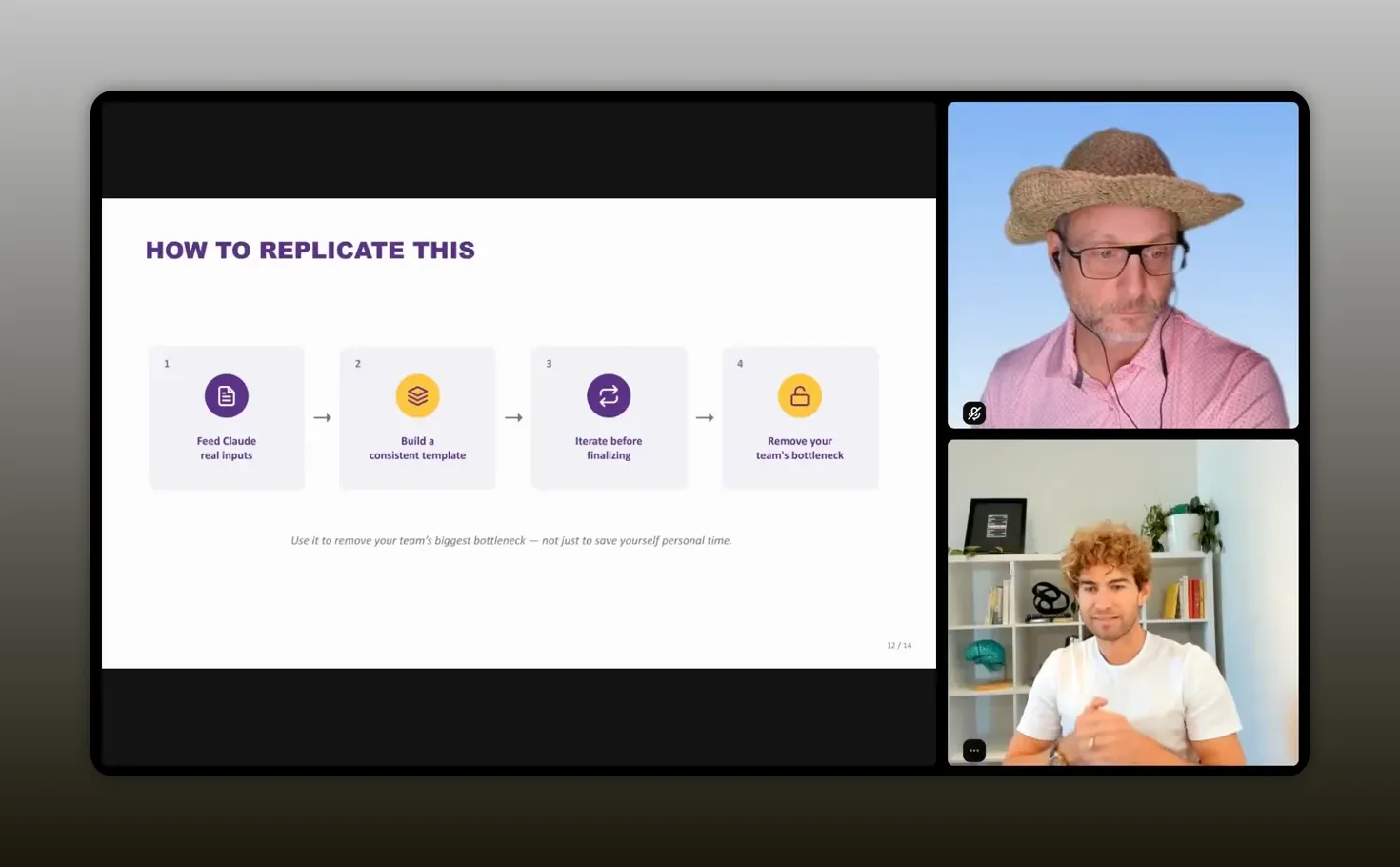
“If you do it right for at least one partner in each category, you can reuse a lot of that framework.” – Fabian Eckstrom-French
This gives you consistency without making every asset generic. You retain a common visual identity and operating structure, then swap in the partner-specific value proposition, examples, proof points, and calls to action.
That is particularly useful if you manage a broad ecosystem. If 50 partners all need some version of a one pager, producing every one through a full manual content and design cycle is not realistic. With a structured AI skill, you can provide tailored support at a scale that would otherwise be difficult to prioritize.
For more ways to create reusable AI-supported partnership operations, explore this Claude Co-Work partnerships workflow.
Keep the human review where it matters
Speed is valuable, but it does not remove responsibility. You should never publish an AI-generated partner asset without reviewing it carefully.
Fabian’s workflow depends on checking the accuracy of the content. When information comes from a validated knowledge source, that is easier, but it is still your job to make sure the final asset is appropriate for its intended audience.
Review this before sharing any asset
- Product claims and factual accuracy.
- Customer names, case studies, and approved logo usage.
- Partner messaging and the accuracy of the joint value proposition.
- Confidentiality language, NDA restrictions, and internal-only content.
- Legal requirements for customer-facing joint materials.
- Brand alignment, including fonts, colors, images, and co-branding rules.
- Sales process details, including deal registration and contact information.
For some assets, partner and legal approval will still be necessary. The difference is that you can send them a complete, polished draft. That tends to make review easier and faster than asking people to react to an outline or a poorly formatted document.
There is also a healthy boundary around design. AI is excellent for a tidy, sharp, fast enablement asset. It does not mean there is no place for experienced designers, content strategists, or brand teams. High-visibility campaigns, major launches, and truly original creative work still benefit from deeper craft. The goal is to reserve that level of effort for the work where it has the highest impact.
Recommended tools
You can keep your AI partnerships workflow remarkably lean. The goal is not to collect tools. It is to create a dependable production path from trusted information to a review-ready asset.
- Claude Co-Work: A workspace for researching, drafting, iterating, and generating structured partner content.
- Company knowledge layer: A source for validated product messaging, customer proof points, approved collateral, and brand resources.
- Brand and design skills: Reusable guidance that applies approved typography, colors, layouts, and visual conventions.
- Google Workspace or Microsoft 365: Your existing system for source documents, collaboration, and final distribution.
- A documented review checklist: Your safeguard for brand, legal, customer, and partner approval requirements.
Start with one asset type and one partner category. A one pager is a strong first choice because it is focused, useful, and easy to validate. Once you have a reliable output, move to battle cards, onboarding guides, and joint value stories.
FAQs
Do you need a complicated AI tech stack to create partner enablement content?
No. Fabian’s workflow used Claude Co-Work alongside a standard company environment and access to brand and knowledge resources. The essential ingredients are trusted inputs, clear prompting, brand guidance, and human review.
Can AI replace design and legal review for partner collateral?
No. AI can create a far stronger first draft and reduce the amount of production work, but you should still review accuracy, brand use, legal restrictions, customer references, and partner-specific claims. Some customer-facing materials may still require approval from both companies.
How can you personalize assets for different partner types at scale?
Group partners by category, such as OEM, services, reseller, distributor, affiliate, or marketplace partner. Build and validate one strong template for each category, then reuse the structure while changing the joint value proposition, examples, logos, and calls to action for each partner.
What should you include in an AI prompt for a partner one pager?
Include the audience, purpose, partner name, your value proposition, the joint customer story, required proof points, logos, confidentiality instructions, sales process information, approved sources, and desired output format. Specificity produces a more useful draft.
How long does this workflow take?
A first draft can arrive in minutes. You should expect to spend additional time reviewing and making a few iterations, but the workflow can reduce a process that once took days or weeks into a task completed in minutes or hours.
Start with good and make it repeatable
You do not have to solve every partnership workflow at once. Choose one recurring asset that is slowing down activation. Give Claude clear inputs. Use approved knowledge and brand guidance. Review the output carefully. Then turn the successful approach into a reusable skill for the next partner.
That is how you stop rebuilding the same enablement materials from scratch. You create more time for the work that actually grows the ecosystem: building relationships, sharpening strategy, activating partners, and helping sellers win together.