Claude For Beginners: Partnerships Edition
Expert advice from Scott Murtaugh (Founder, Partnerships OS).
Snapshot
For the last year, most people have treated AI like a better search box or a faster writing assistant. Helpful, sure. But that is not the big opportunity. The real leap is using AI as an operator inside your workflow, one that can research accounts, enrich contacts, create documents, push data into tools, and follow your process without you manually stitching everything together.
That matters because partner teams are already stretched thin. You are expected to research faster, personalize better, report more clearly, and still find time to build actual relationships. If you keep using AI only for one-off prompts, you may get small gains. If you learn to use skills, tools, and connected workflows, you can reclaim hours and raise the quality of your work at the same time.
If you want to solve repetitive research, generic outreach, and fragmented workflows, keep reading to see how Justin Zimmerman and Scott Murtaugh can help you do it.
“You can’t wait for perfect enablement—get your hands dirty, test the workflow, and let it earn your trust one run at a time.” -Scott Murtaugh
Table of Contents
- Snapshot
- Why this moment matters
- From chatbot to work operator
- Why Claude stands out for partnerships
- The real bottleneck in partner work
- How the partner research workflow works
- What a skill actually is
- Inside the live demo
- What the output actually included
- What MCPs and tools mean in practice
- How to start if you are not technical
- Mistakes to avoid
- Recommended tools
- FAQs
- Conclusion
Why this moment matters
There is a massive difference between people talking about AI and people actually using it to multiply their output.
That distinction matters in partnerships because your role already sits in the messy middle of the business. You touch sales, marketing, product, finance, enablement, operations, and often legal too. You are the glue. The problem is that “being the glue” usually means you spend too much of your time moving information between systems, chasing context, building decks, writing summaries, and doing repetitive research.
That work is necessary, but it is not the highest value use of your time.
Scott’s core point is simple: AI should not just help you think faster. It should help you work faster. That means automating the tasks you already know how to do so you can spend more time on strategy, relationship building, and judgment.
If you have felt like your company has not fully enabled AI adoption yet, you are not alone. Scott called that out directly. In many organizations, the enterprise is not moving fast enough, which means a lot of this learning is still self-driven. That can feel frustrating, but it is also an advantage for anyone willing to experiment early.
That is why this moment matters. The people who get hands-on now will not just save time. They will build a new operating skill that compounds.
From chatbot to work operator
Most people still think of AI through the lens of ChatGPT. Ask a question. Get an answer. Maybe copy and paste that answer into another app. That model is useful, but it is limited.
Justin made this point really clearly: last year, many people treated AI as a conversational tool. This year, the real unlock is AI that can connect to your machine, interact with your workspace, create files, and work across tools.
That is a completely different category of value.
Instead of saying:
- Summarize this company
- Write me an outreach email
- Give me a few ideas for partner strategy
You can start saying:
- Research this target account
- Enrich the company and contacts
- Build a partnership brief in my workspace
- Create follow-up tasks
- Push validated contacts into my CRM
That is the jump from prompt-based assistance to workflow execution.
If you want a broader comparison of how these platforms differ in partnership use cases, this breakdown of Claude vs ChatGPT vs Lovable for partnerships is a useful companion.
Why Claude stands out for partnerships
Not every other model is bad. As Scott pointed out, ChatGPT is still strong for brainstorming, quick Q&A, and general knowledge tasks, and Gemini can be excellent for certain creative and search use cases.
But for actual work, especially connected work, he focused on Claude.
Why?
- Claude Co-Work is designed for desktop-based work. It can create files, documents, presentations, and CSVs directly in your workspace.
- It can connect to tools. Rather than giving you an answer that you manually move somewhere else, it can take actions through connectors and integrations.
- It supports skills. That means you can package your process, templates, and domain expertise into reusable operating instructions.
- Its newer models are strong on complex workflows. Scott highlighted Opus 4.5 as a major reason Claude has recently pulled ahead for this kind of work.
That last point is important. The model matters because the work is not just generating a paragraph. It is following a multi-step process, pulling in data from different sources, applying reasoning, and then producing a structured output.
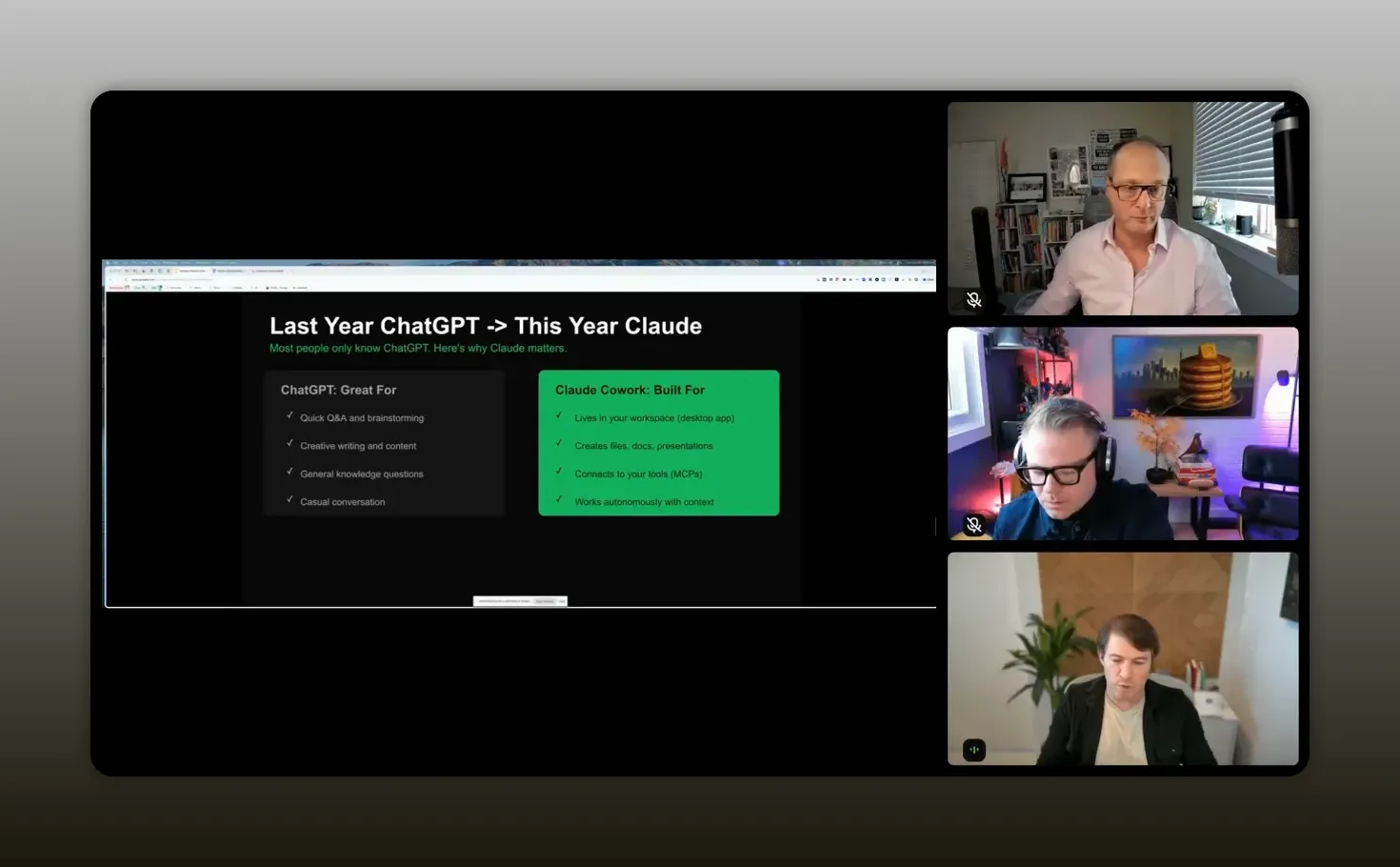
“If you are impressed with ChatGPT, you are going to be blown away by Claude.” -Justin Zimmerman
Scott also broke down Claude’s model family in practical terms:
- Haiku for quick categorization and simple tasks
- Sonnet for fast iteration and solid middle-ground work
- Opus 4.5 for more advanced reasoning and complex workflow execution
If your goal is partner operations leverage, that top-tier reasoning matters more than clever one-off output.
The real bottleneck in partner work
The pain points Scott called out are the ones you probably feel every week:
- Manual partner research that takes hours
- Checking company websites, LinkedIn, and recent news
- Finding the right titles and validating whether contacts still work there
- Writing outreach that does not sound generic
- Creating docs or presentations for leadership
- Moving data between tools like CRM, project management, and enrichment platforms
The issue is not that you do not know how to do these tasks. You already do them. The issue is the time cost.
And because partnerships often sit across so many systems, each step has friction. Research starts in one place, enrichment happens somewhere else, notes live in another tool, and action items get tracked somewhere entirely different. You end up spending more time orchestrating the workflow than actually thinking strategically.
That is exactly the kind of environment where AI operators can help. Not by replacing your judgment, but by handling the repetitive sequence work that drains your time.
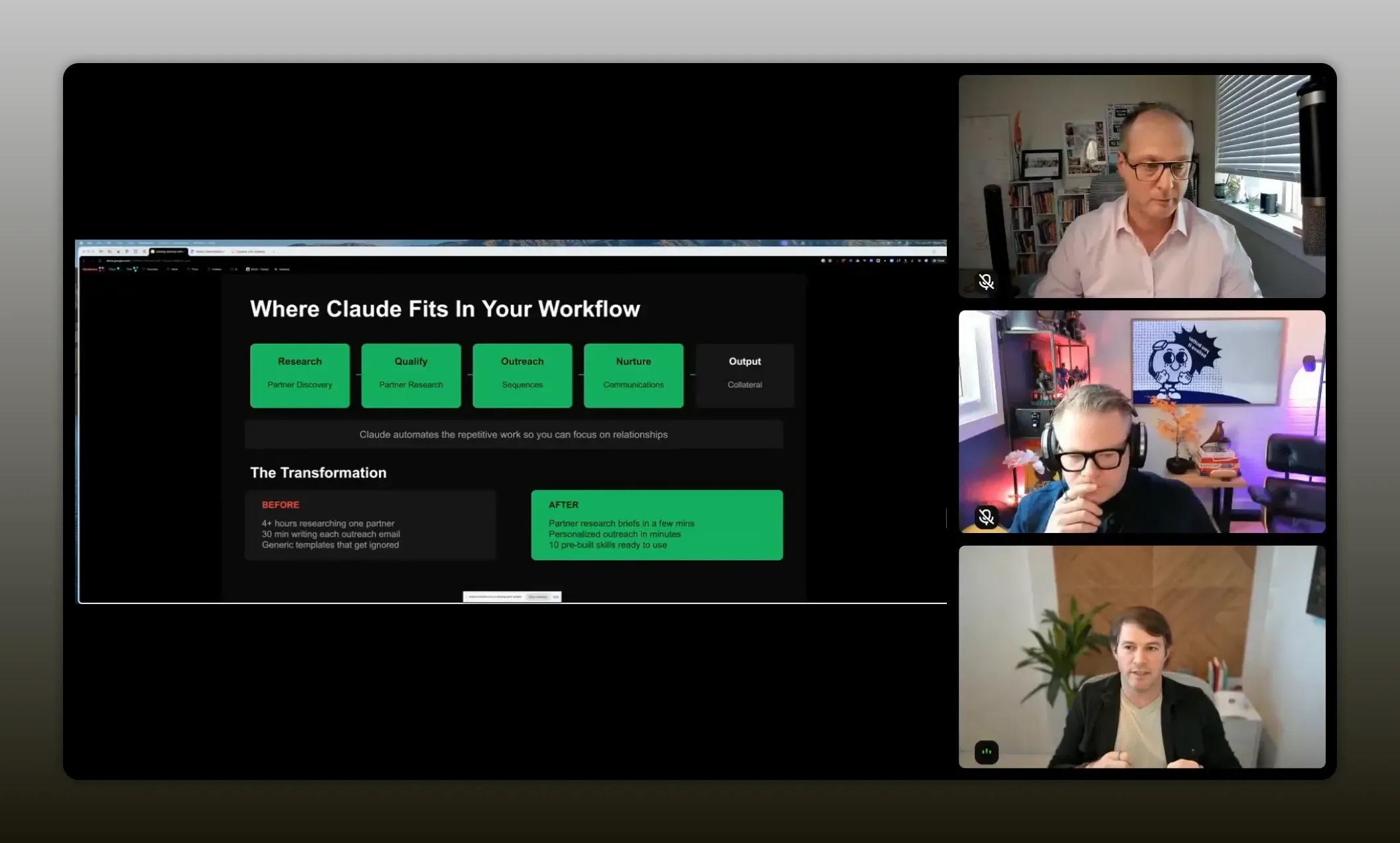
“Claude is acting as the glue in your workflow“. – Scott Murtaugh
How the partner research workflow works
The centerpiece of Scott’s session was a partner research skill. This is a reusable workflow that turns a simple request into a comprehensive partnership brief.
At a high level, the workflow handles four big jobs:
- Research the company
Gather company facts, business model details, differentiators, headcount trends, and recent news. - Find and validate the right people
Identify key partnership contacts and supporting decision-makers. - Analyze the opportunity
Assess partnership fit, timing signals, risks, ecosystem context, and possible partnership models. - Create usable output
Generate a document, suggested outreach, tasks, and optionally push contacts into HubSpot.
That matters because it condenses what is normally a two-hour-plus workflow into a few minutes.
Scott showed an example output built in a tool like Notion or ClickUp. It included:
- Company snapshot
- Headcount trends
- What the company does
- Key differentiators
- Relevant recent news
- Leadership notes
- Validated partnership contacts
- Strategic fit analysis
- Timing signals
- Risk mitigation ideas
- Existing ecosystem insights
- Competitive context
- Suggested outreach talking points
That is not just “AI-generated content.” It is workflow output ready to be used.
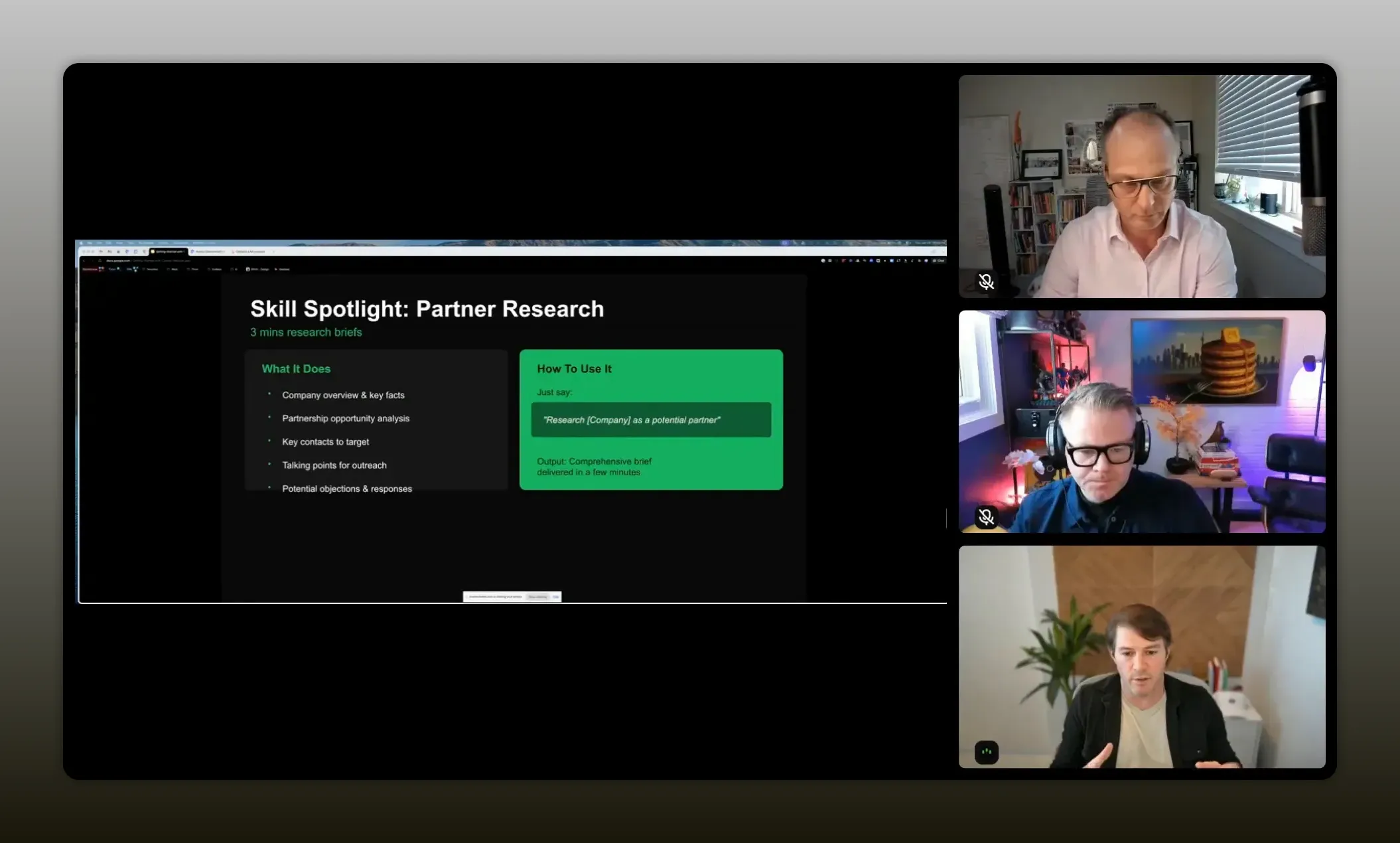
“It turns what it finds into a brief you can act on, so you’re spending time deciding and connecting, not hunting and formatting.” -Scott Murtaugh
What a skill actually is
Scott described a skill as a document that contains your domain knowledge and your standard operating procedure. In plain English, it is the playbook for how a specific task should be done.
Think of a skill as:
- Your instructions
- Your preferred steps
- Your templates
- Your quality standards
- Your desired output format
That means you are not just asking Claude to “research this account.” You are telling it how your team defines good research, what to include, what tools to use, and what the finished deliverable should look like.
In Scott’s words, the skill is the “what,” while the connectors and MCP-based tools are the “how.”
This matters because once you build a good skill, you do not have to reinvent your prompt every time. You are creating repeatability. You are baking your best practice into the workflow itself.
If this idea clicks for you, you will probably also get value from these principles for AI in partnerships, especially around creating leverage without losing strategic judgment.
Inside the live demo
Scott opened Claude in Co-Work mode and selected Opus 4.5. He worked from a partnership folder on his machine, which is an important detail because this is not happening in some disconnected browser tab. The AI is operating in the context of an actual workspace.
He triggered the partner research skill with a simple scenario. Behind the scenes, Claude did several things:
- Loaded the skill from the workspace
- Read the instructions and process inside that skill
- Used web research to search for information about HubSpot and its partner program
- Used Clay to enrich company data and identify contacts
- Used ClickUp to create a research document
- Asked whether to push the contacts into HubSpot
That sequence is worth paying attention to because it shows the actual operating model:
- Context window: the message, prior responses, and files Claude is reading
- Skill: the SOP and expected output
- Tools: the systems used to retrieve data or take action
- Agent behavior: following steps in order until the task is complete
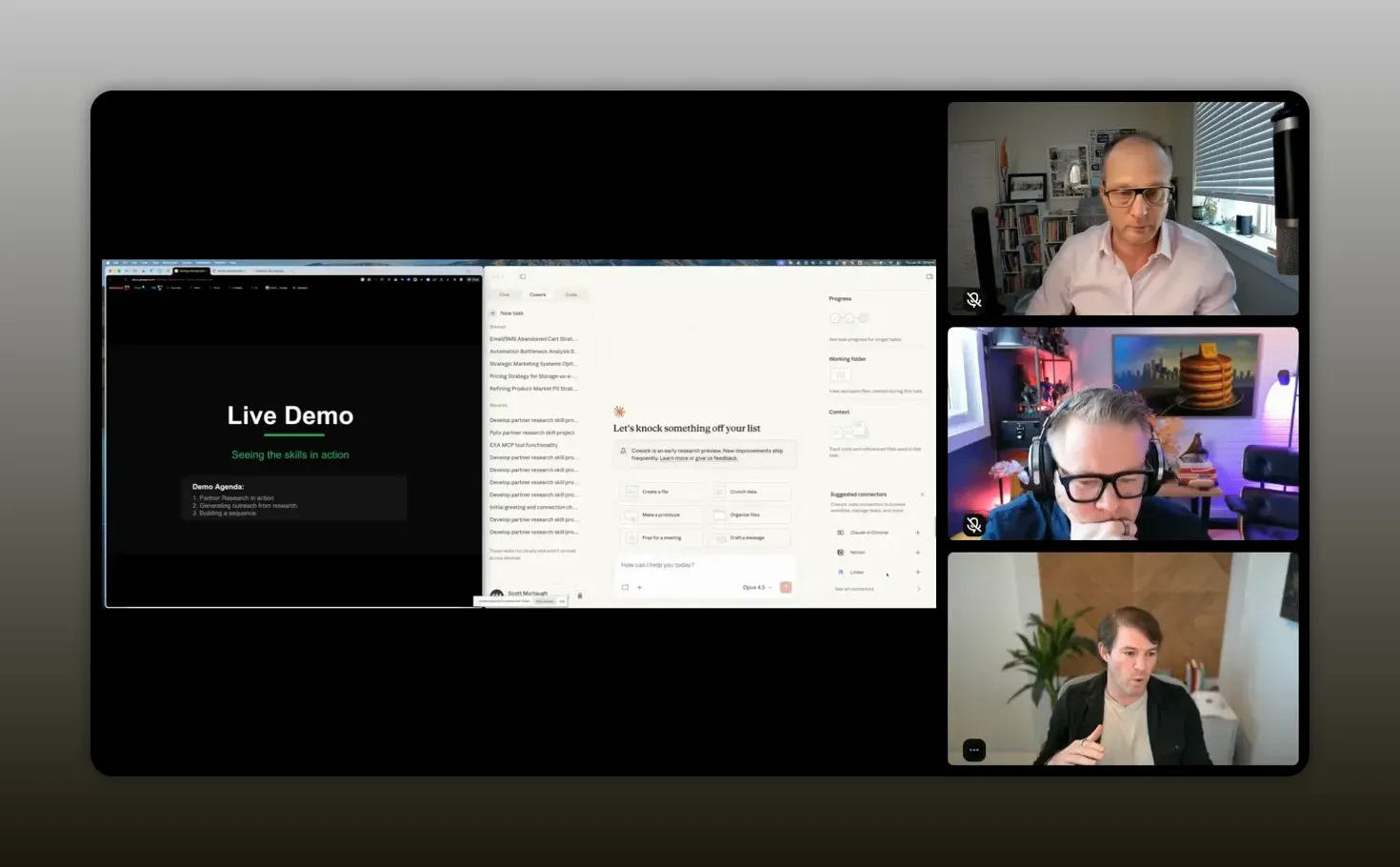
“Claude can follow your process, move the work into your tools, and give you hours back for relationship-building and strategy.” -Scott Murtaugh
One of the most valuable parts of the demo was how visible the process was. Scott showed that you could inspect the steps, see which tools were being called, and track progress while the output was being created. That transparency matters because it helps you trust the workflow and refine it over time.
What the output actually included
The finished brief was more than a summary. It looked like something a solid partner manager would prepare for an internal review or first outreach plan.
Here is what the document contained:
- Company snapshot with business overview and key differentiators
- Recent news and ecosystem context to anchor timing and relevance
- Named partnership contacts with why they matter
- Broader team context around the partnership function
- Strategic fit explaining why the opportunity made sense
- Timing signals that could make outreach more compelling right now
- Example outreach tailored to a specific contact
- Next-step actions including the option to add contacts to HubSpot
That last piece is especially important. The workflow did not stop at insight. It moved into action.
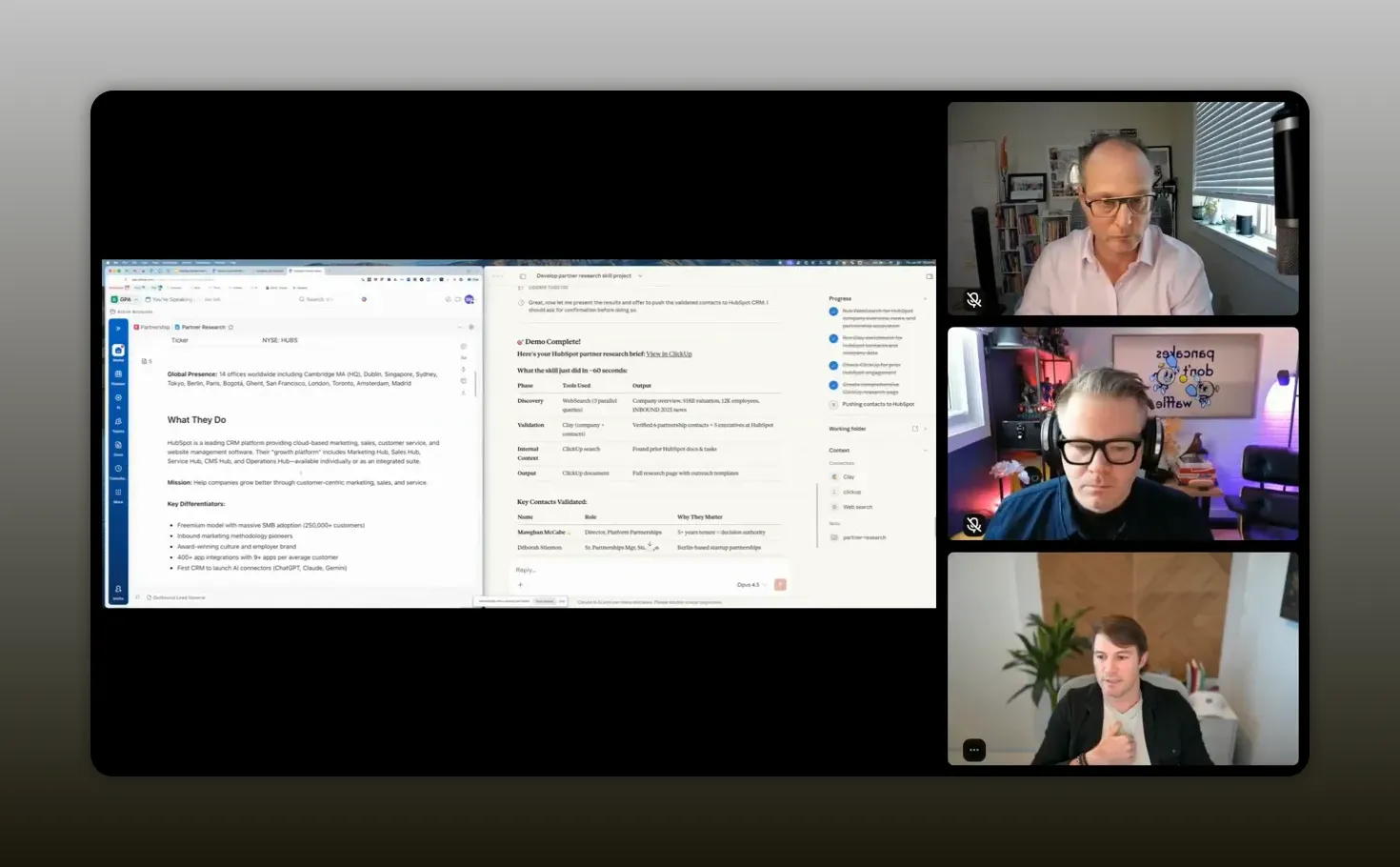
“This pulled in and has run an almost five-step process.” -Scott Murtaugh
That is the practical threshold to aim for in your own use cases. If your AI workflow only creates text, it helps. If it creates structure, tasks, and records in your systems, it starts to change your operating capacity.
What MCPs and tools mean in practice
MCPs are fairly straightforward: these are the mechanisms that let AI connect to external tools and use them purposefully. For partnership work, that means Claude can become the coordinator across systems like:
- Web research sources
- Clay for enrichment
- ClickUp or Notion for documentation
- HubSpot for CRM actions
The value is in the behavior: Claude can pull context from one system, reason on it, and then update another system.
That is what Justin meant when he talked about AI-powered people rather than just AI-powered platforms. A platform may improve a single category of workflow, like PRM activity. But your day-to-day work crosses many categories. You still need a way to stitch everything else together.
If you want a deeper look at how MCP and operator-style workflows scale in partner operations, this article on AI, MCP, and operator workflows that scale is worth bookmarking.
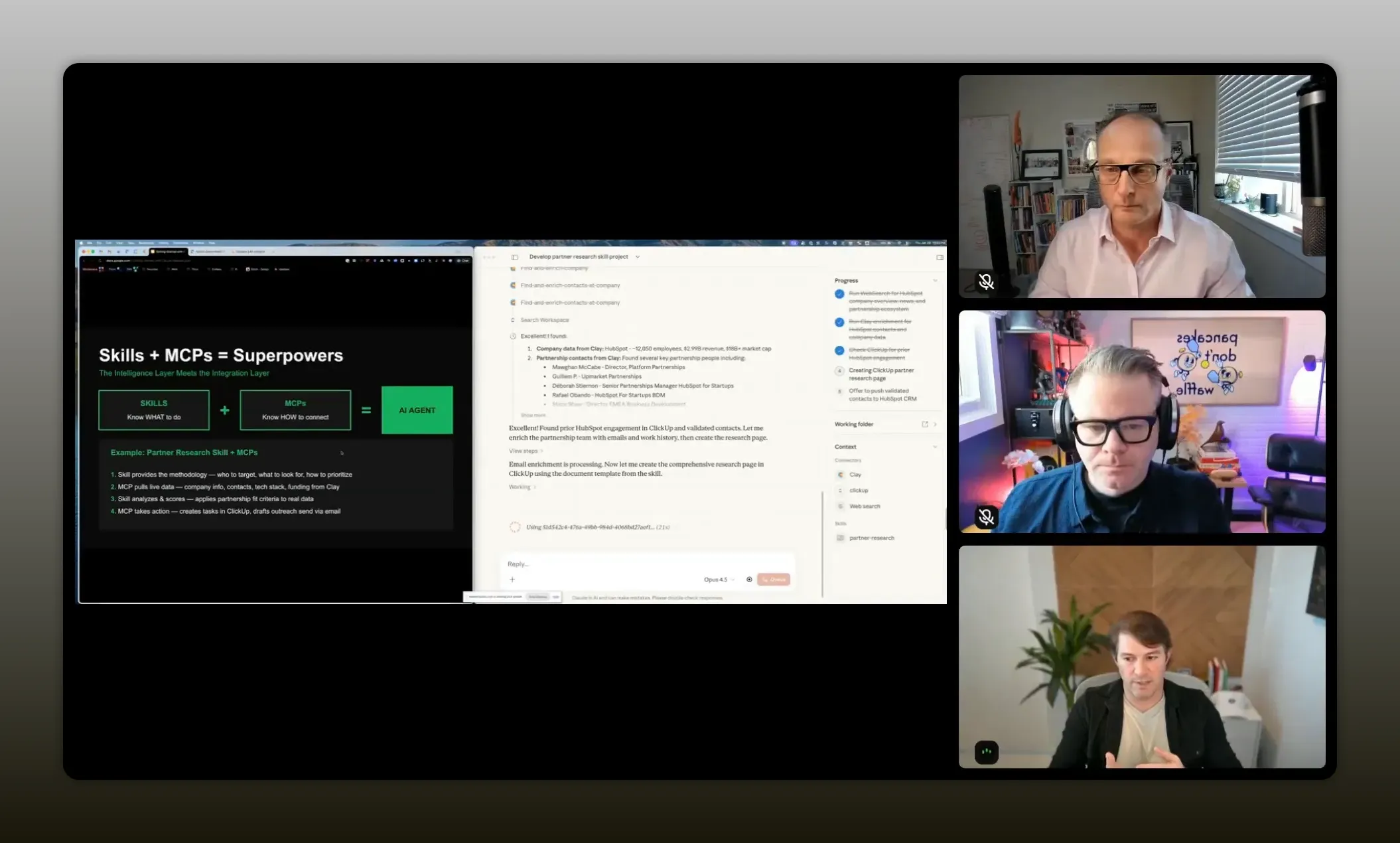
“Once you start using MCPs and operator-style workflows…you’re running your process: pulling data, enriching it, creating the brief, and pushing it into the tools you already rely on.” -Scott Murtaugh
How to start if you are not technical
Scott does not consider himself technical, and he is not writing code. That is a huge unlock for partner professionals who assume this kind of automation is only for developers or RevOps specialists.
Scott’s point was not that there is no learning curve. It was that you can learn through exploration, self-teaching, trial, error, and iteration. That means your starting point can be much simpler than you think. Here’s how.
Start with one painful workflow
Do not try to automate your whole job. Pick one process that is repetitive, clear, and time-consuming.
Good candidates include:
- Partner account research
- Contact identification and enrichment
- Brief creation for leadership
- Personalized outreach drafts
- Meeting prep documents
Write down your current SOP
Before you build a skill, document the process you already follow:
- What sources do you check?
- What questions are you trying to answer?
- What output do you need at the end?
- What format works best for your team?
That is the raw material for a skill.
Connect the tools you already use
You do not need a giant stack on day one. Scott’s demo used a practical set of systems that many teams already know:
- Web research
- Clay
- ClickUp
- HubSpot
Even one or two integrations can create meaningful leverage.
Test, inspect, refine
AI workflows are not “set it and forget it” on the first try. The real advantage goes to people who tinker. Run the process. See where it misses. Improve the skill. Add clearer instructions. Adjust the output.
That is how a rough automation turns into a useful system.
Mistakes to avoid
When people first start using AI in partnerships, they often make the same mistakes. Scott and Justin did not list these as a formal framework, but their conversation makes them pretty clear.
1. Treating AI like a search engine only
If all you ever do is ask for summaries and email drafts, you will miss most of the upside. Search and writing are just the entry point.
2. Waiting for perfect enablement from your company
Enterprise support may come later. Your advantage comes from learning now. You do not need permission to explore a safer, smaller workflow that improves your own productivity.
3. Assuming you need to code
You may eventually choose to go deeper technically, but you can get real value without becoming an engineer.
4. Automating messy processes without defining quality
If you do not know what good output looks like, your workflow will stay inconsistent. A skill works best when your standards are explicit.
5. Stopping at text output
The biggest value often comes when the workflow creates or updates assets in the systems you already use.
6. Forgetting the point
The point is not to automate human relationships out of partnerships. The point is to automate the busywork that keeps you from investing in those relationships.
Recommended tools
Based on the session, this is the practical stack Scott used or referenced for building AI-enabled partnership workflows:
- Claude for reasoning, file creation, and connected workflow execution
- Claude Co-Work for desktop-oriented work inside your workspace
- Clay for company and contact enrichment
- ClickUp for document creation and task management
- HubSpot for CRM updates and contact management
- Gemini as another strong AI option for certain search and creative use cases
- ChatGPT for quick ideation, general knowledge, and drafting support
The point is not that you need all of these. It is that connected tools become much more powerful when AI can work across them using a clear process.
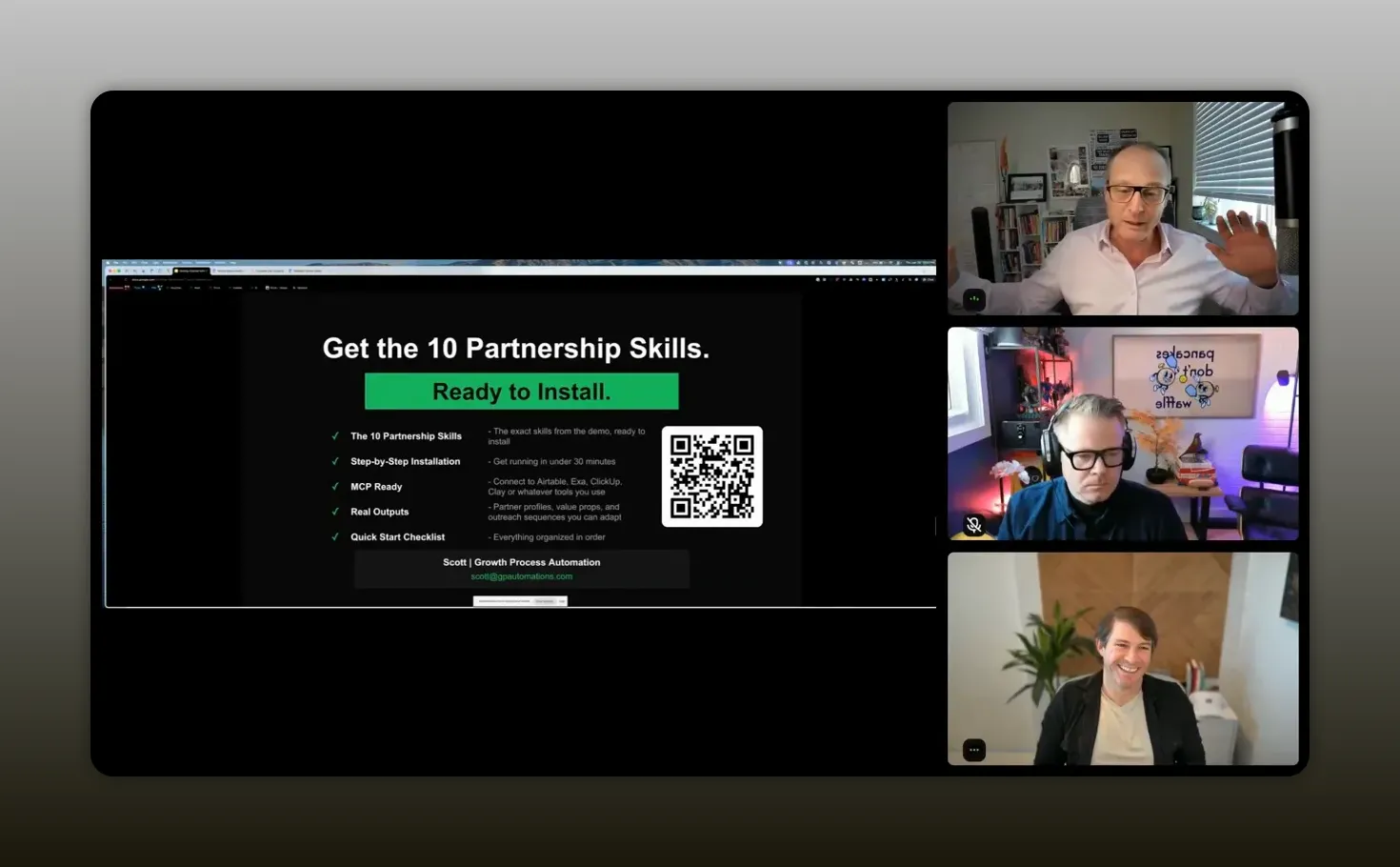
“If I can save five hours a day on one thing, I’m going to sign up for this course no matter what it costs.” -Justin Zimmerman
FAQs
Is Claude better than ChatGPT for partnership workflows?
For the type of workflow Scott demonstrated, yes. ChatGPT is still useful for brainstorming, Q&A, and general writing help. But Claude stood out here because it can operate inside a desktop workspace, use connected tools, follow reusable skills, create files, and take multi-step actions across systems.
Do you need to know how to code to build these workflows?
No. Scott was explicit that he does not write code and still built these kinds of systems through trial, exploration, and repeated testing. You do need curiosity, patience, and a willingness to experiment, but you do not need to be an engineer to start.
What is a skill in Claude?
A skill is essentially a reusable operating document. It contains your SOP, instructions, templates, domain knowledge, and expected output structure. Instead of rewriting prompts every time, you use the skill to make the workflow repeatable and more consistent.
What kinds of partnership tasks are best for AI automation?
The best starting tasks are repetitive, time-consuming, and structured. Examples include partner account research, identifying target contacts, enrichment, creating internal briefs, drafting personalized outreach, and generating follow-up tasks inside your project management or CRM tools.
What did the partner research workflow actually automate?
It automated company research, web searches, partner ecosystem analysis, contact enrichment through Clay, document creation in ClickUp, suggested outreach, and optional contact creation in HubSpot. In other words, it handled both the information gathering and several next-step actions.
Why is this especially relevant for partner managers?
Because partner managers sit across many systems and functions. The role naturally involves a lot of manual coordination, repetitive research, and document creation. AI workflows can reduce that operational drag and give you more time for strategic planning and relationship building.
What is the biggest mindset shift to make?
Stop thinking about AI as just a chatbot. Start thinking about it as a workflow operator that can execute repeatable steps using your tools and your standards. That shift opens up a much bigger category of productivity gains.
Conclusion
The biggest takeaway from Justin and Scott is not that one tool is trendy or that you need to master every new model immediately. It is that partnership professionals now have access to a new layer of leverage, and the people who benefit most will be the ones willing to tinker.
You do not need to become technical overnight. You do not need to build a perfect system on the first try. You do need to stop thinking of AI as just a place to ask for content and start seeing it as a way to operationalize your best processes.
That is the opportunity sitting in front of you right now.
If you can turn one messy, manual workflow into a repeatable skill that researches, enriches, documents, and updates your tools for you, you are not just saving time. You are increasing your capacity to do the work that actually moves partnerships forward.
And that is the whole point: less manual glue work, more strategic impact, better relationships, and a lot more output from the same day.