How to Use Replit for Partner Recruitment & Enablement
Expert advice from Aghya Goel (Content Strategist & B2B Content Creator, Citrine).
Snapshot
You’re trying to scale partner recruitment, but the workflow doesn’t scale with you—so your “research” turns into a weekly scramble. Meanwhile, competitors keep showing up consistently, right when their ecosystems are primed for new partnerships. That gap—between ad-hoc manual work and always-on partner discovery—is the whole game.
This post unpacks Aghya Goel’s savvy way of addressing this: building a Replit-based AI agent that repeatedly scans partner ecosystems, finds high-intent opportunities, and produces an evidence-backed daily shortlist. The goal is to “build the right agent,” using the structured Lead prompt framework and decision rules that force evidence (and keep hallucinations out) while leaving human judgment in control.
If you want to automate partner research, competitive gap detection, and top-of-funnel partner mapping without losing quality, keep reading. You will learn a practical framework you can reuse across any AI agent, plus the five mistakes that most teams make when they move too fast and too tool-first.
“Partner mapping requires so much manual one by one outreach just to even understand the damn landscape.” – Aghya Goel
Table of Contents
- Table of Contents
- Why partnerships need agents (not more spreadsheets)
- AI agents vs chatbots: what changes
- The story: why the partner recruitment agent was built
- The Lead framework for engineered prompts
- How to build a Replit agent using Lead
- Demo walkthrough: what the agent outputs daily
- Five mistakes to avoid when creating an agent
- Recommended tools
- FAQs
- Conclusion
Why partnerships need agents (not more spreadsheets)
In most go-to-market stacks, prospecting has a backbone: demand base, intent signals, G2 reviews, enrichment, and all the stuff that helps sales teams find and prioritize prospects. Partnerships do not get that same luxury. In practice, partner managers and partnership leaders often build their process from scratch every week.
Aghya described the reality as a loop of manual research:
- Open Google and search for partner opportunities
- Check competitor integration pages
- Skim blogs and ecosystem pages
- Update spreadsheets
- Repeat for hours, hoping it gets pushed to the CRM later
Even when you surface a handful of partners, the bigger issue remains: you are rarely sure the list is correct. There is no single source of truth. Research is incomplete and often depends on the person executing the work. That is how teams spend time on the wrong targets and miss competitive moves.
The fix is not “try harder.” The fix is to build an AI agent that executes a designed workflow consistently and repeatedly, so your research becomes a system instead of a scavenger hunt.
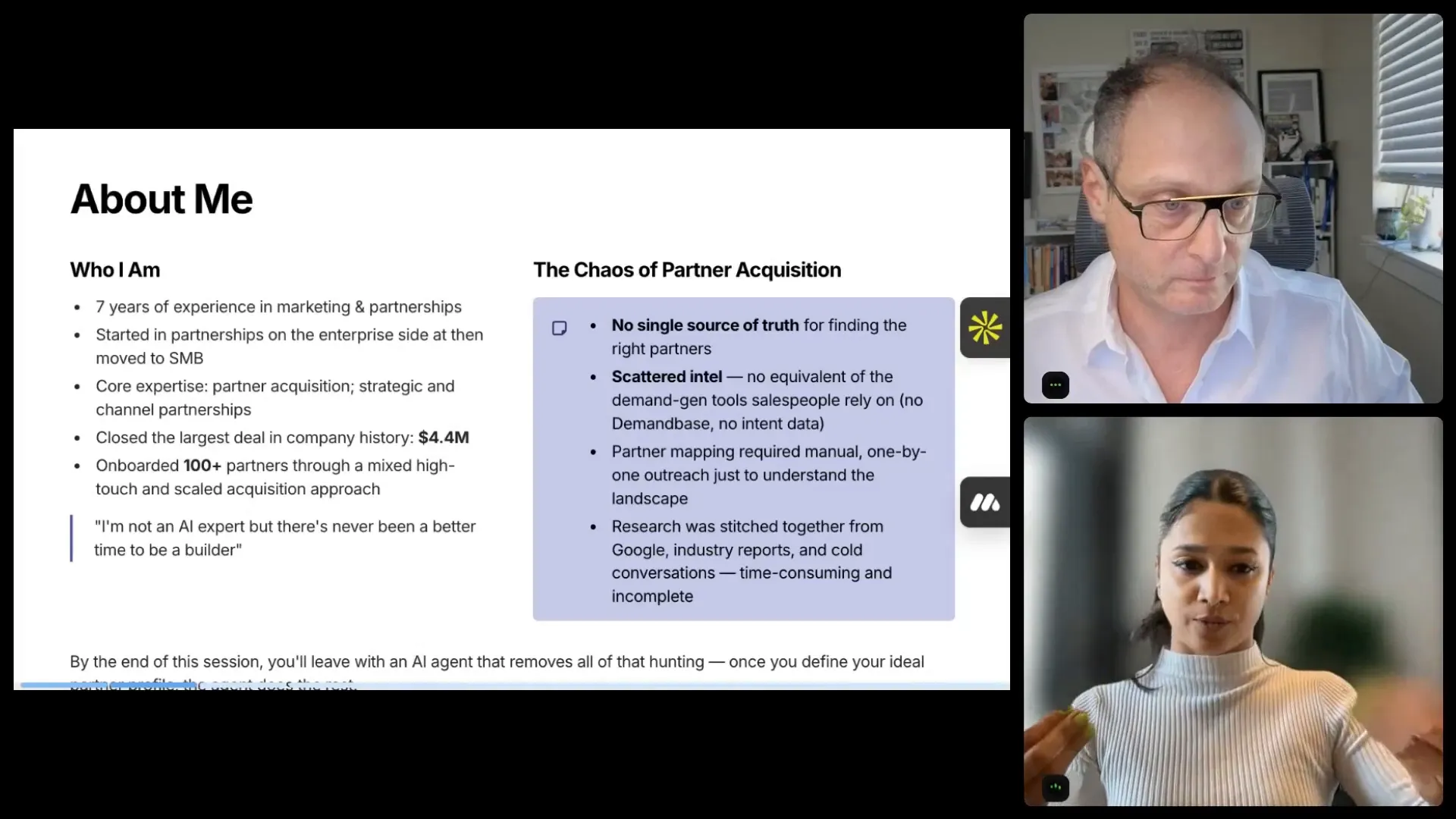
“You’d spend time on the wrong targets. You have no idea what your competitors are doing until it was too late.” – Aghya Goel
AI agents vs chatbots: what changes
A lot of people use the term “AI agent” loosely. Aghya’s blunt distinction is important: an AI agent is not the same thing as a chatbot.
Chatbot = reactive conversation
You type a question. You get an answer. That interaction is reactive and stops when the conversation ends.
Agent = proactive execution
An agent is proactive. Think of it as a digital executive assistant: persistent, consistent, and able to run instructions repeatedly without you being in the room. It does not forget steps. It does not “skip” just because you asked politely once.
Here is the practical rule Aghya uses:
If you are doing something more than twice, you probably need an agent.
- Scanning competitor pages weekly
- Checking ranking articles
- Building target lists from scratch
- Starting over for every new vertical
Those are repeated workflows. They are exactly what agents should automate.
One more critical guardrail: agents automate repetition and evidence gathering. Humans keep judgment. The intention is not to replace the partner manager. It is to buy back time for the work that actually needs you: deciding which partners matter, shaping outreach, and building relationships.
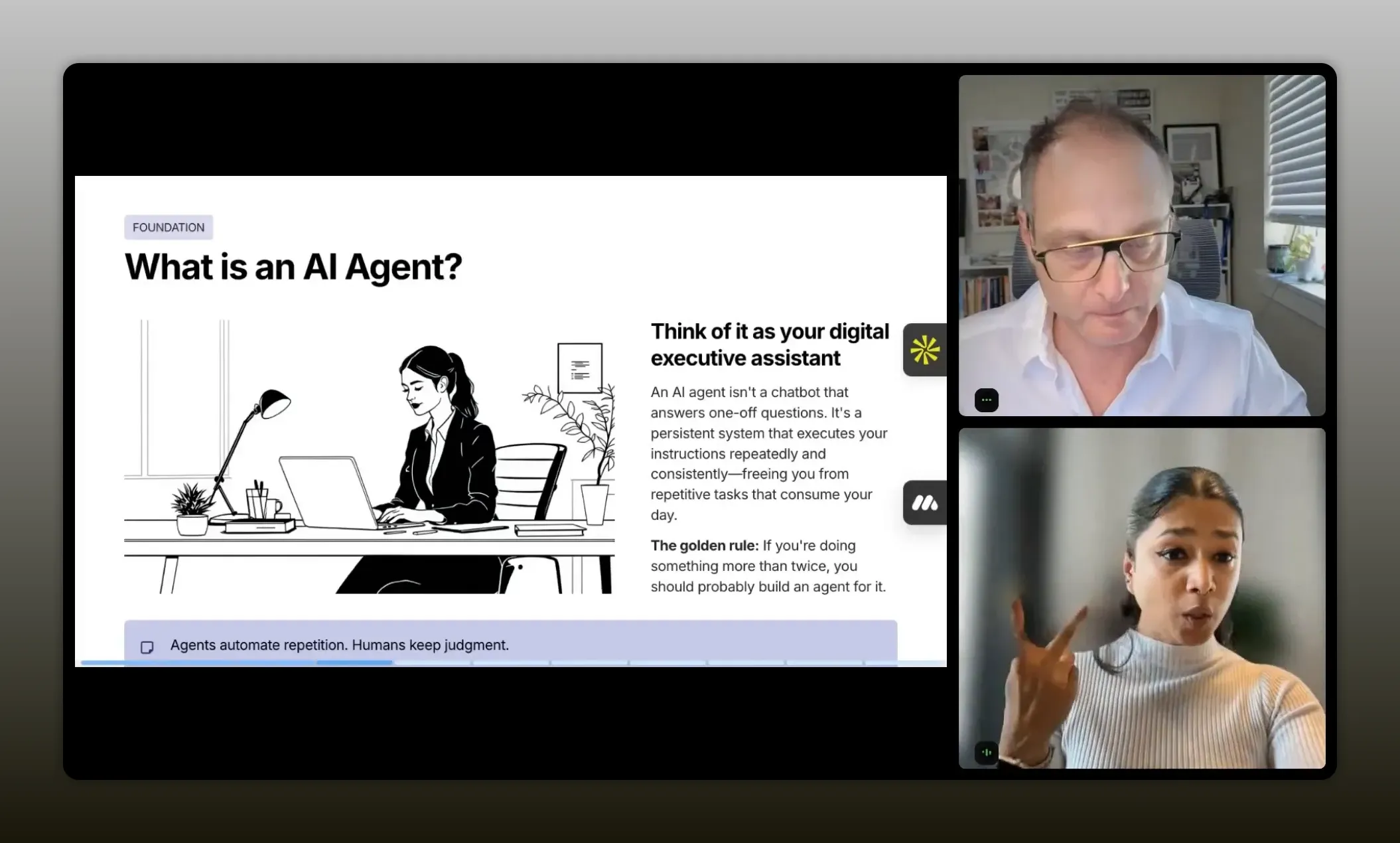
“An AI agent is a proactive, repeatable system that executes your instructions (and evidence rules) every day, so you don’t miss competitive moves until it’s too late.” – Aghya Goel
The story: why the partner recruitment agent was built
Aghya’s agent started with a simple need: partner research was time-consuming every week, and competitive gap mapping across hundreds of potential partners was leaking value out of the funnel. The real problem was not only effort. It was the inability to keep research fresh and consistent.
In her case, she built an agent with a clear output: analyze partnership opportunities, identify the top partners to reach out each day, and send the results to her at 7 a.m. Every morning, her dashboard updates with:
- Fresh partner candidates
- A pitch angle
- Competitive analysis and context
The idea is powerful because it changes the workflow. Instead of spending the morning hunting, you use the morning to do the “fun work”: opening the doors, multi-threading conversations, and initiating partner discussions.
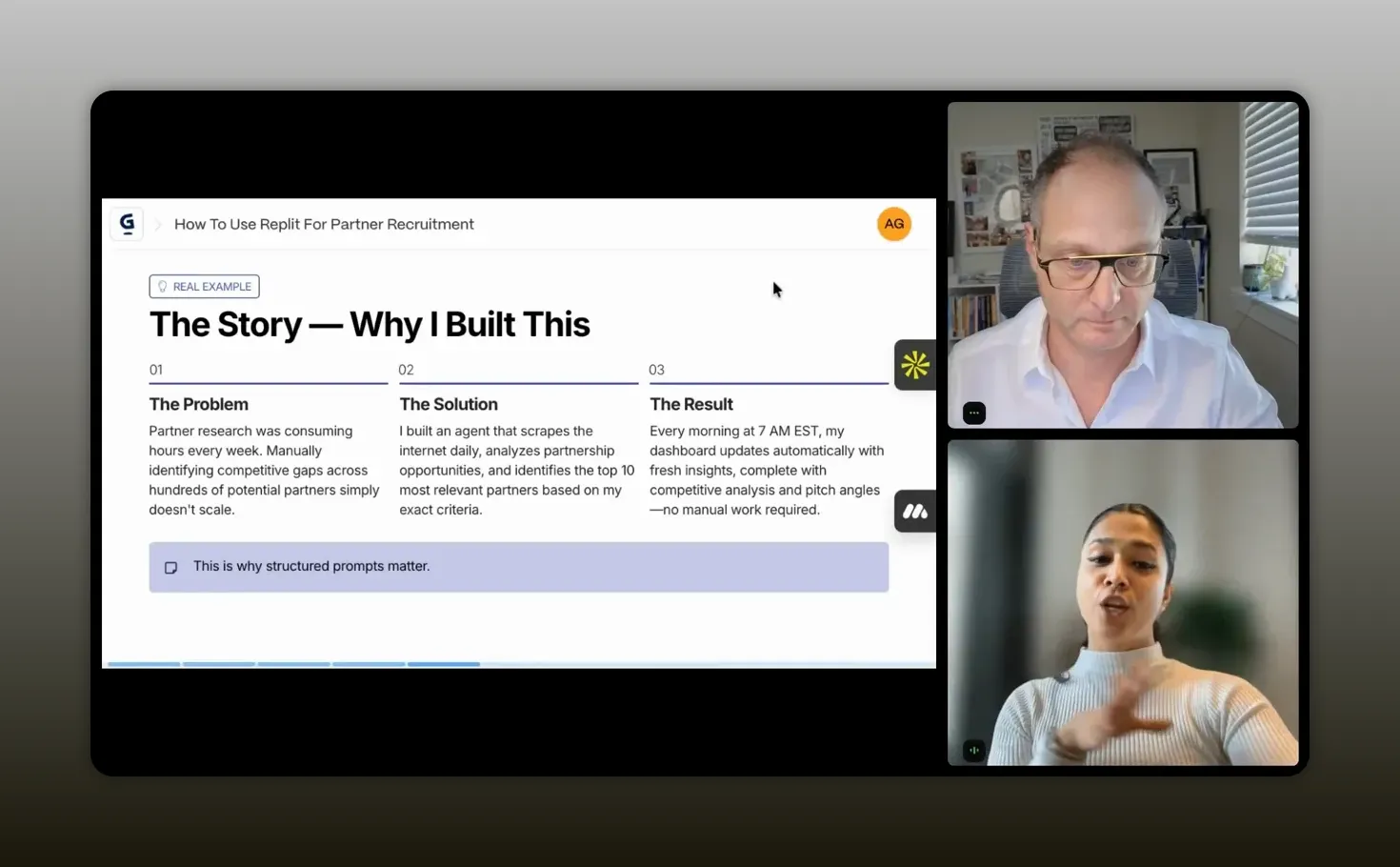
“Every morning at 7 a.m., my dashboard automatically updates with 10 fresh partners along with the pitch angle and the competitive analysis.” – Aghya Goel
The Lead framework for engineered prompts
The most important lesson Aghya shares is prompt structure. Not “a prompt.” Not “some instructions.” A structured prompt that teaches the agent what success means and what rules it must follow.
Her Lead framework is used to design prompts for agents across tools like Replit and other custom agent builders. It has four components, each doing one job. If any component is missing, the agent either produces garbage or produces nothing useful.
L: Landscape
Landscape is the goal and big picture. This is where you define:
- What problem the agent solves
- What success looks like
- The mission and scope
Use the “imagine” approach: imagine you are describing the project to a person. That becomes the text you write.
E: Ecosystem buckets
This is where you define who or what the agent focuses on. Not broadly and not vaguely. Specifically.
Vagueness kills agents. Specific buckets produce specific results. For example, instead of asking for “good partners,” you might define buckets like:
- Comparison pages and review sites
- Integration ecosystems
- App marketplaces
- Industry vertical hubs
Partnerships do not live in one place. So you define multiple ecosystem buckets to capture different “switching moments.”
A: Authority signals
Authority signals define what quality looks like. This is where you specify the measurable indicators that a candidate partner should have.
Importantly, this is not about asking the agent to guess what “good” means. If you cannot define what good means yourself and write it down, the agent will not be able to answer it reliably.
Authority signals examples include:
- Geography (for example, North American traffic)
- Domain relevance
- Content freshness (updated dates)
- Competitor presence
- Click volume or engagement signals
D: Decision rules
Once you define the landscape, buckets, and authority signals, you tell the agent how to make decisions.
Decision rules are where you:
- Set scoring logic
- Add constraints
- Specify evidence requirements
- Define what the agent must never fabricate
This is the technical layer that turns “build me a partner sourcing agent” from a wish into something buildable and reliable.
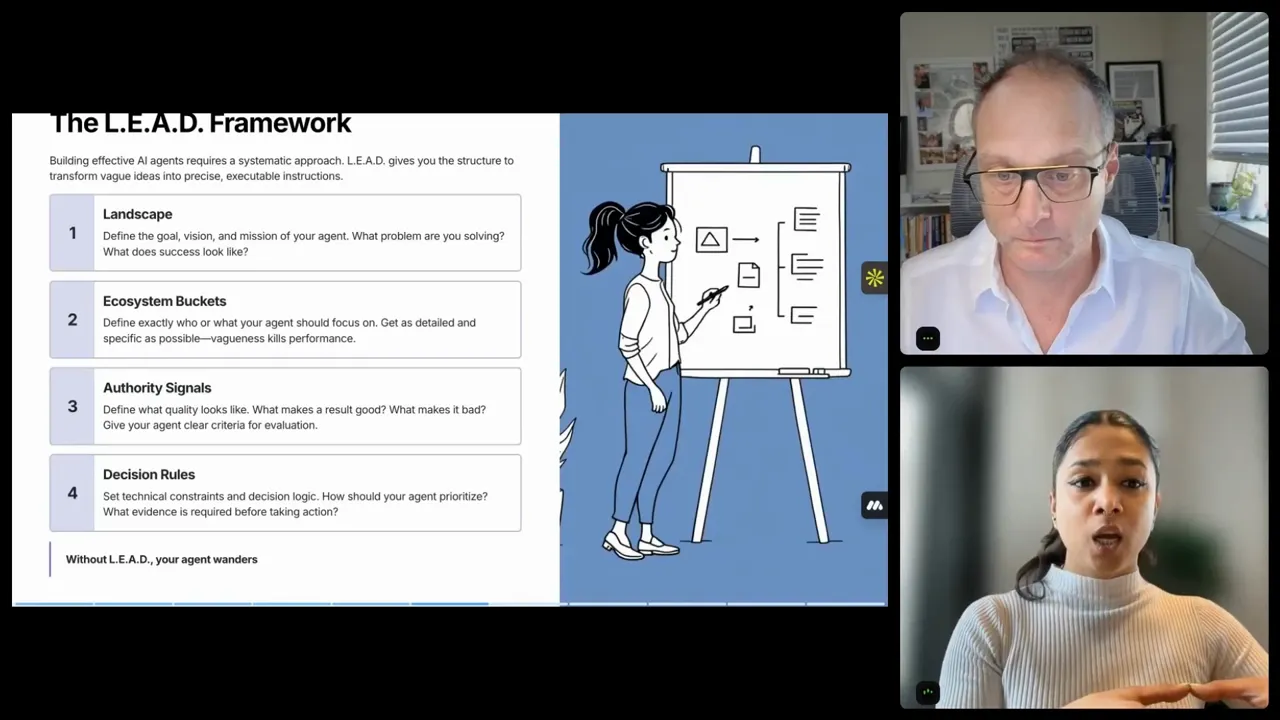
“Without Lead, you essentially help your agent stop wondering.” – Aghya Goel
How to build a Replit agent using Lead
Aghya’s demo used Replit to create a partner recruitment agent. Even if you do not code, you can still follow the same logic: design the prompt first, then implement the agent around that prompt.
Here is the mental model to borrow:
- Write a structured prompt using Lead
- Upload the prompt (or paste it) into your Replit project
- Configure the agent to run on a schedule
- Have the agent search, extract, score, and output evidence
- Add feedback loops so the shortlist gets better over time
Prompt volume matters
One practical detail Aghya emphasizes: the prompt should not be three sentences. Her templates are designed so that Landscape and Ecosystem buckets each aim to be about one page. With Authority signals and Decision rules, the full prompt often ends up around four to six pages of detailed instructions.
That is why generic prompts like “build me an AI agent to find partners” tend to fail. The agent does not know what your company is, what “good” means, what buckets matter, or how to score evidence.
Landscape objective examples (competitive gap detection)
In Aghya’s agent, the Landscape objective was competitive gap detection:
- Find websites where competitors appear
- But where the target company is missing
- Prioritize these “high-intent pages”
That makes the goal measurable. It is not a vibe. It is an execution rule.
Ecosystem buckets example tiers
Aghya defined tiers like:
- Tier one: comparison pages and review sites (G2, Capterra, software review blogs)
- Tier two: integration ecosystem (whatever relevant ecosystem buckets exist for your category)
The exact tiers are yours to define. The principle is the same: partnerships show up in multiple environments.
Authority signals example list
Authority signals in the agent connected to real filters like:
- North American traffic thresholds
- Presence of content (thread content)
- Whether the competitor is present
- Website freshness (for example, updated between 2024 and 2025)
The agent’s output becomes trustworthy because the signals come from explicit rules, not imagined reasoning.
Decision rules that stop hallucinations
The “do not hallucinate” strategy is not magic. It is constraints. Aghya listed explicit rules such as:
- Always include the exact URL
- Always include a 300-character evidence snippet
- Never fabricate contact data
- Score using weighted rules
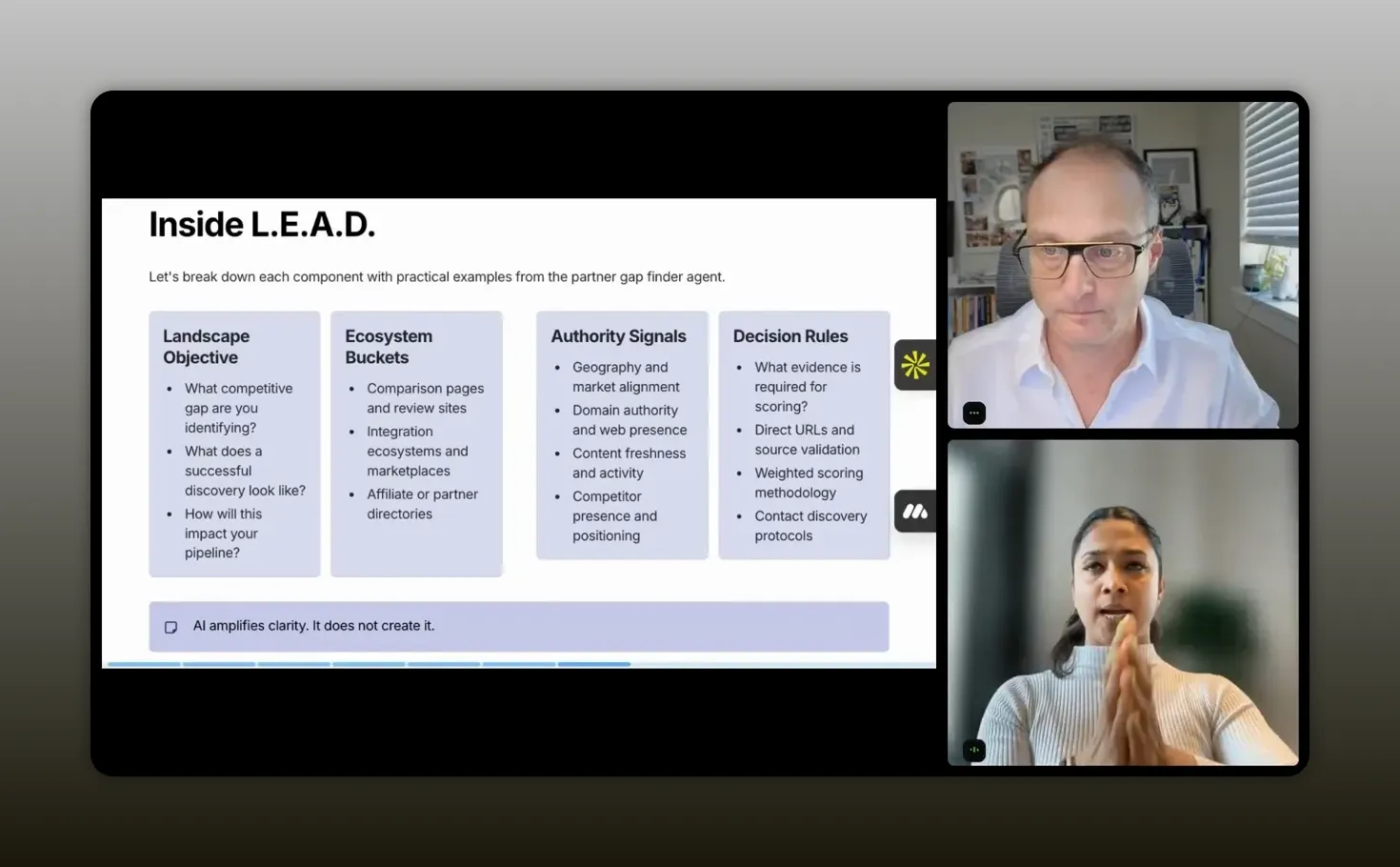
“The landscape objective needs to answer three main questions: the exact gap I’m trying to find, where does my company not show up, and what kind of ecosystem imbalance am I targeting.” – Aghya Goel
Demo walkthrough: what the agent outputs daily
In the live demo, Aghya logged into Replit, opened her workspace, and started from a dashboard-like agent interface. The key piece is what the agent produces.
The workflow looked like this:
- The agent runs a search for partnership opportunities
- Results appear on a dashboard
- Each candidate partner has signals and reasoning based on the prompt
- There is a legend driven by authority signals (for example, North American traffic)
- The agent explains “why you should partner with this” based on provided constraints
The dashboard also included interactivity:
- Thumbs up / thumbs down feedback to refine targeting
- Links to deeper partner research
- A way to track whether you have already contacted a partner
- A running log of searches, qualified counts, and reasons
- Export to CSV for CRM workflows
That last detail matters. You are not just getting answers. You are getting structured outputs that can plug into existing GTM processes.
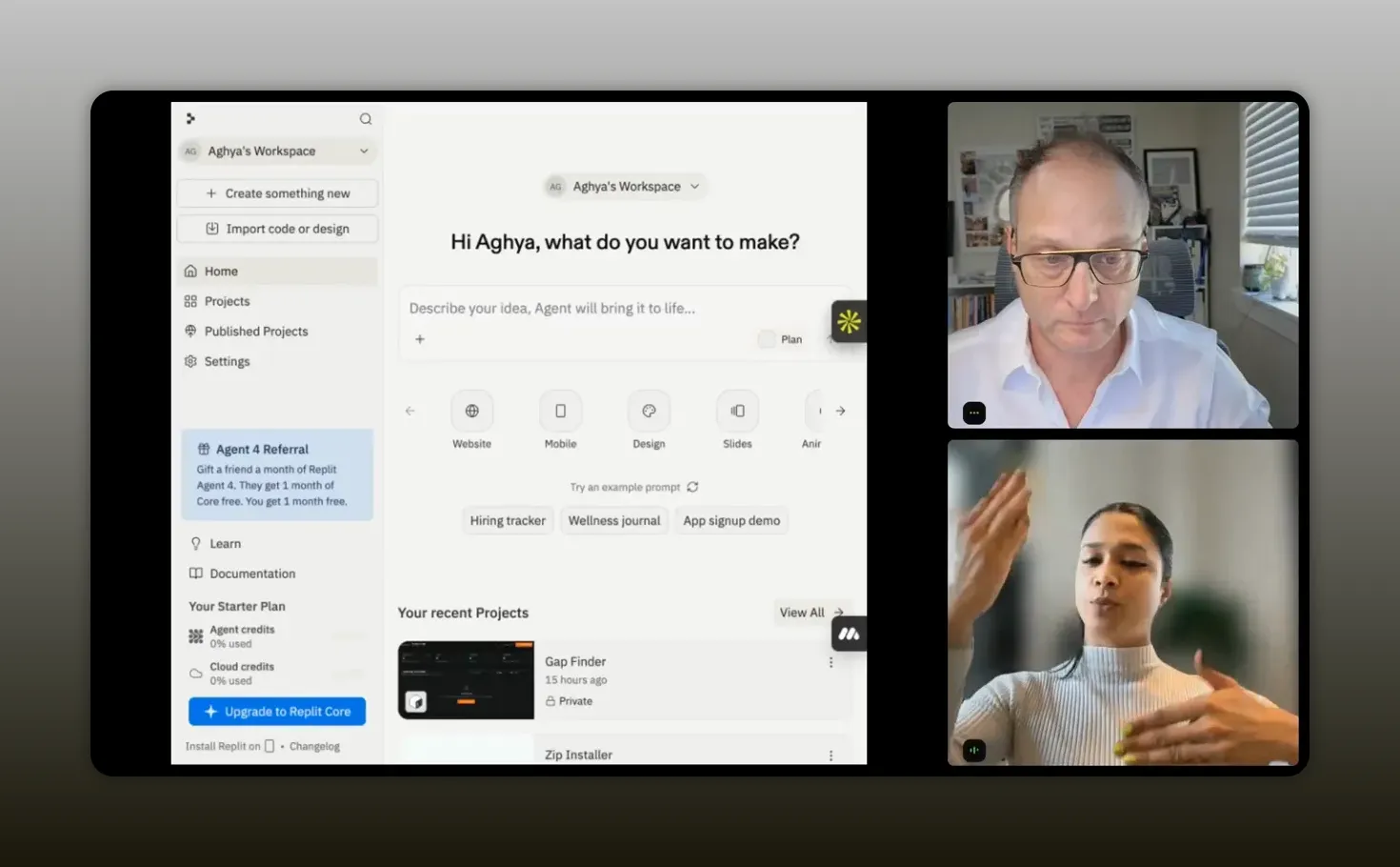
“This is what my agent did. Tell me, okay, that there’s a best stock charting software and this is why you should be partnering with them.” – Aghya Goel
Five mistakes to avoid when creating an agent
The best prompt in the world still fails if you build without discipline. Aghya closed with five common mistakes that lead to two outcomes: wasting credits or producing unreliable output.
1) Start with the tool instead of the strategy
Many teams open Replit or lovable and type a one-line prompt like “build me an agent.” That burns credits and produces weak results.
Instead, maximize credit usage by writing efficient, engineered prompts that reduce wandering and increase execution accuracy.
2) Fail to define what good means
If you cannot write down “good” as constraints and requirements, the agent will drift. The agent needs to learn your quality bar from your prompt.
3) Define what good, but not what bad looks like
Aghya grouped this as a partner to the previous mistake. If you do not specify filters that represent “bad,” the agent will hallucinate outcomes you did not intend.
4) Try to automate judgment
This is subtle, but it is the line between a useful agent and a broken one.
Agents should automate:
- Scanning
- Pattern detection
- Data extraction
Agents should not be the ones deciding:
- Ecosystem positioning strategy
- Deal structure
- How to evaluate a partnership beyond the evidence you provided
5) Build once and never iterate
Your first version is a starting point. Strong operators refine their agent over time. Aghya described her agent as a work in progress, adding new features as she learned what worked and what did not.
Think of it like a GTM motion: iteration compounds.
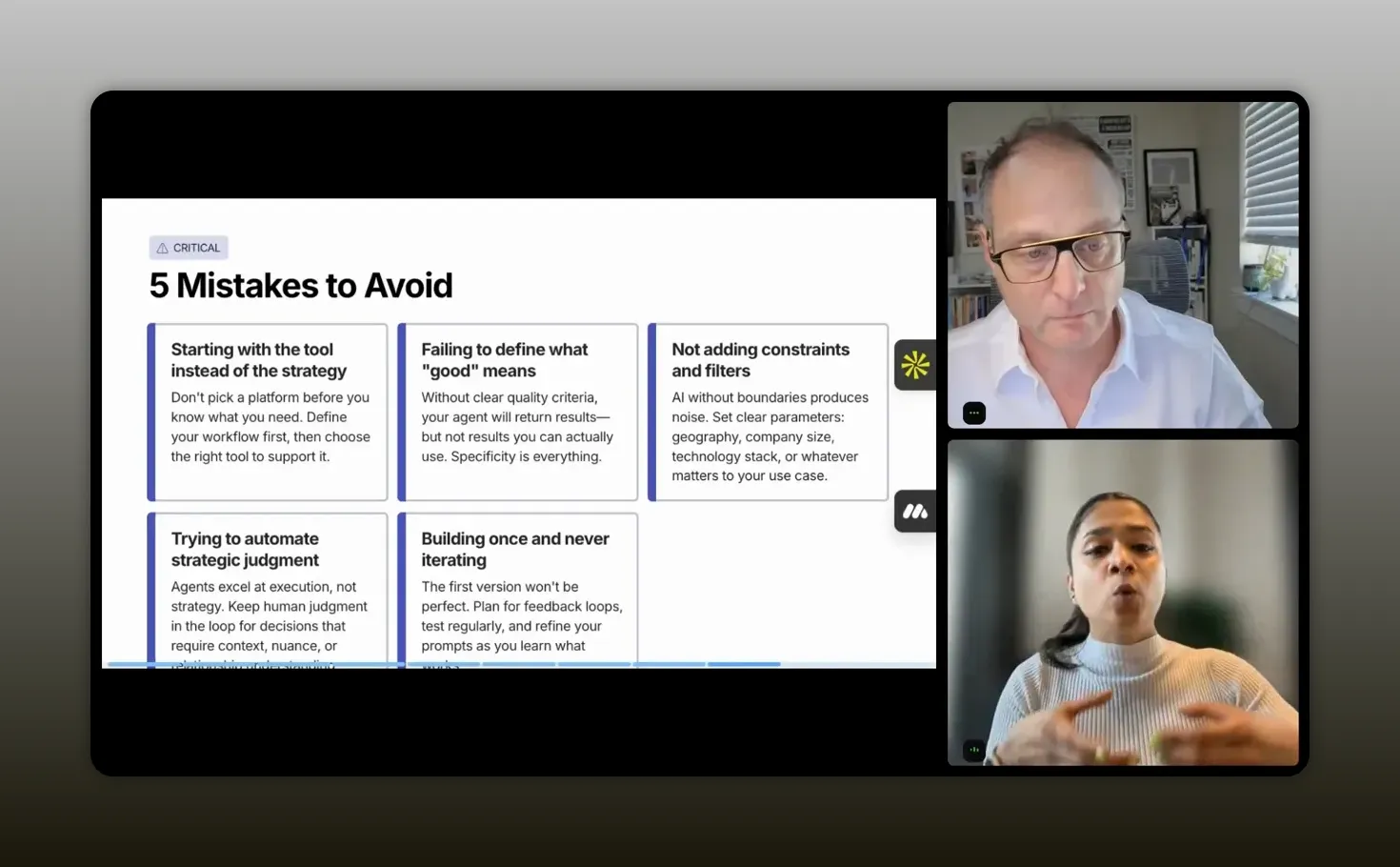
“The first version of your agent is a starting point, not a finished product.” – Aghya Goel
Recommended tools
- Replit for building and hosting your agent
- Lead framework prompt templates (Landscape, Ecosystem buckets, Authority signals, Decision rules)
- Optional CRM integration via export (CSV) or Replit integration facilities
FAQs
What’s the difference between an AI agent and a chatbot?
A chatbot is reactive and answers when you ask. An AI agent is proactive and persistent, executing your instructions repeatedly and consistently, often on a schedule, without you needing to stay “in the room.”
Do I need to code to build a partner recruitment agent in Replit?
You do not need to be a terminal coder to follow the workflow. The biggest lever is an engineered prompt. Replit can help you implement the agent, but the quality signal comes from writing structured prompt components and decision rules.
How do authority signals prevent unreliable partner recommendations?
Authority signals define measurable indicators of quality, such as traffic region, content freshness, competitor presence, and other thresholds you specify. When paired with decision rules, the agent uses evidence you require and avoids guessing.
What should I include in decision rules to stop hallucinations?
Include constraints like “always provide the exact URL,” “always include an evidence snippet,” and “never fabricate contact data.” Add scoring logic and require evidence before the agent takes actions or makes claims.
How often should I run the agent for partner research?
If you are doing partner research weekly or more often, you are already doing agent work. Run it daily or weekly depending on how quickly your ecosystem changes and how much time you need to review outputs.
What’s the best starting use case for my first agent?
Start with a narrow, measurable workflow such as competitive gap detection: find pages where competitors appear but you do not. That turns the goal into something an agent can execute reliably.
Conclusion
Partner recruitment breaks down when research is treated like manual labor. The build approach here reframes it as an engineered workflow: write a structured prompt using Lead (Landscape, Ecosystem buckets, Authority signals, Decision rules), implement it in Replit, and let the agent run on a schedule to deliver an evidence-backed shortlist. Then you do what agents cannot: judgment, positioning, and relationship building. Avoid the five common mistakes and treat your agent like a compounding GTM motion. The result is partner sourcing that is faster, more consistent, and less dependent on who had time that week.